
VaM DLSS NR and DLAA Plugin RTX 20/30/40/50

Paid Plugins + Scripts VaM DLSS NR and DLAA Plugin RTX 20/30/40/50

Go to pay site

UncleBurrito

Member
Joined
Jun 30, 2026
Messages
10
Reactions
50
UncleBurrito submitted a new resource:

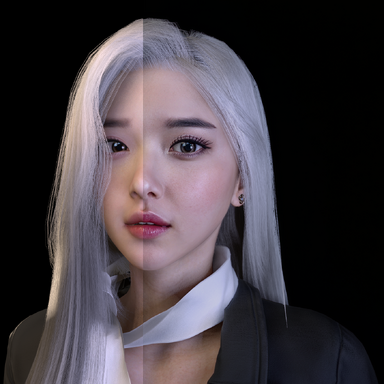
VaM DLSS NR and DLAA Plugin - Simple plugin that allows you to use DLAA and DLSS 5 in VaM.

THIS IS A DLL MOD THAT REQUIRES BEPINEX. Always be careful of dll mods as they may contain malware.

Install BepinEX 5 in VaM from here: (BepInEx_win_x64) https://github.com/bepinex/bepinex/releases
Download zip file and extract in the VaM folder
Make sure you have the latest Nvidia drivers installed
Launch VaM and press "F10" to access the settings menu. All settings are saved...

Read more about this resource...
 
Having trouble getting this to work... The DLAA seems working fine. but enabling NR option does nothing.
It shows nvngx_dlssnr not found or failed to load..

Bez názvu.jpg


Anyone had similar trouble?
im on 4090
 
4080S driver version 610.88 , 615.56 , if press F10 nothing happens, the window doesn't appear.
 
Last edited:
4080S driver version 610.88 , 615.56 , if press F10 nothing happens, the window doesn't appear.
Make sure you have BepInEx_win_x64_5.4.23.5 installed and not the x86 version. Also, using BepInEx_Patcher may have helped resolve this issue.
 
VR support planned for later. : Tell me I'm not dreaming!! I can't wait ! (y)
Claude Sonnet says: "The engineering path is clear and does not require engine source access, driver modifications, or hardware-level access — it requires a native DLL with OpenVR vtable interception, a LUID-matched D3D12 device, and two independent DLSS feature contexts. This is within the capability of a skilled mod developer with D3D11/D3D12 experience." So I guess it's possible
 
Hi will the plugin you are working on for VR be used with the steam VR or the Virtual desktop one? bc i have steamVR
Switch to Virtual Desktop and forget about SteamVR—the reliability and performance are unmatched. So, I hope it will be compatible with VD and RTX 30-series cards.
 
Once I click "Enable DLSS" the game just freezes for me (overlay is still interactable). I have GeForce 5800 if this helps. Any ideas how to fix it?
 
Are you really trying to monetize on something that was kindly extracted, adapted, and released for free by other communities and ppl
just because all you did was adding a 10min UI (perhaps even made with the AI) which recall the same features of the reshade addon version with absolutely nothing more and nothing less?

Some ppl are really without any shame.
 
Are you really trying to monetize on something that was kindly extracted, adapted, and released for free by other communities and ppl
just because all you did was adding a 10min UI (perhaps even made with the AI) which recall the same features of the reshade addon version with absolutely nothing more and nothing less?

Some ppl are really without any shame.
He can pretty much do what he wants, you have no say in it.
 
I have a 4090, I9, and 128 gb of system ram. I am getting it to work but in Neural Renderaing it freezes the game after a few seconds. When it does I get this message. If I turn off NR, the game unfreezes after a few seconds.
attached is the error message I am getting. This might be really goods if I can get it to work. Thanks!

1788284338981.png
 

Similar threads

Replies
8
Views
956
Replies
0
Views
552
Replies
0
Views
361
Replies
0
Views
559
Replies
0
Views
560
Back
Top Bottom