
• Hi Guest!

    We are extremely excited to announce the release of our first Beta1.1 and the first release of our Public AddonKit!
    To participate in the Beta, a subscription to the Entertainer or Creator Tier is required. For access to the Public AddonKit you must be a Creator tier member. Once subscribed, download instructions can be found here.

    Click here for information and guides regarding the VaM2 beta. Join our Discord server for more announcements and community discussion about VaM2.
  • Hi Guest!

    VaM2 Resource Categories have now been added to the Hub! For information on posting VaM2 resources and details about VaM2 related changes to our Community Forums, please see our official announcement here.
Screenshot Resolution Improvement

Guides Screenshot Resolution Improvement

BooMoon

Well-known member
Featured Contributor
Joined
Nov 10, 2020
Messages
176
Reactions
2,583
BooMoon submitted a new resource:

Screenshot Resolution Improvement - for both reshade and non-reshade users

on this guide will show how you can simple take higher resolution screenshots with two methods 1 for reshade users and one for non-reshade users .

1 for reshade users
the way i do to simply increase resolution to take screenshots with reshade is to use SRWE

View attachment 577090
the way i take my screenshots is with 1:1 because it is what fits...​

Read more about this resource...
 
With an Nvidia RTX card, the Nvidia app can take screenshots at 1:1 that exactly reproduce what's on screen. All I do is hide the Vam UI (F1) then use Alt-F1 to take the screenshot.
 
With an Nvidia RTX card, the Nvidia app can take screenshots at 1:1 that exactly reproduce what's on screen. All I do is hide the Vam UI (F1) then use Alt-F1 to take the screenshot.
thats good to know , are they changeable on the fly like swre ? , i'm a amd user so i have no idea how nvidia app works nowadays 😅
 
The Nvidia app only works if you have an Nvidia RTX card. If you're all AMD, it's not an option.
 
With an Nvidia RTX card, the Nvidia app can take screenshots at 1:1 that exactly reproduce what's on screen. All I do is hide the Vam UI (F1) then use Alt-F1 to take the screenshot.
This mode is making screenshots in low resolution, SuperShot making much better quality screenshots
P.S. For those who wondering why ur's screenshot made with SuperShot is extremely blurry after first screenshot, make sure to turn off MacGruber motion blur
 
It's not low resolution if you're running in 4K. That's as much resolution as I need. It captures flat video in real time, too.
 
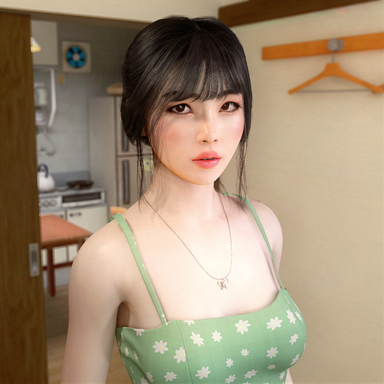
Hi BooMoon, have you released the girl in the example photos?! She's really attractive! Not sure if she is one you released yet since the smile morph is quite strong! Thanks
 
Hi BooMoon, have you released the girl in the example photos?! She's really attractive! Not sure if she is one you released yet since the smile morph is quite strong! Thanks
its mine but not released yet its still in progress .
 
Back
Top Bottom