
• Hi Guest!

    We have posted a new VaM2 dev log on Patreon, starting a monthly cadence of written progress updates between Beta releases. Highlights include the new Gizmos System, Selection Carousel, and Modes System with Context-Specific Editing. Beta1.2 is 15 of 21 items complete.

    Read the full post on Patreon, or follow progress on the public Trello roadmap.

VaM 1.x Problem: Model/Look floating in the air.

Threads regarding the original VaM 1.x

Clive Bragin

Member
Joined
Mar 29, 2025
Messages
38
Reactions
5
Hello, i have one model that dont step on the surface/ground when move. Its walking on air. On same scene when i load look -> other model it havent this problem. I try using Collider Editor to see is it have some problem with collisions of the foots but no. Also try to move root control in right position(down) with detach option , but when i load pose or make walk animation position is reset and the model is still in the air. Problem is only with one model. Model is from here free to download: https://hub.virtamate.com/resources/nicolina.22173/
Here are pictures : Person 1 is the problem , Person 2 is ok and the scene is same:
 

Attachments

  • Person 1.jpg
    Person 1.jpg
    522.9 KB · Views: 0
  • Person 2.jpg
    Person 2.jpg
    536.7 KB · Views: 0
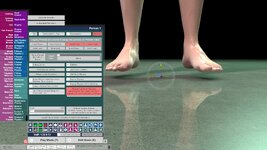
Nicolina does have her root control below the bottom of her feet, as shown in pic 1. The trick with detach root node is to set the model in the T pose, detach the root node, move it to the right spot, then uncheck the detach box. That should allow most poses to work. Some poses were created with high heels in mind. Some scenes may not work well with all models. For animations, you can start an animation, click Stop twice in Timeline, then reposition and re-save the Timeline starting pose.

Nicolina has 42 pages of dialed morphs. That's a lot.
 
Detach the root node, move it to the right spot, then uncheck the detach box , i try this but dont help...after fixing the level of root node to be same as foots and then load random pose its same .. look goes to air , its just keep some distance between node and feets. Strange is why other looks (load look option) in same scene and same pose are ok.
 
Just found the problem....it comes from the morphs..it cost me a time to find wich one (32 pages), its legs length its with : -0.264 , when is in default :0 its ok...
 
There's another way, perhaps simpler. There are some built in scale morphs I used to "correct" Nicolina's foot position. The Control & Physics 1 tab has a global scale parameter. There are two built in morphs, Body Scale and Head Scale. Body scale changes the size of the body keeping the middle (hip) in place. The global scale scales the whole figure from the root node. These can be opposite. Dialing Body Scale makes her bigger. The global scale puts her back at the same height. The weird value for head scale is because she started with -0.8.

VaM.exe Screenshot 2026.01.19 - 11.02.02.66.jpg


VaM.exe Screenshot 2026.01.19 - 11.01.51.86.jpg


VaM.exe Screenshot 2026.01.19 - 11.01.51.86-feet.jpg
 
Just found the problem....it comes from the morphs..it cost me a time to find wich one (32 pages), its legs length its with : -0.264 , when is in default :0 its ok...
Changing leg length changes the proportion of body to legs. She has other morphs that make the body shorter. If you want to keep the same proportions as the original, the offsetting scale morphs will work. Of course, if you like having more leg to fool around with, go for it! 😁
 
Changing leg length changes the proportion of body to legs. She has other morphs that make the body shorter. If you want to keep the same proportions as the original, the offsetting scale morphs will work. Of course, if you like having more leg to fool around with, go for it! 😁
Very helpful. Thank you!
 
Back
Top Bottom