Vampix Collections submitted a new resource:
Live Decals - Bring motion to your skins with GIF Decals.
Read more about this resource...
Live Decals - Bring motion to your skins with GIF Decals.
Read more about this resource...
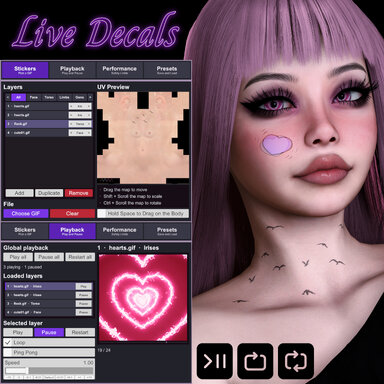
Where can I find the gifs you are using here?
Been waiting for this plugin for like seven years. Can't wait to use it!
Your plugin is truly impressive – I love it. However, I've encountered a UV mapping issue that I'd like to report.
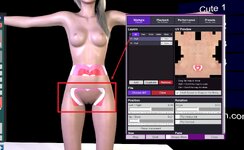
The plugin seems to split the torso UV map into two separate halves (upper and lower). But the torso UV already covers the entire torso including the hip/buttock area – there is no need to split it at all. Worse, the lower half (which should be the hip/buttock region) is incorrectly assigned to the genital UV instead, causing texture misalignment on that area.
I believe the correct approach is to keep the torso UV intact and handle the genital UV separately, rather than splitting the torso map.
Thank you for your excellent work!
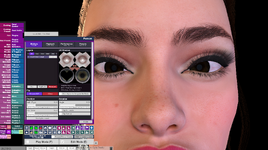
the plugin is working completely fine for me except for gifs on the iris. i've tried messing with settings but i just can't get them to work at all. for me the eye just loses it's normal color, but the gif doesn't show no matter where i place it (opacity is at 100%). do i need to do something different for the iris decals to work? this model is the basic model with no clothes on the eyes that might be covering the decal, and the gif works on every other layer except the irises.
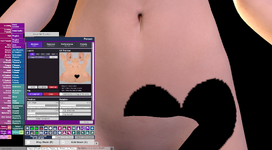
edit: also it seems i am unable to put gifs on the gens area regardless of if i select the "Gens" or "Torso" layers
New Features
- Wrapping — optional Wrap Around Edges; sticker overhang reappears on the opposite UV side
- Still images — load PNGs, JPGs and JPEGs as one-frame stickers
- Soft edges / Feathering — blurs the sticker silhouette into the...
Thank you for adopting my suggestion. The vulva texture of the plugin has been displayed correctly, and the static images can also be loaded now. Thank you for all you have done for the community.Vampix Collections updated Live Decals with a new update entry:
✦ Update — Live Decals v2 ✧₊⁺
Read the rest of this update entry...
Thank you for adopting my suggestion. The vulva texture of the plugin has been displayed correctly, and the static images can also be loaded now. Thank you for all you have done for the community.