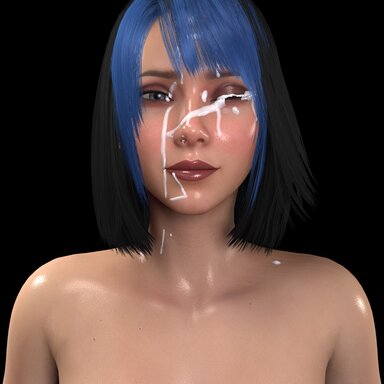
CumFX

Plugins + Scripts CumFX

Download [<1 MB]

The Cum

Well-known member
Joined
Feb 10, 2023
Messages
107
Reactions
952
Question: Can the color of the cum be adjusted to be like a slimy green from a zombie/mutant?
 
Yes! Open ADVANCED in CumFX and change "Color" in the Look section to a green. For a slimy look, also try raising Gloss and Stringiness and lowering Opacity a little. Press Save Preset to keep it as your own preset.
One note: if you use the hand-off to a clothing item, the item keeps its own color, so the green turns into the item's normal color at the end.
Have fun with your zombies!
 
Excellent script! especially the aim assist stuff, really nice.

Was initially running into severe performance/fps drops/freezes issues tho and after some investigation it seems to be fully related to the implementation of "Residue Items".
Especially when hundreds of pages of clothing items are present within the VaM installation.

I used chatgpt to remove only the "Residue Items" segment/elements in your code while still retaining all other functionality and now it works great for me,
only demands ~1.00 script time (Default Vam performance overlay) now even when the plugin settings page is open, vs ~20+ script time when the "Residue Items" element is running.

Not sure how a solution might be created that would still retain the functionality of the "Residue Items" but does not create major performance issues in VaM installations with allot of clothes,
Perhaps some way of it by default filtering for only very specific clothing item, perhaps by tag, or by name. Not sure.
 
Thanks a lot, glad you like the aim assist!

And thanks for taking the time to track this down, the before/after script time numbers are really helpful. Big clothing libraries are clearly a case Residue Items needs to handle better.

I'll look into optimizing it, and filtering by tag or name sounds like a good direction.

Glad you found a way to keep it running smoothly in the meantime!
 
The Cum updated CumFX with a new update entry:

1.0.1 - Performance fix for large clothing libraries

- The Residue Item lists no longer include every clothing item installed in VaM. By default they show items you are wearing, items with "cum" in the name or path, and the items already chosen. To see every item, choose "All items (slow)" in the new Residue Item List menu (this setting is not saved; with a large clothing library VaM can freeze for several seconds or more when you switch).
- The lists are rebuilt only when something changes. A missing item is no longer searched for again every...

Read the rest of this update entry...
 
Back
Top Bottom