


-

VaM 1.x How to trigger penis touching instead of vagina touching on AltFuta with VoxtaEliteTouch
Voxta related questions are better asked in the Voxta support channels, this place is for VAM questions.- atani
- Post #2
- Forum: Questions & Answers
-
Plugins + Scripts TonemapBlaze
Amazing. The usability is now way better 👏 Well, since you're waiting for new requests, here's something to tweak :) About the slider buttons, perhaps some are overkill and would be better to use the space to have the remaing take that room (easier on VR aiming). For example, Exposure has... -
Plugins + Scripts TonemapBlaze
Hi, Just to confirm it works great on a Pico4u VR headset 🤩 I was wondering if it was a better experience to instead of loading individual LUT files, you could pick a folder where LUT files are and have a selection box show the list of those LUTs with also a next and previous. This would help... -
Solved Strange folder read issues and plugin permission prompts after first VR launch
You can definitely change the image compression, etc, and push them back into the VAR, I do that often and I see no reason to break anything, unless you changed some kind of attribute in the zip compression of the VAR as well. Even yesterday I did the same as you to change a PNG from 16 bit...- atani
- Post #5
- Forum: Questions & Answers
-
Solved Strange folder read issues and plugin permission prompts after first VR launch
Usually when some VARs are read and others are not, what I tell people is to check on what they downloaded between having no problem and the problem showing. This usually is found by some corrupted VAR file or having a VAR with chinese characters in its internal files/folders that are not...- atani
- Post #2
- Forum: Questions & Answers
-
Wiki Article 02. Package Manager
Wow, I never even noticed that button in all these years. Works on mine. If I'm on a scene and press the button, it will select the scene's VAR from the list, but it won't position the list to show it, you'll need to scroll until you find the selected green VAR. -
VaM 1.x Posting Python scripts
Maybe wait on posting anything for now ;) https://hub.virtamate.com/threads/corrupted-json-yet-it-should-work.78631/- atani
- Post #3
- Forum: Questions & Answers
-
VaM 1.x Corrupted JSON, yet it should work?
Maybe share one of the edited VARs to check it.- atani
- Post #2
- Forum: Questions & Answers
-

Guides quickmusic: modular loading of music audiobundles 2026-08-03
Quickly load and play randomised music playlists in audiobundle form You might be interested in reading this guide if you: want to play your own music on any scene like to change and load different music collections have it or plan to have your music as an assetbundle for super quick loading...
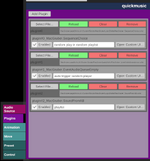
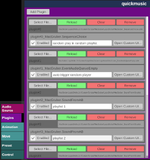
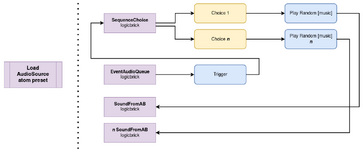
-
Guides quickmusic: modular loading of music audiobundles
atani submitted a new resource: quickmusic: modular loading of music audiobundles - quick loaded randomised music playlists in AB form Read more about this resource... -
VaM 1.x question about the different keys
https://hub.virtamate.com/wiki/getting_started/ -
VaM 1.x The VAM on Linux thread
I'm on Proton-EM which gives me everything working in both desktop and VR, plus videos. I initially tried CachyOS and GE protons, which do work fine in deskto mode, but when in VR mode I would get an error about DX11 and never found a way to resolve it. -
VaM 1.x Strange behaving of acidbubbles timeline
Yeah, I guess the user just gets very low FPS. Timeline 291 looks very stable, or at least the many many scenes out there with it do not report any issue like this, and given that 2 atoms is extremely common in a scene it's likely a local situation.- atani
- Post #3
- Forum: Questions & Answers
-
Paid Scenes Oath of Ash - A Fantasy RPG Built Inside VaM
Dude, this really looks like a game 😳 Just... amazing 🤯 -
VaM 1.x How to make multiple people lighting separate.
You're in the wrong location for this question, these categories are the ones you should use for this type of question: https://hub.virtamate.com/forums/#community.1 Lights are lights, they will light whatever is in range. Maybe there's a plugin that can override this, but natively you cannot. -
VaM 1.x Triggering thrusts and poses
Please write a better title next time that is more descriptive to what you're asking, this one is so broad it becomes meaningless. So, if the thrust movement comes from a plugin you have to see what kind of triggers the plugin provides. Hopefully the trigger list is easy to understand and...- atani
- Post #3
- Forum: Questions & Answers
-
VaM 1.x Bring object to me? [Solved, kinda]
Are you sure you want a "come here" command? This would make the atom change location, which in case of light atoms is often NOT what you want. Check the plugins list for something that would do that. If you do want to change the location of an atom to a new place without finding its location... -
Plugins + Scripts TonemapBlaze
Did you test this in VR? I tried it yesterday in VR and the images went crazy, as in seing copies of the screen. Removing the plugin made it go back to normal. I can try later to test the plugin in VR and provide a screenshot if that's helpful. -