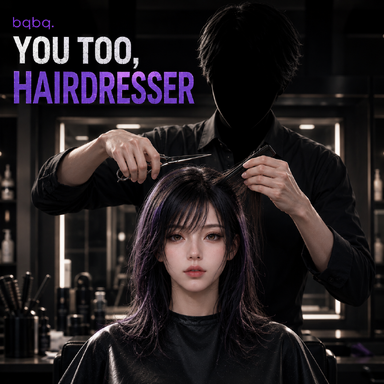


You Too, Hairdresser
A plugin for directly editing VaM hair.Creating Local Hair
Creating Local Hair
First, create a local hair asset that you want to edit.Hair packaged inside a VAR will not appear in the editable hair list.
I recommend creating and editing your own local hair assets.
If you choose to modify hair created by someone else, please make sure to follow the VaM community guidelines and respect the original creator's permissions.
I take no responsibility for any issues resulting from unauthorized editing, redistribution, or other misuse of someone else's work.
Selecting the Area to Edit
You can edit only the parts of the hair you want instead of modifying the entire hairstyle.
- Invert Selection
- Root Selection
- Strand Selection
- Partial Strand Selection
Undo / Redo
You can move backward and forward through your editing history using Undo and Redo.
Shape Mode works a little differently, though.
Tracking every tiny movement as a separate Undo step would create an absurd number of history entries, so Shape edits are grouped into larger editing sections instead.
Shape
The basic functionality is similar to VaM's original Hair Tool.
It might feel slightly less polished than the original tool in some ways, but it also includes a few additional editing features.
One of them is Root Safety Length, which protects a certain length of hair near the root from being affected by Shape editing.
This is useful when you don't want the roots themselves to bend or move around.
There's also an option that prevents the hair from becoming longer while using Shape tools.
If you disable length preservation, using Brush or Pull can increase the length of the hair.
Length
This controls the length of the selected hair strands.
I don't think this one really needs much explanation.
Removing Roots and Cutting Hair
You can remove selected hair roots entirely.
Buttons with (Region) in their names work a little differently.
When using Region Mode, they remove only the selected portion of a strand, allowing you to cut the hair partway along its length.
Think of it less like shaving the hair off...
and more like cutting it with scissors.
Curl
This applies curls to selected hair.
I think it works especially well with Region Mode, where you can apply curls to only part of a strand.
That said, I still haven't come up with a particularly good way to precisely control the resulting curl shape, so this feature is a little awkward.
Still, it works well enough for adding waves or curls to specific sections of the hair.
Rigidity Painting
You can paint rigidity values only onto the selected areas.
This lets you make different parts of the hair softer or more firmly fixed in place.
Mirror Rigidity can also copy the rigidity settings from one side of the hair to the other.
Be a little careful when using mirror functions, though. It's fairly easy to overwrite the wrong side by accident.
There's also a function that adjusts the hair guidelines to match the hair's current physical shape.
This should make natural-looking edits easier.
For example, you can first adjust the rigidity, let the hair fall naturally under physics, and then use that resulting shape as the new guideline instead of manually shaping everything from scratch.
Saving
Pressing Save permanently modifies the local hair file you're currently editing.
So if you don't have a separate copy of the original local hair, the previous version may be lost after saving.
If the hair is important, I recommend making a backup copy before editing it.
Alright, let's try it in VR.
Now I'll finally be able to make tons of amazing hairstyles myself, right?
Screw this. I quit.
Notice
I won't be taking bug reports or feature requests.I've gotten a little tired of constantly spending my free time making and updating plugins. From now on, I'll just decide whether I feel like working on them or not.
For any future fixes, improvements, or additional features, I hope other members of the community will be willing to pick things up and continue the work.
Of course, you're completely free to modify this plugin however you like.
If there's something you want changed, feel free to fix it yourself or add whatever features you need.
At this point, I'll just pray that some other talented people out there will take care of the rest.
The code related to splitting features into group tabs was referenced from moyashi post-processing plugin.
https://hub.virtamate.com/threads/post-processing.42942/