




VaM ControlNet Exporter
What does this actually do? For beginners:
VaM is perfect for posing, but you want a different final look. This plugin lets you take basically any VaM scene and export structured data so AI can interpret it and generate an entirely new image based on your prompt.
VaM and AI workflows complement each other super well. You can pose characters you have a LoRA for, or characters you inject via IP-Adapter, exactly how you want in VaM and then create images or videos from it in ComfyUI / A1111.
It exports matching reference images from a selected WindowCamera:
More about ControlNet: ControlNet on GitHub | ComfyUI Examples

Requirements
Basic Usage
Notes
Credits
Created by Harry Kant.
In memory of Frief, whose help and groundwork contributed to this plugin.
Special thanks to all creators whose scenes and assets were used to produce the example images. Unfortunately, I no longer have all the individual names, but your work is sincerely appreciated.
Support
If you encounter any problems, please contact me and include the scene that causes the issue. This makes it much easier to reproduce and fix the problem.

What does this actually do? For beginners:
VaM is perfect for posing, but you want a different final look. This plugin lets you take basically any VaM scene and export structured data so AI can interpret it and generate an entirely new image based on your prompt.
VaM and AI workflows complement each other super well. You can pose characters you have a LoRA for, or characters you inject via IP-Adapter, exactly how you want in VaM and then create images or videos from it in ComfyUI / A1111.
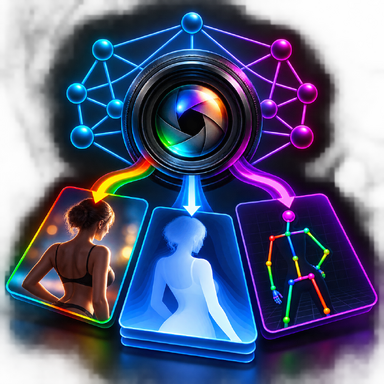
It exports matching reference images from a selected WindowCamera:
- Beauty render - the normal VaM image, used as base for img2img
- Depth map - grayscale image, white = close, black = far. Keeps exact body shape and camera distance in the AI result
- OpenPose / COCO-18 - skeleton of your Person atoms, keeps pose of arms, legs, hands and face
More about ControlNet: ControlNet on GitHub | ComfyUI Examples
Requirements
- At least one active WindowCamera in the scene
- The selected WindowCamera must be switched on
- Load as a Session Plugin
Basic Usage
- Add the plugin as a Session Plugin.
- Create or enable a WindowCamera in your scene.
- Select the WindowCamera in the Settings tab.
- Set the desired width and height.
- Use the Beauty, Depth and Pose tabs to preview or export each pass.
Notes
- Use the.cs file directly. A.cslist file is not required.
- Depth export supports scene geometry, bodies, clothing and hair. Clothing is rendered as mesh geometry in the Depth pass, regardless of transparent textures or alpha cutouts. Hair uses a special replacement shader pass because raw depthTexture in VaM misses transparent meshes (hair = transparent queue, ZWrite Off).
- Pose export uses the standard COCO-18 OpenPose layout.
- Canny, Scribble or similar ControlNet inputs can be generated separately from the Beauty render if needed.
- Future idea: Video export for depth / pose for video models (AnimateDiff / SVD) - planned for a later update if there is demand.
Credits
Created by Harry Kant.
In memory of Frief, whose help and groundwork contributed to this plugin.
Special thanks to all creators whose scenes and assets were used to produce the example images. Unfortunately, I no longer have all the individual names, but your work is sincerely appreciated.
Support
If you encounter any problems, please contact me and include the scene that causes the issue. This makes it much easier to reproduce and fix the problem.



I actually think VaM and AI workflows complement each other super well. You can pose characters you have a LoRA for, or characters you inject via IP-Adapter, exactly how you want in VaM and then generate images or videos from it - I find that really cool.
Video export for depth / pose is a really good idea for video models like AnimateDiff / SVD. I can look into it for a later update if there is demand for it.
I also noticed that some clothing and assets are not correctly captured in the current Depth pass, because in VaM they come from different sources
(skin = opaque, clothing = cutout, hair = transparent - raw depthTexture only has opaque). That needs a fix anyway, so I will include the video export idea when I rework the depth capture.