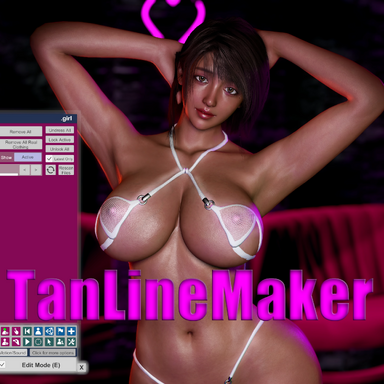


TanLineMaker
***This is the initial release, so there may be bugs or usability issues***
Create tan line decals directly inside VaM. Put swimwear on your model, press one button, and the skin outside the clothing is tanned while the covered area stays pale. The clothing mesh itself defines the boundary, so the tan line matches the garment exactly — no UV painting, no external tools.
How it works
The plugin reads your model's actual skin texture and multiplies it with the colors you choose. Because it darkens the real skin instead of laying a flat color on top, pores, blemishes and color variation stay fully intact even at maximum strength.
The mask comes from the clothing's own geometry. Every triangle of the garment is projected into the skin's UV space, so coverage is exact and low-poly clothing works just as well as high-poly.
Usage
Features
Export
Files are written to
Notes
License CC BY
***This is the initial release, so there may be bugs or usability issues***
Create tan line decals directly inside VaM. Put swimwear on your model, press one button, and the skin outside the clothing is tanned while the covered area stays pale. The clothing mesh itself defines the boundary, so the tan line matches the garment exactly — no UV painting, no external tools.
How it works
The plugin reads your model's actual skin texture and multiplies it with the colors you choose. Because it darkens the real skin instead of laying a flat color on top, pores, blemishes and color variation stay fully intact even at maximum strength.
The mask comes from the clothing's own geometry. Every triangle of the garment is projected into the skin's UV space, so coverage is exact and low-poly clothing works just as well as high-poly.
Usage
- Add the plugin to a Person atom.
- Put clothing on the model.
- Turn on Paint Mode.
- Press Generate Tan Line.
- Adjust Tan Color, Skin Color and Mask Feather on the Tan tab.
- Export a PNG from the Export tab.
Features
- One-button generation — the garment defines the tan line
- Detail preserving — multiplies onto the real skin texture instead of replacing it
- Adjustable softness — feather the boundary to any width
- Brush refinement — hold the modifier key (Shift / Ctrl / Alt) and drag with the left mouse button
- Pose independent — strokes are anchored to the mesh surface, so you can re-pose the model to reach the crotch or between the buttocks and keep painting
- Per-region control — enable or disable Face / Torso / Limbs / Genitals for every operation
- Undo and Clear — strokes are stored as data, not pixels
- Square PNG export — 1024 / 2048 / 4096, re-rendered at full resolution rather than upscaled
Export
Files are written to
Custom/Atom/Person/Textures/Decal as <name>_Torso.png, <name>_Limbs.png, <name>_Face.png and <name>_Genitals.png. Only regions you actually painted are written.Notes
- Desktop mode. Person atoms only.
- Keep the clothing on until you export. Taking it off is fine for checking the result — the mask is preserved — but putting a different outfit on will rebuild it.
- After changing the pose, press Update Pose to continue painting.
- Exporting at 4096 freezes VaM for a few seconds.
License CC BY