• Hi Guest!

    We have posted a new VaM2 dev log on Patreon, starting a monthly cadence of written progress updates between Beta releases. Highlights include the new Gizmos System, Selection Carousel, and Modes System with Context-Specific Editing. Beta1.2 is 15 of 21 items complete.

    Read the full post on Patreon, or follow progress on the public Trello roadmap.
Sim Setter (et al.)

Plugins + Scripts Sim Setter (et al.)

Download [<1 MB]
Positive
Version: 6
Posted:
I have been studying for half a day, but unfortunately, I cannot use triggers to load and save simulated states. In other words, when used in a timeline, there can only be one state, and clothing cannot appear in multiple states according to the timeline. It would be great if it could be like a simulation table. I hope the author can update it in the future. Thank you very much for your excellent work
C
coinstacc
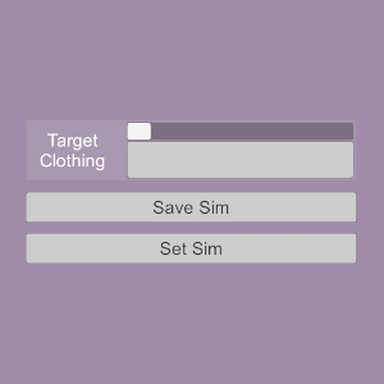
The current plugins for clothing (SimSetter and OutfitSetter) are only able to save and load one state for the clothing items(s), so a new saved state will overwrite any previously saved one. A plugin that can handle multiple save states is still in the works, based on what I managed with the SheetSetter plugin. (If you only have a couple of states you need to save, adding another instance of the plugin to save and load from could be a workaround to the limitation.)
Upvote 0
Positive
Version: 5
Posted:
Yes really better! TY!
Upvote 0
Positive
PVP
Version: 5
Posted:
The demonstration is funny and more importantly, to-the-point. TY for sharing your work!
Upvote 0
Positive
Version: 4
Posted:
🤣I love your VR headset & hand movements in the demo video! ...Frickin hilarious!
Upvote 1
Positive
Version: 4
Posted:
Laughing out loud on that demo! Nice!
Upvote 2
Positive
Version: 4
Posted:
Hahaha.
Best demo video ever coming with a release doc. Did not test the plugin, this presentation is good enough.

Note: I will come back after testing it thoroughly :p
Upvote 1
Positive
FCG
Version: 4
Posted:
That must be the best demo video I have ever seen
Upvote 2
Positive
Version: 3
Posted:
I'm not a creator and not technically savvy, so I have no use for this personally, but I see how useful it is, and the main reason I'm reviewing was the demo video was funny af and made my day, as it was very fun and expressive lol. But other than the video, the plugin looks very useful for scenes, so I'm reviewing both the plugin and the funny video! Well done!
Upvote 0
Positive
Version: 1
Posted:
Seems a nice and helpful plugin. Have you considered making a short video explaining how it works?
Upvote 0
Back
Top Bottom