




https://www.miscreatedreality.com/relax
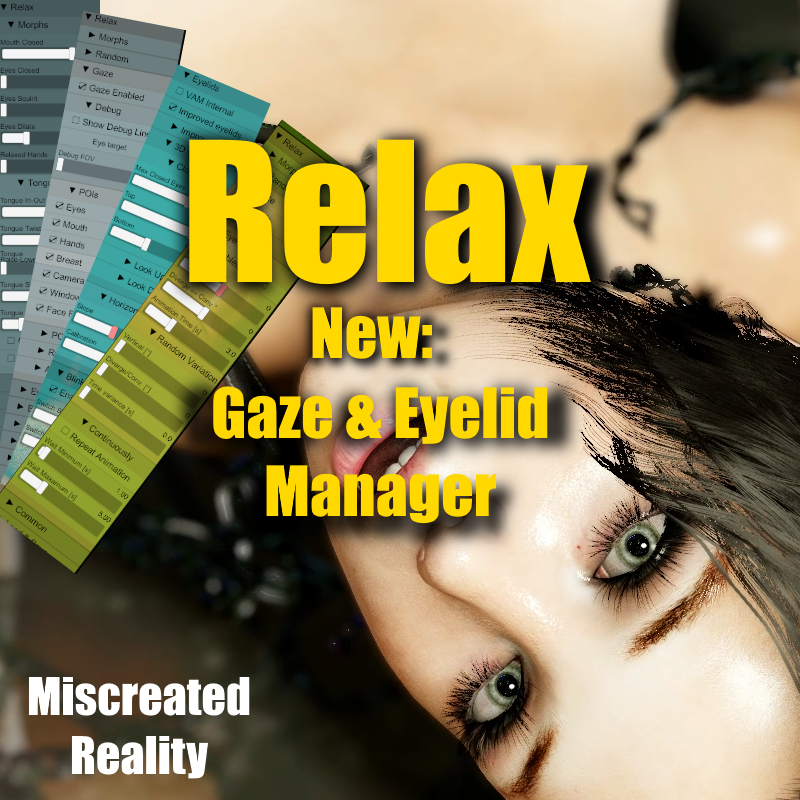
This is probably among my most advanced plugins. I'm using this for all my videos to create life-like experiences.
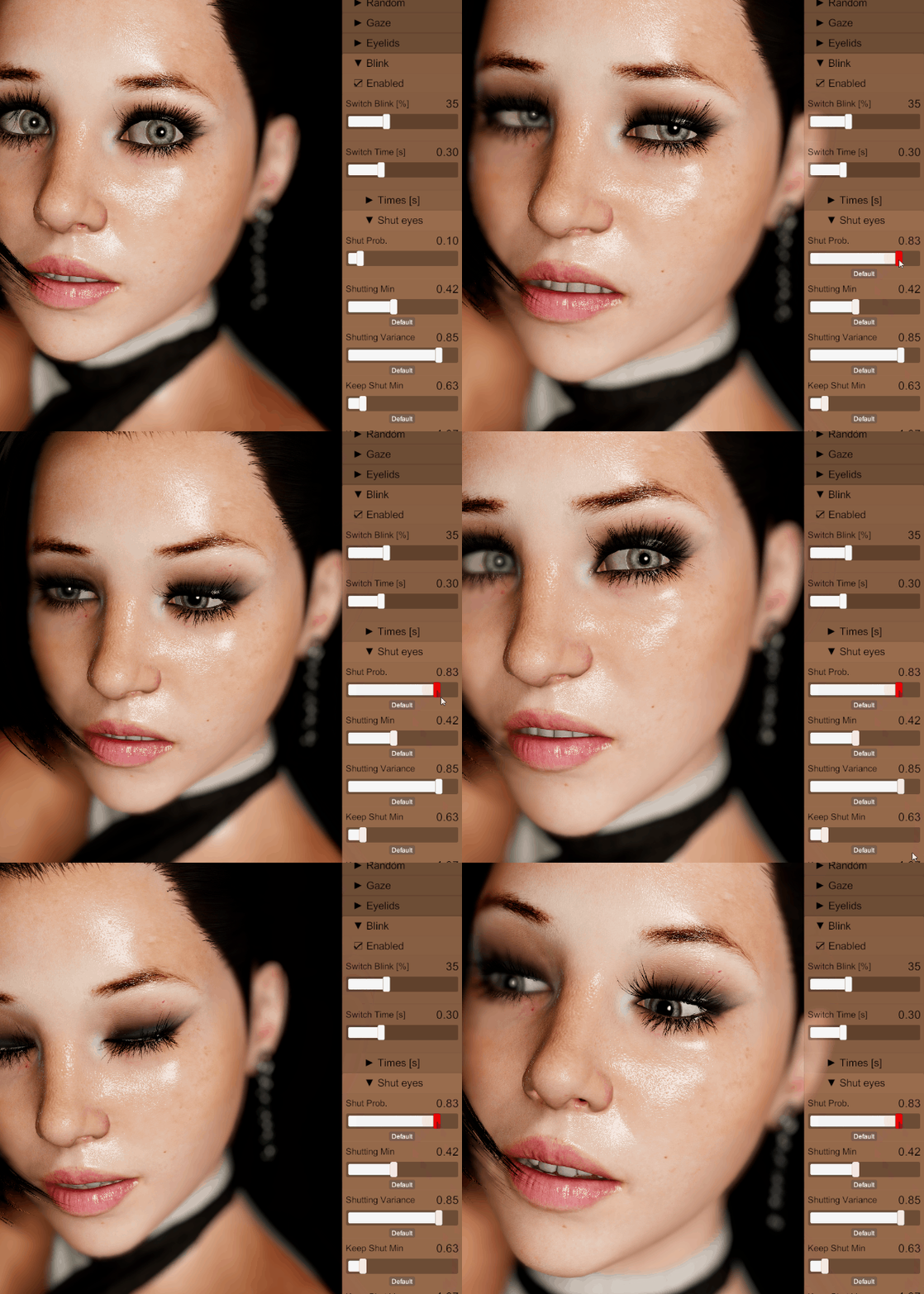
Testing out Relax 6.0 above
Updated with the new Gaze engine that are driven by a new perception engine. If you animate/move your head, the eyes will try to follow interesting objects in the fov/frustum. It's mandatory for motion captures/muscle animations etc.
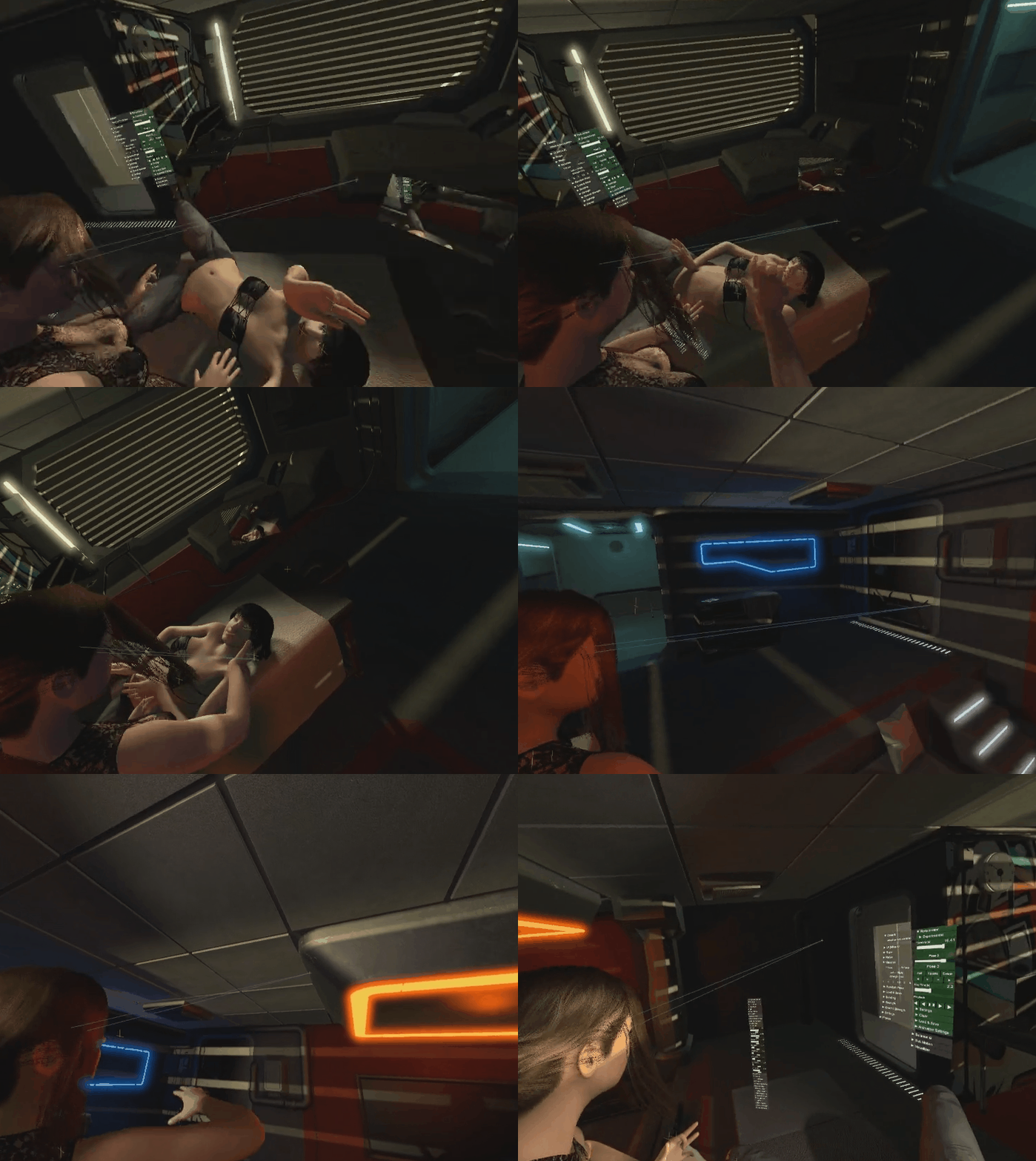
Here you can see the eyes will automatically look at interesting points in the environment
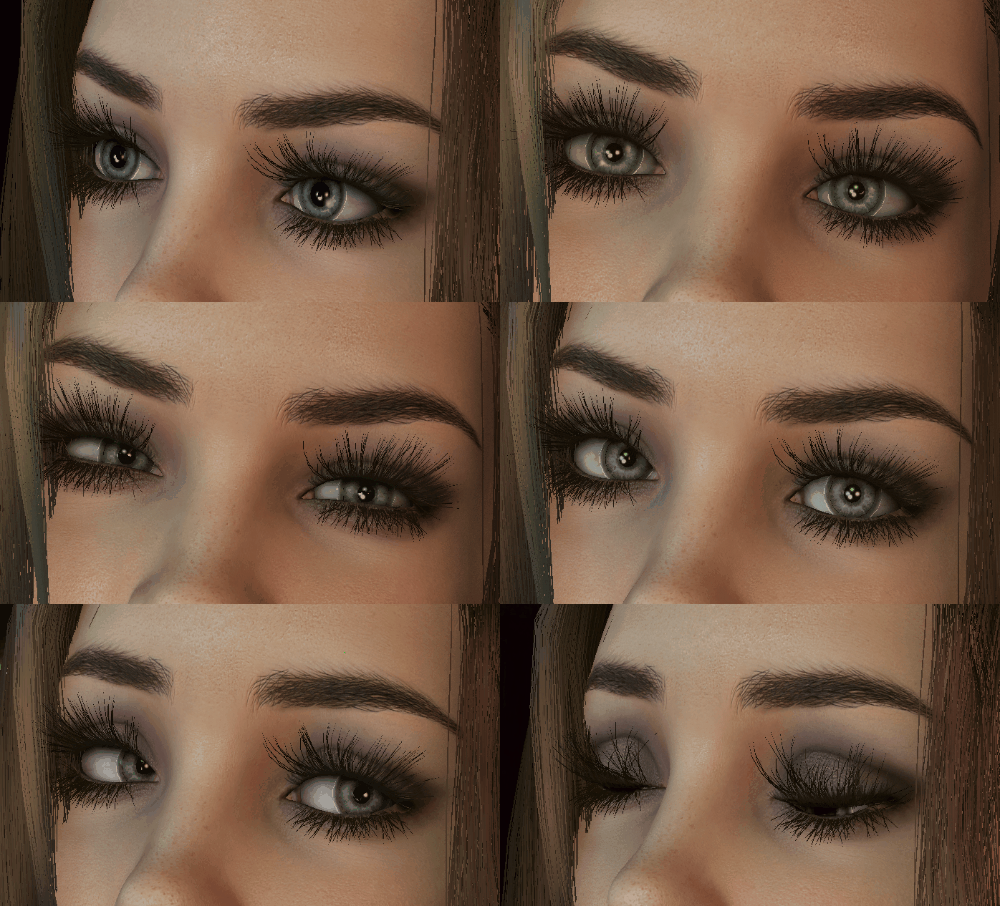
Eyelid, eyebrown and eye movements are important for immersion!
Short description of what the gaze engine does:
- Your character has a perception level where he/she detects point of interest in their frustum. If the point of interest is "discovered" the eyes will target that point.
- You can configure what will be Point of interests with checkboxes, like eyes, mouth, breast, hands.
- There is also a configurable chance that the eyes will select a random target.
- When moving the head and switch target there is also a configurable percentage for the character to blink
- New Eyelid engine. Was not happy about the eyelid control in VAM. This forced me to implemented my own. This really gives your character a new level of detail.
- Optimized the calculculations for maximum performance.
- You can configure the parameters and store them as preset of your own.
Here is my story about what this is in a few words:
This is the plugin you add when you want a VaM character to stop feeling like a frozen scene object and start feeling present.
In VaM, a character can look great in a still pose, but the illusion often breaks the moment you watch them for more than a few seconds. The eyes stare too hard. The eyelids do not really belong to the gaze. The mouth does nothing. The face holds one expression forever. The hands stay too stiff. If the body is supposed to be tired, sleepy, dazed, unconscious, or simply calm, the head and muscles may still behave like the character is fully alert.
The easiest way to understand it is this: Relax is not one effect. It is a behavior system for the character’s face, eyes, attention, tongue, hands, and relaxed body state. You use it to create a believable character mood, then save that mood as a template and reuse it in scenes.
The first thing you usually work with is the gaze. Relax can take over the character’s eyes and decide what they should pay attention to. The character can look toward the viewer, the camera rig, the window camera, another character’s eyes, mouth, hands, face, or random points in the scene. This is very important in VR because the character is close to you. If the eyes are dead, everything feels fake immediately.
A good Relax setup does not make the character stare at the viewer forever. That is just as unnatural as no eye contact. A better setup lets the character notice the viewer, hold the gaze for a moment, blink, look away, glance at something nearby, then return. That small rhythm makes the scene feel much more alive.
The gaze settings are where you shape the personality. A wide field of view makes the character more aware of the room and more easily distracted. A narrow field of view makes them more focused. Faster eye speed feels alert, nervous, awake, or reactive. Slower eye speed feels tired, calm, dreamy, sleepy, or dazed. Minimum look time makes the character commit to a target instead of jumping around. Random timing keeps the behavior from feeling like a loop.
Then you tune the eyelids. This is one of the parts that makes Relax more powerful than a simple “look at target” system. Eyes without eyelids feel mechanical. Relax can make the eyelids follow the eyes, blink during gaze changes, close longer during sleepy states, and react more naturally when the character looks up or down. In close-up scenes, eyelids matter almost as much as the eyes themselves. If the eyes move but the lids do not support the motion, the character looks artificial.
Blinking is not just decoration either. A blink can hide a fast eye switch. It can make a gaze change feel natural instead of robotic. A calm character might blink slowly with soft timing. A nervous character might blink more often. A sleepy character might keep the eyes closed for longer moments. You can use the blink settings to make a character feel awake, tired, overwhelmed, shy, alert, or fading out.
After the eyes feel right, you start shaping the face. Relax can control expression morphs, mouth shape, squint, eye dilation, relaxed hands, stronger emotional expressions, and small random morph movement. The goal is not to make the face constantly animated. The goal is to stop it from being locked. A tiny change in the lips, a small squint variation, a slight mouth movement, or a soft expression drift can do more than a big exaggerated face morph.
This is where Relax becomes useful for creators who do not want to hand-animate every little detail. You can create random morph behavior with timing, probability, strength, and stability. For example, you can make the mouth subtly move every now and then, make the eyes slightly change expression, add small lip tension, or let the face drift between related moods. If the values are low and the timing is slow, it feels like life. If the values are too high, it becomes theatrical. Relax gives you the control to keep it subtle.
Relax also has tongue controls. That may sound like a small detail, but in VaM close-ups it matters. A completely static mouth or tongue can ruin an otherwise good shot. Relax can control tongue shape, length, in-out movement, side movement, twist, and fake gravity. The fake gravity is useful because the tongue can respond to the head angle instead of looking glued in place. There are also physics-style tongue settings where you can make it feel heavier, softer, stronger, or more damped.
The body-state side of Relax is where you create sleepy, limp, unconscious, tired, or softened character states. Relax can reduce the feeling of stiffness, help the head feel heavier, turn off animation behavior, trigger Drop Dead style states, control relaxed hands and fingers, and use timing so the change does not happen instantly. This is important because the face and body must agree. A sleepy face on a stiff upright body looks wrong. A fainting or unconscious state should usually lose focus first, blink slower, soften the face, let the head feel heavy, then let the body change.
The best way to use Relax is with templates. A Relax template is not just a face preset. It can store the gaze behavior, eyelids, blink timing, expression morphs, random morphs, tongue settings, body relaxation, timed actions, and plugin control. That means you can build reusable character states.
You might create a “Living Idle” template first. In that template, the character has natural gaze, occasional eye contact, soft blinks, a slightly active mouth, very small expression movement, and no dramatic body changes. This becomes the normal baseline you can load on a character so they do not feel frozen.
Then you might create a “Sleepy” template. The gaze lowers. The eyes move slower. Blink duration increases. The character sometimes shuts their eyes for longer. The face softens. The head feels heavier. The body loses some stiffness. This template makes the character read as tired without needing a full animation.
A “Nervous” template would be different. The eyes move sooner. The character looks away more often. Blink switches become more common. Small mouth or lip movement appears. The expression changes are still restrained, but the attention is less stable. It feels nervous because of timing, not because the face is forced into one extreme expression.
An “Unconscious” or “Drop” template can go further. Relax can soften the face, close or lower the eyes, reduce lively random motion, apply fake head gravity, trigger a body-state change, and coordinate with other plugins. It can tell Balance to fall, stop ReAnimator, disable conflicting plugins, or later restore an awake state. This makes Relax useful as a small scene controller, not only a face plugin.
A practical workflow would be to add Relax to the Person, turn on gaze, and first make the eyes believable before touching everything else. Choose what the character should care about: viewer, camera, face, hands, mouth, or other scene targets. Adjust the field of view and timing until the character looks intentional but not robotic. Then turn on eyelids and blinking and tune them in a close-up view, because bad eyelids are much easier to miss from far away.
Once the eyes work, add only a small amount of expression movement. Start with a calm mouth, a little squint or softness, and maybe a low-strength random morph for lips or facial expression. Save that as a clean baseline. After that, duplicate the idea into stronger templates: sleepy, nervous, dazed, unconscious, playful, alert, or whatever the scene needs.
The important part is that Relax lets you build character behavior in layers. First attention. Then eyelids. Then blinking. Then expression. Then tongue and mouth details. Then body state. Then timed actions and plugin coordination.
That is what makes it impressive for a VaM user. It is not just “relax the body.” It is a tool for directing how alive, aware, tired, soft, reactive, or emotionally present a character feels during a scene. It fills the gap between a static pose and a fully animated performance.
But you can also read more about it here --> https://www.miscreatedreality.com/plugins/relax
From one of the Included sample scenes:
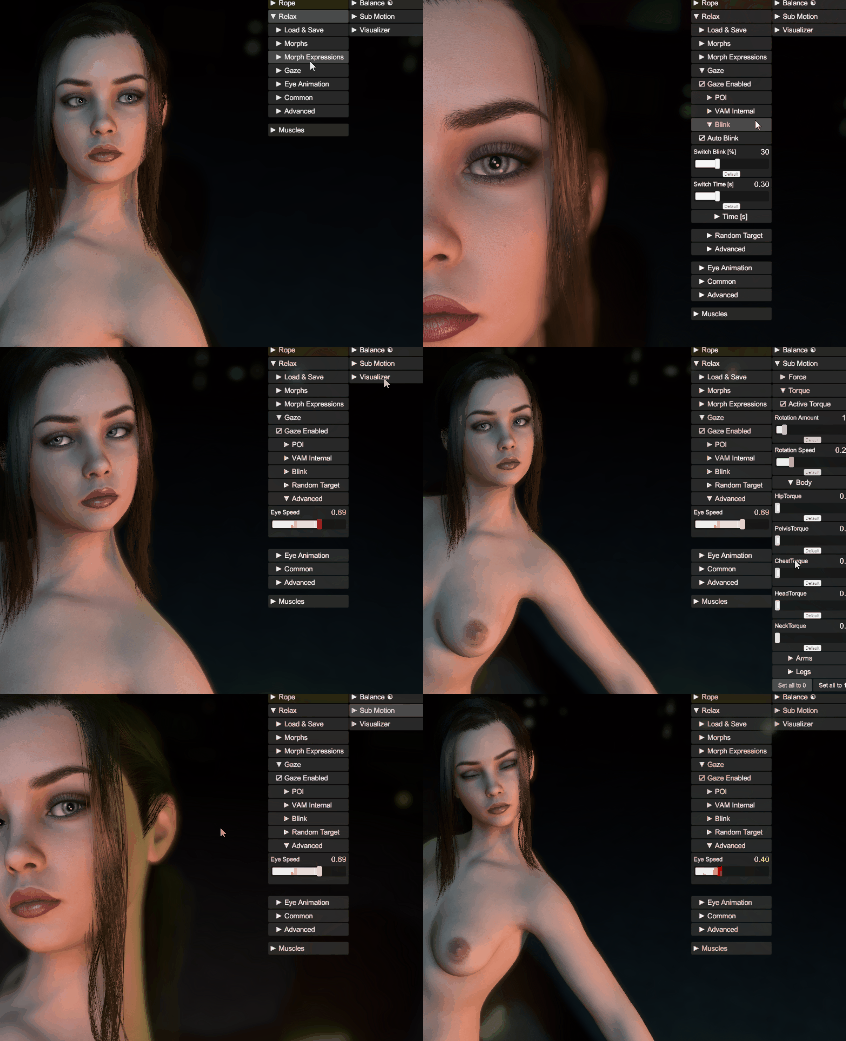
Quick UI walkthrough of the new gaze features. Also adding some subtle moves to her head with submotion.
Above image is from the desktop interface. I made it mainly for VR though. The interface is attached to your left or right hand. It can be used with only one hand!
This is triggered by the menu:
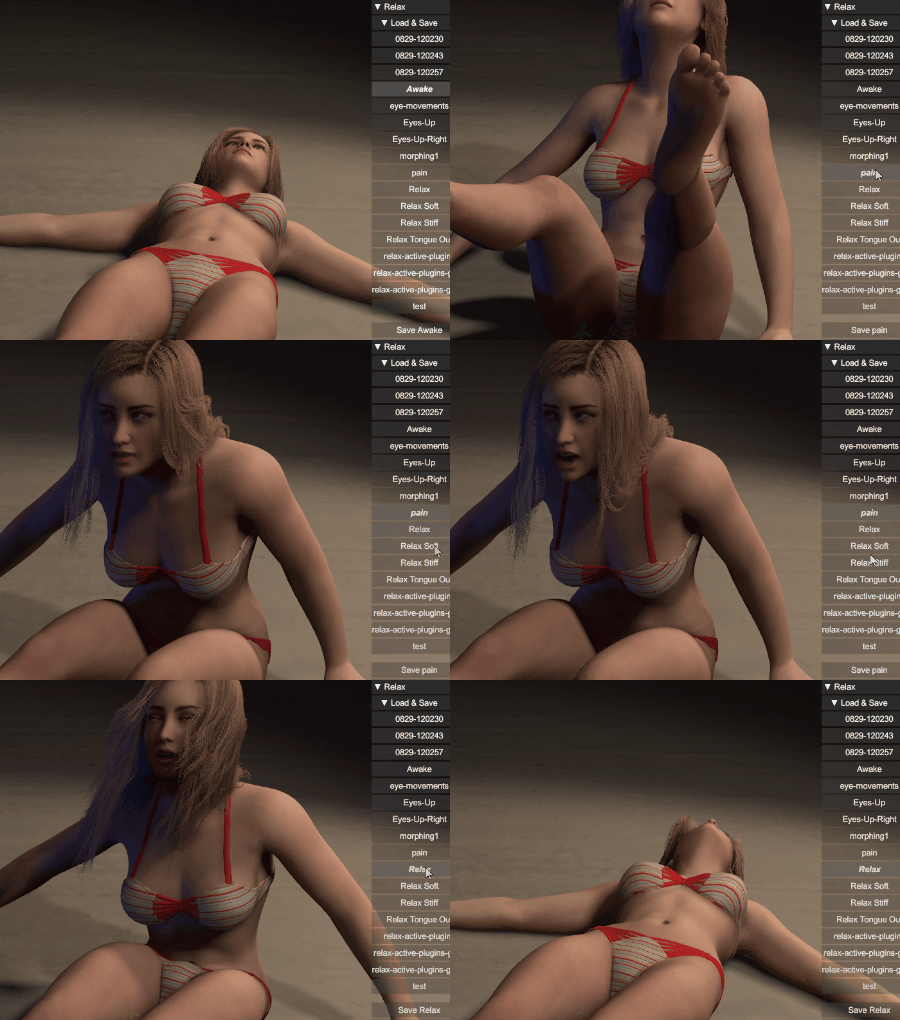
What's happening with the physical muscle states is up to you. This is only an example!
The complete Body Bundle Pack - Body Bundle Pack
This is probably among my most advanced plugins. I'm using this for all my videos to create life-like experiences.
Testing out Relax 6.0 above
Tongue physics in 5.4 | Tongue and eye animation in 5.4 |
Updated with the new Gaze engine that are driven by a new perception engine. If you animate/move your head, the eyes will try to follow interesting objects in the fov/frustum. It's mandatory for motion captures/muscle animations etc.
Here you can see the eyes will automatically look at interesting points in the environment
Eyelid, eyebrown and eye movements are important for immersion!
Short description of what the gaze engine does:
- Your character has a perception level where he/she detects point of interest in their frustum. If the point of interest is "discovered" the eyes will target that point.
- You can configure what will be Point of interests with checkboxes, like eyes, mouth, breast, hands.
- There is also a configurable chance that the eyes will select a random target.
- When moving the head and switch target there is also a configurable percentage for the character to blink
- New Eyelid engine. Was not happy about the eyelid control in VAM. This forced me to implemented my own. This really gives your character a new level of detail.
- Optimized the calculculations for maximum performance.
- You can configure the parameters and store them as preset of your own.
Here is my story about what this is in a few words:
This is the plugin you add when you want a VaM character to stop feeling like a frozen scene object and start feeling present.
In VaM, a character can look great in a still pose, but the illusion often breaks the moment you watch them for more than a few seconds. The eyes stare too hard. The eyelids do not really belong to the gaze. The mouth does nothing. The face holds one expression forever. The hands stay too stiff. If the body is supposed to be tired, sleepy, dazed, unconscious, or simply calm, the head and muscles may still behave like the character is fully alert.
The easiest way to understand it is this: Relax is not one effect. It is a behavior system for the character’s face, eyes, attention, tongue, hands, and relaxed body state. You use it to create a believable character mood, then save that mood as a template and reuse it in scenes.
The first thing you usually work with is the gaze. Relax can take over the character’s eyes and decide what they should pay attention to. The character can look toward the viewer, the camera rig, the window camera, another character’s eyes, mouth, hands, face, or random points in the scene. This is very important in VR because the character is close to you. If the eyes are dead, everything feels fake immediately.
A good Relax setup does not make the character stare at the viewer forever. That is just as unnatural as no eye contact. A better setup lets the character notice the viewer, hold the gaze for a moment, blink, look away, glance at something nearby, then return. That small rhythm makes the scene feel much more alive.
The gaze settings are where you shape the personality. A wide field of view makes the character more aware of the room and more easily distracted. A narrow field of view makes them more focused. Faster eye speed feels alert, nervous, awake, or reactive. Slower eye speed feels tired, calm, dreamy, sleepy, or dazed. Minimum look time makes the character commit to a target instead of jumping around. Random timing keeps the behavior from feeling like a loop.
Then you tune the eyelids. This is one of the parts that makes Relax more powerful than a simple “look at target” system. Eyes without eyelids feel mechanical. Relax can make the eyelids follow the eyes, blink during gaze changes, close longer during sleepy states, and react more naturally when the character looks up or down. In close-up scenes, eyelids matter almost as much as the eyes themselves. If the eyes move but the lids do not support the motion, the character looks artificial.
Blinking is not just decoration either. A blink can hide a fast eye switch. It can make a gaze change feel natural instead of robotic. A calm character might blink slowly with soft timing. A nervous character might blink more often. A sleepy character might keep the eyes closed for longer moments. You can use the blink settings to make a character feel awake, tired, overwhelmed, shy, alert, or fading out.
After the eyes feel right, you start shaping the face. Relax can control expression morphs, mouth shape, squint, eye dilation, relaxed hands, stronger emotional expressions, and small random morph movement. The goal is not to make the face constantly animated. The goal is to stop it from being locked. A tiny change in the lips, a small squint variation, a slight mouth movement, or a soft expression drift can do more than a big exaggerated face morph.
This is where Relax becomes useful for creators who do not want to hand-animate every little detail. You can create random morph behavior with timing, probability, strength, and stability. For example, you can make the mouth subtly move every now and then, make the eyes slightly change expression, add small lip tension, or let the face drift between related moods. If the values are low and the timing is slow, it feels like life. If the values are too high, it becomes theatrical. Relax gives you the control to keep it subtle.
Relax also has tongue controls. That may sound like a small detail, but in VaM close-ups it matters. A completely static mouth or tongue can ruin an otherwise good shot. Relax can control tongue shape, length, in-out movement, side movement, twist, and fake gravity. The fake gravity is useful because the tongue can respond to the head angle instead of looking glued in place. There are also physics-style tongue settings where you can make it feel heavier, softer, stronger, or more damped.
The body-state side of Relax is where you create sleepy, limp, unconscious, tired, or softened character states. Relax can reduce the feeling of stiffness, help the head feel heavier, turn off animation behavior, trigger Drop Dead style states, control relaxed hands and fingers, and use timing so the change does not happen instantly. This is important because the face and body must agree. A sleepy face on a stiff upright body looks wrong. A fainting or unconscious state should usually lose focus first, blink slower, soften the face, let the head feel heavy, then let the body change.
The best way to use Relax is with templates. A Relax template is not just a face preset. It can store the gaze behavior, eyelids, blink timing, expression morphs, random morphs, tongue settings, body relaxation, timed actions, and plugin control. That means you can build reusable character states.
You might create a “Living Idle” template first. In that template, the character has natural gaze, occasional eye contact, soft blinks, a slightly active mouth, very small expression movement, and no dramatic body changes. This becomes the normal baseline you can load on a character so they do not feel frozen.
Then you might create a “Sleepy” template. The gaze lowers. The eyes move slower. Blink duration increases. The character sometimes shuts their eyes for longer. The face softens. The head feels heavier. The body loses some stiffness. This template makes the character read as tired without needing a full animation.
A “Nervous” template would be different. The eyes move sooner. The character looks away more often. Blink switches become more common. Small mouth or lip movement appears. The expression changes are still restrained, but the attention is less stable. It feels nervous because of timing, not because the face is forced into one extreme expression.
An “Unconscious” or “Drop” template can go further. Relax can soften the face, close or lower the eyes, reduce lively random motion, apply fake head gravity, trigger a body-state change, and coordinate with other plugins. It can tell Balance to fall, stop ReAnimator, disable conflicting plugins, or later restore an awake state. This makes Relax useful as a small scene controller, not only a face plugin.
A practical workflow would be to add Relax to the Person, turn on gaze, and first make the eyes believable before touching everything else. Choose what the character should care about: viewer, camera, face, hands, mouth, or other scene targets. Adjust the field of view and timing until the character looks intentional but not robotic. Then turn on eyelids and blinking and tune them in a close-up view, because bad eyelids are much easier to miss from far away.
Once the eyes work, add only a small amount of expression movement. Start with a calm mouth, a little squint or softness, and maybe a low-strength random morph for lips or facial expression. Save that as a clean baseline. After that, duplicate the idea into stronger templates: sleepy, nervous, dazed, unconscious, playful, alert, or whatever the scene needs.
The important part is that Relax lets you build character behavior in layers. First attention. Then eyelids. Then blinking. Then expression. Then tongue and mouth details. Then body state. Then timed actions and plugin coordination.
That is what makes it impressive for a VaM user. It is not just “relax the body.” It is a tool for directing how alive, aware, tired, soft, reactive, or emotionally present a character feels during a scene. It fills the gap between a static pose and a fully animated performance.
But you can also read more about it here --> https://www.miscreatedreality.com/plugins/relax
From one of the Included sample scenes:
Quick UI walkthrough of the new gaze features. Also adding some subtle moves to her head with submotion.
Above image is from the desktop interface. I made it mainly for VR though. The interface is attached to your left or right hand. It can be used with only one hand!
This is triggered by the menu:
What's happening with the physical muscle states is up to you. This is only an example!
The complete Body Bundle Pack - Body Bundle Pack
- ReAnimator
- Muscle Manager
- Pose Camera
- Relax
- Balance
- SubMotion
- MotionManager
- Floating
- Visualizer
- Undo/Redo


