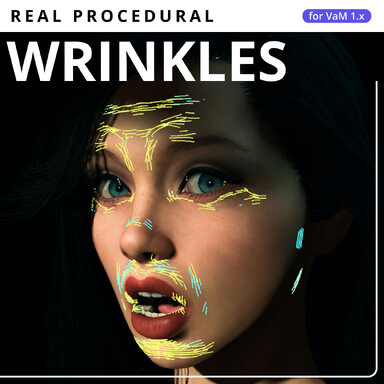
Changes since the initial Hub release, 0.2.4.
This update improves how procedural folds connect and respond to changing compression, gives each body region its own appearance controls, and reduces work for skin outside the camera views or beyond the chosen distance.
More coherent, stable wrinkles
- Better continuity: Neighboring areas with compatible compression now share a stable local pattern origin. This reduces the fragmented appearance caused by restarting the pattern at every vertex.
- More even depth: Corrected blending between neighboring surface patches removes unwanted dips along an otherwise aligned fold.
- Stable directions: Small fluctuations in compression no longer rotate an already visible crease. When a sustained direction change is needed, the old crease fades out before the new direction fades in.
- Improved facial coverage: Head and ear materials no longer generate expression wrinkles. On the standard GenesisFemale UV layout, a soft boundary also limits unwanted folds near the scalp and ears within the Face material.
- Normal-map boundary fix: Corrected the encoding mismatch between wrinkled and unaffected pixels when using RG/BC5 source normal maps.
Regional controls and optional fold joining
- Face, Neck, Torso, Arms, Hands and Legs now have independent Wrinkle strength, Skin Wrinkle Scale, Wrinkle selectivity and Dev Mode controls, alongside their generation toggle, compression threshold and spacing.
- Join length (mm; 0 = off): Connects compatible neighboring crease segments into longer, smooth curves. Joining is optional and starts disabled, including in older profiles.
- Added depth per joined segment: Strengthens a joined fold as more segments contribute, up to four times its original depth. Parallel folds remain separate, and joining still requires active compression.
- Saved settings migrate automatically. The old global and regional strength values are combined once, preserving their effective strength.
Camera culling and performance
I kept fighting for fractions of a millisecond, focusing on unnecessary deformation calculations, repeated fold preparation and texture updates.
- New Viewport culling: Small skin areas outside the relevant camera views skip compression calculations. Visibility considers both VR eyes, active cameras and recently rendered reflection cameras.
- New Wrinkle distance: Limits processing by distance, with a default of 3 metres. Set it to 0 for unlimited distance; turn off Viewport culling as well to remove both limits.
- When the entire character is outside those limits, skin readback and deformation processing pause. Normal-map updates stop after the effect finishes fading.
- Returning areas use fresh geometry and fade back in smoothly. Visibility transitions no longer rebuild and upload the large wrinkle mesh each frame.
- Joined folds reuse their prepared directions and pattern data. Changes that leave the visible result unchanged no longer trigger unnecessary geometry and connection updates.
Updating from 0.2.4
Install the complete 0.3.8 release and
restart VaM. Keep your existing settings file; profiles migrate automatically. Fold joining remains off until you choose a Join length above zero.
For a first look at joining, try Face with
Join length = 80 mm and
Added depth per joined segment = 0.35, then adjust for your character and expression.