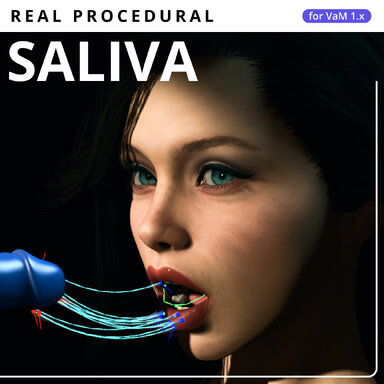
Changes since the initial Hub release, 0.4.10.
This update improves liquid highlights and attachment accuracy, adds control over strand lifetime, and removes repeated work from contact detection and rendering.
Liquid appearance and skin attachment
- Corrected liquid highlights: Smoothness, Fresnel and Specular now use the correct parameters for VaM's native liquid shader. The existing sliders keep their ranges; their values now translate correctly into the material.
- More accurate attachment: Strand anchors now follow the skin geometry VaM actually displays, including smoothing, delayed GPU display and skin offsets. This corrects the mismatch that could leave attachment points away from the visible surface.
- Stable strand sources: Each source stays assigned to its strand until that strand ends. Active sources are no longer randomly repositioned or repeatedly reassigned to the nearest external contact.
Lifetime and strand continuity
- New Strand Lifetime control: Set each emitter independently from 1 to 120 seconds. The default remains 12 seconds. Changes also apply to existing strands, with a smooth fade during their final 0.6 seconds.
- Existing strands retain their identity: Merging now happens only among strands created in the same generation pass. Established strands keep their age, volume and simulated shape.
- Lowering Max Strands limits new generation without deleting strands already present. A strand expiring during an uninterrupted contact no longer immediately produces a replacement; release and make contact again to generate another.
Performance and optimization
I continued fighting for fractions of a millisecond by removing repeated searches, calculations and geometry uploads.
- Occupied sources reuse their saved contact anchors. Full surface searches are skipped when every source is already occupied.
- Mouth attachment searches repeat only after enough movement or a relevant normal change. The existing smooth transfer across facial skin is retained, with shared skin-motion tracking for all Mouth strands.
- Strand endpoints are sampled once per visual frame and reused across simulation steps and rendering.
- Unchanged strand geometry is no longer rebuilt or uploaded. Small movements accumulate until an update is needed, while stretching, motion, breaking and lifetime continue to work.
Updating
Your existing settings are retained; Strand Lifetime saves independently for Mouth and Vagina.