• Hi Guest!

    We are extremely excited to announce the release of our first Beta1.1 and the first release of our Public AddonKit!
    To participate in the Beta, a subscription to the Entertainer or Creator Tier is required. For access to the Public AddonKit you must be a Creator tier member. Once subscribed, download instructions can be found here.

    Click here for information and guides regarding the VaM2 beta. Join our Discord server for more announcements and community discussion about VaM2.
  • Hi Guest!

    VaM2 Resource Categories have now been added to the Hub! For information on posting VaM2 resources and details about VaM2 related changes to our Community Forums, please see our official announcement here.
Preparing HDRIs in unity for  HLC - HDRI Light Creator

Guides Preparing HDRIs in unity for HLC - HDRI Light Creator

Positive
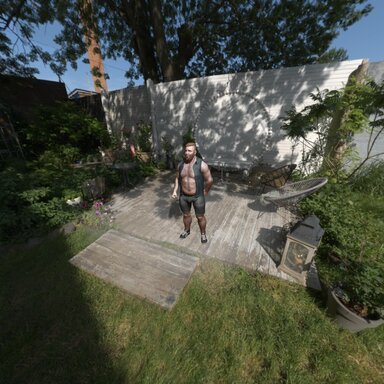
This is great,but wondering is there a way to fake some shadow on the ground projected by person body using the HDRI, any tip?
vamBear
vamBear
I couldn't find a shader that has been released that can do this - I think it's called a transparent shadow shader. It's fully transparent but accepts the shadows and blends them.

After I have things together a bit more I'll look into how to release shaders for VaM and see if we can get one functioning.

The other approach is to actually project the HDRI into a Dome (with a floor) so I'll have a look at that as well.

For now, just add a cube, squash it and set it's transparency to .1 or something. It'll have a shadow (not a strong one) but it's something. You can see it in my examples actually.
https://hub.virtamate.com/resources/preparing-hdris-in-unity-for-hlc-hdri-light-creator.64005/ if you scroll down to the mip map images, and press the 1k one - you can see it there.
Upvote 0
Positive
wow extremely works!!!!! love it!!!
vamBear
vamBear
Thank you!
Upvote 0
Back
Top Bottom