• Hi Guest!

    We have posted a new VaM2 dev log on Patreon, starting a monthly cadence of written progress updates between Beta releases. Highlights include the new Gizmos System, Selection Carousel, and Modes System with Context-Specific Editing. Beta1.2 is 15 of 21 items complete.

    Read the full post on Patreon, or follow progress on the public Trello roadmap.
Preparing HDRIs in unity for  HLC - HDRI Light Creator

Guides Preparing HDRIs in unity for HLC - HDRI Light Creator

Positive
Posted:
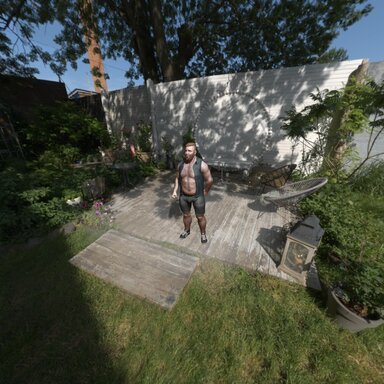
One crucial point to add: it’s best to use high‑definition original HDR files when importing into Unity. If you use compressed, low‑resolution 1K HDR textures, even if they look good in the software’s viewport, they may appear blurry and unappealing in Unity after mipmapping, especially when displayed in Vam skybox.
vamBear
vamBear
Thanks for that. I'll add that line to this tutorial now.
Upvote 0
Positive
Posted:
This is great,but wondering is there a way to fake some shadow on the ground projected by person body using the HDRI, any tip?
vamBear
vamBear
I couldn't find a shader that has been released that can do this - I think it's called a transparent shadow shader. It's fully transparent but accepts the shadows and blends them.

After I have things together a bit more I'll look into how to release shaders for VaM and see if we can get one functioning.

The other approach is to actually project the HDRI into a Dome (with a floor) so I'll have a look at that as well.

For now, just add a cube, squash it and set it's transparency to .1 or something. It'll have a shadow (not a strong one) but it's something. You can see it in my examples actually.
https://hub.virtamate.com/resources/preparing-hdris-in-unity-for-hlc-hdri-light-creator.64005/ if you scroll down to the mip map images, and press the 1k one - you can see it there.
Upvote 0
Positive
Posted:
wow extremely works!!!!! love it!!!
vamBear
vamBear
Thank you!
Upvote 0
Back
Top Bottom