



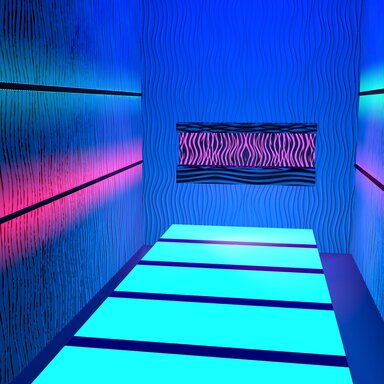
This is a colorful environment with lighting that slowly changes color. It uses a plugin that I created which references small gradient files. To get it working, go into the CustomUnityAsset's Plugin tab. In there you will find my GradientCUADriver plugin.
UPDATE: I released the plugin as a stand alone because it won't run from inside the var. You can either copy it to your Custom/Scripts/StyleMavin from inside the var, or download it here. I also added a Gradients folder to the Mega link which contains more gradients that I used in the scene if you want more choices. Place it in Custom/PluginData/StyleMavin.
Click on the "Browse Gradient Folder (Auto A..G), then navigate to AddonsPackages/StyleMavin.Pleasure_Salon_CUA.1.var/Custom/PluginData/StyleMavin/Gradients and select a gradient.
Then scroll to the bottom of the Main page of my plugin and click "Refresh Targets (Under Root or Exact).
You should see the colors start changing.
This is the first plugin I have made so let me know if it does not work for you.
UPDATE: I released the plugin as a stand alone because it won't run from inside the var. You can either copy it to your Custom/Scripts/StyleMavin from inside the var, or download it here. I also added a Gradients folder to the Mega link which contains more gradients that I used in the scene if you want more choices. Place it in Custom/PluginData/StyleMavin.
Click on the "Browse Gradient Folder (Auto A..G), then navigate to AddonsPackages/StyleMavin.Pleasure_Salon_CUA.1.var/Custom/PluginData/StyleMavin/Gradients and select a gradient.
Then scroll to the bottom of the Main page of my plugin and click "Refresh Targets (Under Root or Exact).
You should see the colors start changing.
This is the first plugin I have made so let me know if it does not work for you.


