• Hi Guest!

    We are extremely excited to announce the release of our first Beta1.1 and the first release of our Public AddonKit!
    To participate in the Beta, a subscription to the Entertainer or Creator Tier is required. For access to the Public AddonKit you must be a Creator tier member. Once subscribed, download instructions can be found here.

    Click here for information and guides regarding the VaM2 beta. Join our Discord server for more announcements and community discussion about VaM2.
  • Hi Guest!

    VaM2 Resource Categories have now been added to the Hub! For information on posting VaM2 resources and details about VaM2 related changes to our Community Forums, please see our official announcement here.
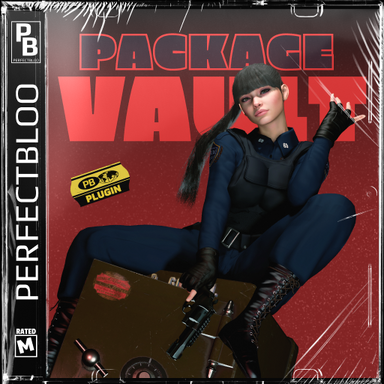
Package Vault Header

Hearts Icon
Is this useful for you? I'd love to know!
Leave a like, and tell me in your review how this is helpful or could be improved!
Warning Sign
Use At Your Own Risk
Package Vault deletes files permanently. Although I tested and use this plugin myself, bugs can never be fully ruled out. Use at your own risk and backup your files!

About​

Replace VaM's package manager with a modern and performant UI that has search and filter options. Keep selected packages and their dependencies save in your vault. Run a purge to delete all other packages. All inside VaM and its security restrictions, without any external programs or DLLs.
Overview of the new package manager UI.

Overview of the new package manager UI.

How To​

Add the plugin as a session plugin. The new package list UI is embedded in VaM's native package manager.
  • SEARCH | Use the search bar at the top to find packages by its name, creator name, or file uid.
  • FILTERS | Filter your packages using the dropdowns in the left sidebar e.g. to see all packages in your vault or find packages with missing dependencies.
  • CATEGORIES | The new UI includes buttons in the left sidebar to filter by categories similar to VaM's native package manager.
  • VIEW MODE | Use the buttons next to the search bar to toggle between list or grid view mode, and three different item sizes.
Note that thumbnails might take longer to load only for the very first time you scroll through the list. Thumbnails will be cached the same way VaM caches other images and textures, and thus very fast to load again even after restarting VaM.

Adding Packages to your Vault​

Use the Vault Icon on items in the package list to add or remove them from your vault. Alternatively use the toggle in the package's User Preferences tab on the right side. There you can also hide packages in the list, and change how dependencies are treated for the selected package:

ModeDescription
DefaultChoose the dependency mode for this package later when running a purge.
ExactKeep the exact version of its dependencies.
LatestKeep only the latest version of its dependencies, even if an an exact version is specified.
NoneKeep only the vault package itself, not its dependencies.

Info Sign
Backing Up Your Vault Settings
If you want to backup your vault settings, you can find them all stored in "Custom/PluginData/perfectbloo/PackageVault/Vault.json" as a single file. The other two files "Cache.json" and "Index.json" contain no user settings, and are only used to speed up gathering package meta information and finding local scene and preset package references.

Purging​

Hit the Purge Vault button at the very top above the package list. In purge mode, only packages that will be deleted are listed. Note that filtering via the search bar will not protect packages from being deleted. Choose the default Dependency Mode (as described above) on the left side. If everything looks right, hit the Purge button to delete the listed packages. You will be asked to confirm one last time.
Info Sign
EXPERIMENTAL Protect Your Local Scene & Preset References
Use the Reference Mode dropdown in the purge UI to scan your local scenes and presets for package references. Any found package references will be treated as if it was in your vault, so the package itself and its dependencies will not be deleted. This feature is experimental and might not find all references.
Purge UI listing all packages that will be deleted. Hitting the Purge button will ask you one last time to confirm before deleting the packages.

Purge UI listing all packages that will be deleted. Hitting the Purge button will ask you one last time to confirm before deleting the packages.

Known Issues​

IssueDescription
Purging might require restartPurging might require restarting VaM to actually delete the packages and refresh the package list.

React to this content...

Share this resource

More resources from perfectbloo

Credits

Creator Support Link
perfectbloo perfectbloo
Back
Top Bottom