

You are using an out of date browser. It may not display this or other websites correctly.
You should upgrade or use an alternative browser.
You should upgrade or use an alternative browser.
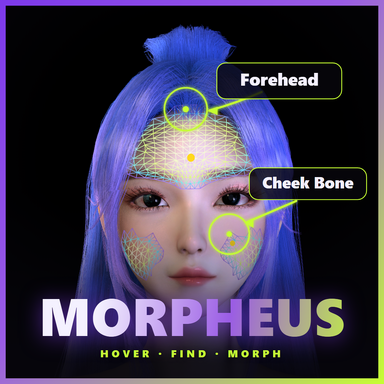
A fix-focused release, plus hover now finds noticeably more morphs.
v7
Min Effect now defaults to 0.001 instead of 0.005. It sets how far a morph has to push the skin before it counts as affecting a spot, and 1mm is about the finest change the eye can pick out.
Finds more
At the same point on the body, that takes VAM's own built-in morphs from 22 up to 136 — most of them are small corrective shapes that the old threshold shut out, which is what made built-ins look like they were missing.
If you've saved your settings before, your own value wins and nothing changes. To get the fuller results, set Min Effect to 0.001 in Settings; it rebuilds the index once.
Fixes
- Morphs with a "-" in the name couldn't be found — typing Impact - Torso or L-Victoria-Head returned nothing, because every hyphen was treated as an "exclude" operator. Only -word excludes now
- Grabbing the scrollbar right after adjusting a slider scrolled the list to blank
- Dragging a slider while the list was still gliding could edit a different morph — this one really did write the value to the wrong place, and undo recorded the wrong one too
- The list didn't update after changing Min Effect — it now refreshes itself when the rebuild finishes
- Chinese morph names and Chinese tags rendered as boxes in the list
- Switching the interface back to English turned the language dropdown's own entries into boxes — leaving no way to tell which one to pick to switch back
- Undo did nothing after changing characters, yet the undo count kept going down
- Hovering certain morphs highlighted the previous morph's area on the body
- Hover stopped working entirely on unsupported hardware, or just after a character/clothing change (it now falls back to the old method automatically)
Also
The marker dot on the body is adjustable — size and opacity in Settings. Shrink it for face work, enlarge it for the torso; lower the opacity to see the skin underneath
Settings page reorganised — grouped by what you're doing (Hover Detection / On-Body Display / Window & List / Auto-save / Hotkeys) instead of all the toggles together and all the sliders together
这一版集中修问题,另外让悬停能找到的变形明显变多了。
「最小影响值」默认从 0.005 调到 0.001。 这个值决定「一个变形要把皮肤推动多少,才算影响到这个位置」,1mm 差不多是肉眼能看出的下限。
调低之后,同一个位置能找出来的 VAM 自带变形从 22 个变成 136 个 —— 它们大多是幅度很小的修形,之前被门槛挡在外面,看起来就像「内置变形找不到」。
已经保存过设置的人不受影响(你自己选的值优先)。想要更全的结果,去设置页把「最小影响」调到 0.001,会重建一次索引。
- 名字里带「-」的变形搜不到 —— 照着名字打 Impact - Torso、L-Victoria-Head 反而没有结果,因为连字符被一律当成了「排除」符号。现在只有 -词 这种写法才表示排除
- 调完滑块马上去拖滚动条,列表会滚成空白
- 列表还在滑行时按住滑块拖动,可能改到别的变形 —— 这个会真的把数值写错地方,撤销记录的也是错的那个
- 改完「最小影响值」后,列表没有跟着更新 —— 现在重建完索引会自动刷新
- 中文的变形名、中文标签在列表里显示成方块
- 界面从中文切回英文后,语言下拉里的选项也变成方块 —— 看不出该点哪一个才能切回去
- 换了角色之后按撤销没有任何反应,但撤销计数还在减少
- 悬停某些变形时,身上高亮的是上一个变形的范围
- 显卡不支持或角色刚换装时,悬停会完全失灵(现在会自动改用原来的方式)


这次更新主要解决卡顿,另外补上了多语言界面和一批用起来更顺手的细节。


更流畅
- 悬停不卡了 —— 鼠标在身上移动时那种一顿一顿的感觉没有了
- 滚动顺滑了 —— 变形列表可以流畅地滚,快速甩滚轮也不会再「刹不住车」一直往下溜
- 筛选切换更干脆 —— 清空搜索时列表整屏出来,不再一条一条往外蹦
把最吃性能的两件事——悬停检测和身上的影响范围高亮——交给显卡来算,这就是上面那些提速的来源。
GPU 加速(新增,默认开启)
- 状态栏出现彩虹闪电图标
- 不想用可以在设置里关掉,功能完全不受影响,只是会慢一些
- 老显卡不支持的话会自动用原来的方式,不用管
插件要先扫一遍你的变形库才能做悬停查找,这一步整个重做了。
建索引快多了
- 在后台进行 —— 建索引时画面不再卡住,可以照常操作
- 建完会存下来 —— 下次打开直接用,不用再等;换角色、增删变形才会自动更新
- 扛得住大库 —— 几万个变形也能建完,不会中途失败
界面语言(新增)
- 支持 英文 / 中文 / 日文 / 韩文,在设置页切换
- 变形名称始终保持原样(英文),不会跟着界面语言变
鼠标停在按钮上会有说明气泡(不喜欢可以在设置里关)
点搜索框会弹出已有标签,直接点选就行
列表新增回到顶部按钮
窗口改成固定两列,不再需要手动拖大小
更新后请注意
- 第一次打开会重建一次索引,大约十几秒,属于正常现象,之后就不会了
- VR 里的手柄选取还没在真机上测过 —— 如果发现点不准,告诉我,调整很快
This update is mostly about stutter, plus multi-language support and a batch of things that make it nicer to use.
- No more hitching while hovering — moving the mouse over the body used to stall every few seconds. That's gone.
- Smooth scrolling — the morph list scrolls cleanly now, and flicking the wheel no longer sends it coasting for ages before it stops.
- Snappier filtering — clearing a search brings the list back a full screen at a time instead of one row at a time.
The two most expensive things — hover detection and the influence highlight on the body — now run on your graphics card. That's where the speed-ups above come from.
- A rainbow lightning bolt
- You can turn it off in Settings; everything still works, just slower
- Older cards that can't run it fall back automatically — nothing to set up
The plugin has to scan your morph collection before it can do hover lookups. That whole step was rebuilt.
- Runs in the background — the screen no longer freezes while it works; carry on as normal
- Cached when it's done — next launch uses it straight away, no waiting. It only refreshes when you switch characters or add/remove morphs
- Handles big collections — tens of thousands of morphs get through without failing partway
- English / 中文 / 日本語 / 한국어, switchable in Settings
- Morph names always stay as they are (English) — they don't follow the interface language
- The first launch rebuilds the index once, around ten to twenty seconds. That's normal and won't happen again.
- VR controller picking hasn't been tested on real hardware yet — if it doesn't aim where you expect, let me know and it's a quick fix.


VR Support — laser hover-picking, slider drags, Keybindings controller binds, wrist-mounted window
Range Zoom — new .1x / 10x buttons per row: widen the real range 10x to push values beyond the authored limits, or shrink 10x for fine control
Fixes & UI — no more list jumping while dragging; bigger click targets for mouse & VR laser
- 2
-
 2
2
NEW
•Symmetric filter — a new toggle (left of "Search All") that shows only symmetric morphs.
•Active list now auto-refreshes — swapping a character/appearance, loading a look, or
changing morphs updates the active-morph displays (Show Active list, Active-only filter,
the in-use bars) on its own, with no index rebuild.
•
the plugin every time you load it. (Still fully sandbox-checked.)
•No more needless rebuilds — switching characters used to trigger a long (~30s) index
rebuild even when the morph set hadn't changed. Now it only rebuilds when it truly needs to.
•Fixed an occasional "too many heaps" crash while building/loading the index.
•Settings now save correctly — the three range-preview sliders and "Enable Hover
Detection" are now included in the global save.
Note: this version ships as a DLL (no source inside the package).
•
•
(Show Active 列表、仅激活筛选、占用条)会自动刷新,无需重建索引。
•
(仍完整经过沙箱校验
•
现已修复,仅在确有必要时才重建。
•
•

Morpheus v2 Changelog
Range preview improvements
Inactive custom morphs are now searchable
- Three new tunables in Settings: Breathe Speed (preview wireframe pulse rate), Max Opacity (peak opacity while hovering), and Adjust Opacity (opacity at the moment you drag a slider — dim it independently, or set 0 to hide the preview while adjusting so it won't block your view)
- Setting Max Opacity to 0 fully disables the range preview
Greatly expanded Chinese localization
- Index build temporarily loads inactive custom morphs (package / local) so they can be searched and previewed in hover and drag-select modes too (previously only active morphs were covered)
Performance
- Custom morph names translated up to 2416 entries: added camelCase splitting (calfUpper→小腿 上), author-prefix + body-part splitting, and muscle op-code suffix mapping (L/R + UD/ROT/EXP → 左右 + 上下/旋转/扩张), covering glued names that were previously left fully untranslated (e.g. ppcalfMidUpperRROT→pp 小腿 中 上 右 旋转)
- Native-UI translation gap-fills: Auto Behaviors, Lock/Unlock, Rescan Files, audio rolloff/input, and other previously-missed native strings
- Body-part tags + new settings labels translated: Breathe Speed / Max Opacity / Adjust Opacity, etc.
Misc
- Index rebuild now yields by frame-time budget, eliminating the stutter caused by loading inactive morphs (disk reads)
- Max Results cap raised 80 → 500
- Settings page laid out in two aligned columns, range-preview controls grouped
Chinese localization is delivered as XUnity.AutoTranslator files under BepInEx/Translation/zh-CN/, requires a VAM restart after install; custom morph name translations are generated specific to the current
scene's morph set.
更新日志(中文)
Morpheus v2 更新日志
范围预览增强
未激活的自定义变形也能检索
- 设置页新增三个可调参数:呼吸速度(预览网格呼吸快慢)、最大透明度(悬停时的峰值透明度)、调节透明度(拖动滑块调节那一刻的透明度,可单独调暗;设为 0 则拖动时隐藏预览,不挡视线)
- 最大透明度设为 0 可完全关闭范围预览
中文汉化大幅增强
- 建索引时会临时加载未激活的自定义变形(var 包 / 本地),使它们在悬停、拖拽选择模式下同样能被搜索和预览(此前只覆盖已激活的)
性能
- 自定义变形名汉化扩充至 2416 条:新增驼峰命名拆分(calfUpper→小腿 上)、作者前缀+部位拆分、肌肉操作码后缀映射(L/R+UD/ROT/EXP→左右+上下/旋转/扩张),大幅覆盖此前整串无法翻译的黏连命名(如 ppcalfMidUpperRROT→pp 小腿 中 上 右 旋转)
- 原生 UI 汉化补漏:自动行为、锁定/解锁、重扫文件、音频衰减/输入等一批此前漏翻的原生界面文本
- 部位标签 + 设置页新参数汉化:呼吸速度 / 最大透明度 / 调节透明度等
其它
- 重建索引改为按帧时间预算分帧,消除加载未激活变形(磁盘读取)时的卡顿
- 最大搜索结果上限 80 → 500
- 设置页布局按左右两列对齐,范围预览参数归组
中文汉化通过 XUnity.AutoTranslator 翻译文件实现,放在 BepInEx/Translation/zh-CN/,安装后需重启 VAM 生效;自定义变形名汉化为当前场景的 morph 集合特定生成。
- 3
-
3