

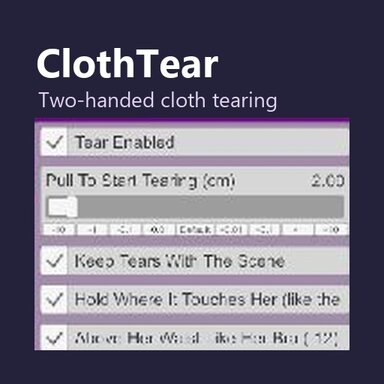



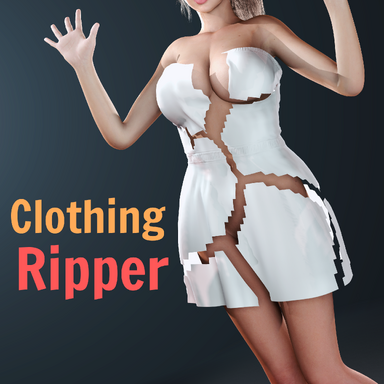
Inspired by Mxx’s ClothingRipper, ClothTear is a simpler cloth-tearing plugin for VaM VR. ClothingRipper offers a broader set of tools. ClothTear focuses on a single interaction. Grab the same simulated garment with both hands, pull it apart, and let go to drop the torn piece.
ClothTear works from the outside in. An inner garment becomes tearable only after every outer layer covering the spot you are grabbing has been torn away.
VR demo

The demo shows clothing from VRD Outfit 1 by VRDollz. The download contains the ClothTear script.
Getting started
1. Place the VAR in AddonPackages and rescan packages if VaM is open.
2. On a Person atom, open Plugins, select Add Plugin, then choose ClothTear.cs from this package.
3. Equip a garment with VaM cloth simulation data. In VR, grab the garment with both hands and pull apart. Start with Sim enabled on the garment. If your first grip switches Sim on, release, wait about three seconds, then grab again.
4. Use Restore All Clothing in the plugin UI to reset the garments. Turn on Keep Tears With The Scene to preserve tears when saving the scene.
You can adjust the pull threshold and tear length in the plugin panel. Supported sheer garments can stretch farther before tearing. Disable any other plugin that edits the same garment’s simulation or mesh during use.
Package contents
The VAR contains ClothTear.cs. The tear and restore controls run without other VARs.
Credits
ClothTear adapts cloth-tearing techniques from ClothingRipper by Mxx under CC BY 4.0. The adaptations include two-hand input, layer selection, and scene persistence.
ClothingRipper by Mxx
 hub.virtamate.com
CC BY 4.0
 creativecommons.org
VRDollz
hub.virtamate.com
ClothTear works from the outside in. An inner garment becomes tearable only after every outer layer covering the spot you are grabbing has been torn away.
VR demo
The demo shows clothing from VRD Outfit 1 by VRDollz. The download contains the ClothTear script.
Getting started
1. Place the VAR in AddonPackages and rescan packages if VaM is open.
2. On a Person atom, open Plugins, select Add Plugin, then choose ClothTear.cs from this package.
3. Equip a garment with VaM cloth simulation data. In VR, grab the garment with both hands and pull apart. Start with Sim enabled on the garment. If your first grip switches Sim on, release, wait about three seconds, then grab again.
4. Use Restore All Clothing in the plugin UI to reset the garments. Turn on Keep Tears With The Scene to preserve tears when saving the scene.
You can adjust the pull threshold and tear length in the plugin panel. Supported sheer garments can stretch farther before tearing. Disable any other plugin that edits the same garment’s simulation or mesh during use.
Package contents
The VAR contains ClothTear.cs. The tear and restore controls run without other VARs.
Credits
ClothTear adapts cloth-tearing techniques from ClothingRipper by Mxx under CC BY 4.0. The adaptations include two-hand input, layer selection, and scene persistence.
ClothingRipper by Mxx
ClothingRipper - Plugins + Scripts -
ClothingRipper | Tear any SIM clothing into pieces that rip and fall off in real time ClothingRipper allows SIM-enabled clothing to be ripped into pieces that fall off the body in real time. Rip the whole garment, drop individual pieces, or draw...
hub.virtamate.com
CC BY 4.0
Deed - Attribution 4.0 International - Creative Commons
creativecommons.org
VRDollz
Resources by VRDollz
hub.virtamate.com


