

Built something awesome? I'd love to see!
Leave a like, review, and show me what you've built in the community gallery below!
Experimental Release
- future updates may introduce breaking changes more often than usual
- zero documentation besides the plugin description below
- bugs probably
About
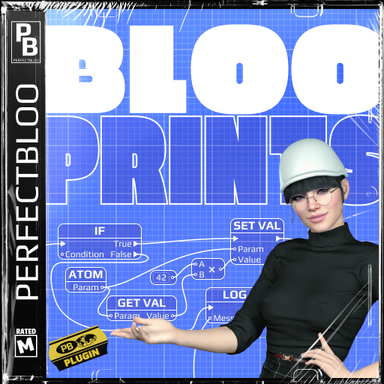
Create advanced logic directly inside VaM. Build your logic and interact with the scene through a node-based graph, expose parameters for triggers, and even create a custom script UI.Blooprints do neither aim to replace other logic plugins, nor custom C# plugins. It rather finds itself in the middle, where other logic plugins might not allow enough complexity, yet a custom C# plugin would be overkill. A versatile tool for scripting interactivity in your scenes and assets.
Examples
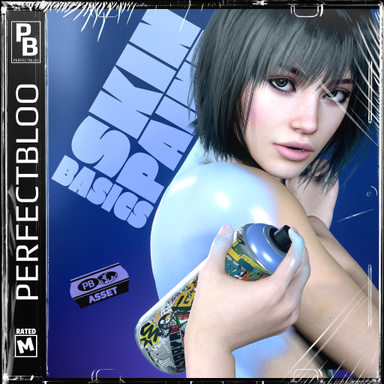
Check out my American Muscle Car 1971 and Skin Paint Basics packages to get an idea what's possible with Blooprints.
How To
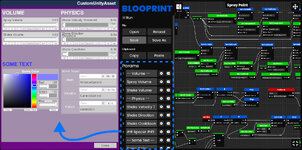
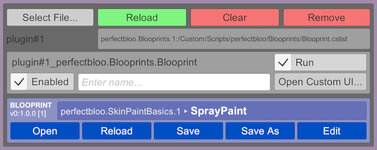
Add the "Blooprint" script to any atom or as a scene plugin. The "Brain" plugin is automatically added as a scene plugin, and is essential for Blooprints to work. Next, load a Blooprint file or create a new one using the extended script controller UI. Note that only the paths to Blooprints are stored in scenes, not the Blooprint itself. So don't forget to save your Blooprint after making changes.Blooprint Files
Blooprints live in their own JSON file rather then being embedded in scenes or presets. This saves space and means they can easily be reused and even shared on the Hub in packages.
Why is the Brain plugin a DLL?
First off, don't worry, the DLL is loaded via VaM's plugin system just like a regular C# plugin - so all security restrictions apply! The plugin contains all the code to run Blooprints with already more than 1500 nodes. That's a lot of lines of code to compile and can take VaM several seconds. The precompiled DLL on the other hand is loaded instantly.
Open the editor to create your logic. Right-click in an empty space to add new nodes. Connect nodes by dragging lines between node pins. Many nodes will live update depending on connected pin values and changes in the scene. For example this allows you to choose atoms or storables from the scene in a dropdown rather than typing out the UID, just like you know from triggers.
Right-click on nodes, pins, or links to access context-sensitive actions like duplicating and removing nodes, clearing pin connections, or adding redirectors to links for a cleaner graph. You can select multiple nodes by dragging a selection rectangle from an empty space. Use shift/ctrl to add to or remove from an active selection.
Use "Params" in the sidebar to create a custom UI for your Blooprint just like you know from regular C# plugins. Param values will be stored in scenes and presets, and can also be set via triggers. For temporary values that should not be saved and exposed use "Variables".
Live Editing
You can live edit Blooprints without reloading or restarting them. For example if you link a new node to a Callback or your OnTick logic, changes will immediately apply and the new node is run the next time the logic is executed.
Since there currently is no documentation or tutorials, I recommend you take a look at Blooprints in my packages (e.g. American Muscle Car 1971 or Skin Paint Basics) to get a better understanding how to do stuff with Blooprints. Below are some essential nodes.
Important Nodes
Lifecycle
| Node | Description |
|---|---|
| OnEnable | Called once when Run is enabled. Use for initialization. |
| OnDisable | Called once when Run is disabled. Use for cleanup. |
| OnTick | Called every frame while Run is enabled. |
Storables
| Node | Description |
|---|---|
| GetStorable | Get a storable from an atom (like "Receiver" in triggers) |
| GetParam | Get a param from a storable (like "Receiver Target" in triggers) |
| GetValue | Get the current value of a param |
| SetValue | Set the value of a param (will trigger callbacks) |
| SetValueQuiet | Set the value of a param (will not trigger callbacks) |
| GetParamValue | Shortcut for getting the value of a param defined in your Blooprint |
| SetParamValue | Shortcut for setting the value of a param defined in your Blooprint |
| GetAtomByUid | Get an atom from the scene by its UID |
Callbacks
| Node | Description |
|---|---|
| Callback | Creates a callback that can be used with the SetCallback node to run whenever the value of the linked parameter changes. |
| GetCallback | Get a callback defined in your Blooprint |
| SetCallback | Registers a callback to run whenever the value of the linked parameter changes. Callbacks will be automatically unsubscribed when 'Run' is disabled, so there is no need for manual cleanup in OnDisable. |
| Call | Manually run a callback. Allows for limited support of reusing logic inside a Blooprint. |
Other
| Node | Description |
|---|---|
| Owner | The atom this Blooprint is owned by. |
| Self | The Blooprint itself, e.g. to access params. |
Known Issues
| Editor UI load time for large Blooprints | The initial load time of a Blooprint's editor UI can be slow, and freeze VaM for a few seconds, especially for large Blooprints. This does not affect scene load times or Blooprint run performance, since the editor UI is only created when it is opened by the user. |
| Node pin type and value live updates | As described above, pin types and default value options will update depending on node connections. Sometimes this fails and in the worst case will not allow you to connect two pins you should be able to. Should that be the case, try one or multiple of the following workarounds:
|
| Renaming params & variables | Renaming params and variables when they are already referenced in the graph will likely break stuff. If you have to rename, my recommendation for now is to either go through all references in the graph and reselect the param/variable with the new name, or open the Blooprint file in a text editor and do a careful search & replace. In either case make sure to create a backup before. |
| Blooprint file size | At the moment the Blooprint file format is probably more verbose than it needs to be, and the JSON is not minified. A moderately complex Blooprint can have a few hundred KB. Acceptable for now I believe, but compared to the same logic implemented in C# file it's a lot of course. |
- Slut show - Your personal Exhibition Hall by supperGR (CC BY-NC-SA)
- Sabrina by willmason (CC BY)
- Mix 1 by MonsterShinkai (CC BY-NC-ND)
- ponytail hair2 by ddaamm (CC BY)
- CMA_IRIS_REFLEX_EYESSHADOW by CMA (CC BY-SA)
- Emissive Eyes reflection/shadows by SupaRioAmateur (CC BY-NC-SA)
- Leggings_P_(complete) by VL_13 (CC BY)
- YmO_240408_Turtleneck_Set by YameteOuji (CC BY)
- Workwear by maru01 (CC BY)
- Glasses Set by xxxa (CC BY-ND)
- Overalls Set by xxxa (CC BY-ND)