

@XYZ – XY pads for VaM
Drag one handle. Move a whole body.@XYZ turns a simple XY pad into a performance instrument for Virt-A-Mate. Link any controller, morph or float parameter to a pad. Drag the orbit and everything moves together, smoothly and exactly the way you set it up.
What can you do with it?
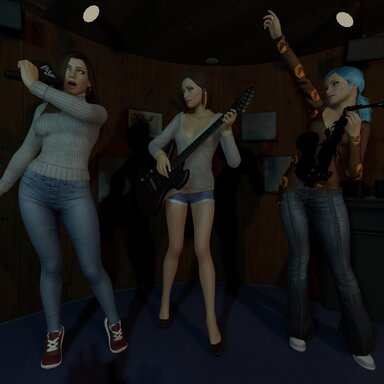
- Puppeteer a person with one hand (or two). Head, hips, chest, hands: put several controllers on a single pad and animate a whole pose with one drag.
- Layer idle motion and manual control. Let a pad breathe, sway or wander on its own, then grab a second pad that drives the same controllers and take over by hand. Let go, and the idle motion carries on.
- Play your morphs. Put expressions, mouth shapes or body morphs on a pad and mix them live. The middle can be the morph’s current value or zero.
- Animate anything. Lights, props, cameras, any atom with a controller or a float parameter.
- Perform in VR. Twist your hand while holding the orbit to drive a third value, for example head roll or hip twist.
Features
- 16 pads (4 per page), each driving up to 6 targets
- Position and rotation follow the controller’s own axes, so a moved person still behaves correctly (world axes optional)
- Separate amounts for +X, -X, +Y and -Y, so max up can differ from max down
- Place mode: drop four markers (X+, X-, Y+, Y-) with arrows, put the controller where it should end up in each direction, done
- Auto motion: Circle, Ellipse, Figure 8, Sweeps, smooth Random wander and Random jumps, with speed and size per pad, plus Pause, Play and Stop
- Mirror one side to the other (right hand moves the left too)
- Pad shapes: square, circle, ring, 8-way gate and grid snaps. Axis lock keeps drags precise
- Spring-back or hold, and adjustable smoothing
- Presets per atom type, with optional full-pose save and load
- Named pads, and a live info field showing what the active pad drives
- Everything is saved in the scene. Anyone who opens it sees the animation, and can save it as their own preset
- Built-in help pages
- Nightraven Mode: a full custom look with animated orbit and glowing LEDs. Switch it off for the plain VaM look
Quick start
- Add the plugin to an atom.
- Click a pad, choose an atom and a controller.
- Set the X and Y drive (for example Position X and Y).
- Drag the orbit.

Nightraven