


Usage
- Add AutoTremble as a plugin to the desired Atom.
- Select the target Atom.
- Select up to four body controllers (knees and abdomen work well)
- Configure magnitude, frequency and movement direction.
- Choose Constant or One-Shot mode.
- Enable randomisation and/or compliance options if required.
- Enable Mirror Mode when matching L/R controllers should move in opposition.
- Start the effect using the plugin controls.
Features
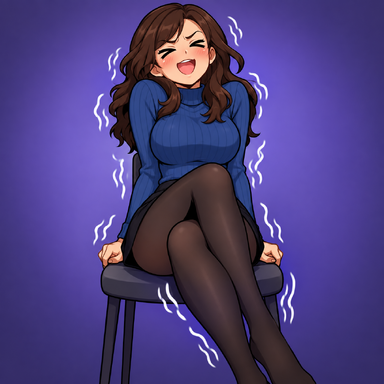
- Adjustable tremble magnitude
- Control the amount of positional movement applied to the selected controllers.
- Adjustable frequency
- Tremble frequency can be configured between 4–12 Hz.
- Directional movement
- Configure the movement direction using X, Y and Z components.
- Direction can be interpreted relative to the body part, target Atom, or world space.
- Magnitude randomisation
- Randomly varies the tremble magnitude within the configured range.
- Frequency randomisation
- Randomly varies the tremble frequency within the configured range.
- Randomisation timing
- Random values can be held for a configurable period before being regenerated.
- A randomisation time of zero allows new values to be generated every physics update.
- Constant mode
- Continuously applies the configured tremble while active.
- One-Shot mode
- Plays a single tremble event using a configurable envelope:
- Phase-in
- Hold at maximum
- Phase-out
- Plays a single tremble event using a configurable envelope:
- Compliance override
- Optional control over the selected controller's compliance speed and damper while the effect is active.
- Position control can also be forced on when required.
- Original controller settings are restored when the effect ends.
- L/R Mirror Mode
- Matching left/right body controllers can optionally move in opposite directions.
- With Mirror Mode disabled, a matching pair moves together:
- lArmControl + rArmControl → same movement
- With Mirror Mode enabled, the pair moves in opposition:
- lArmControl + rArmControl → opposite movement
- The same applies to matching:
- Shoulders
- Arms
- Elbows
- Hands
- Thighs
- Knees
- Feet
- Toes
- Only genuine matching L/R pairs are mirrored.
- Mismatched selections are deliberately left unaffected. For example:
- lArmControl + rHandControl → no mirroring
- lArmControl alone → normal movement
- Centreline controllers such as the hip, pelvis, abdomen, chest, neck and head are unaffected by Mirror Mode.
All videos show plugin triggered using VAMMoan by @hazmhox and parallel to SexyFluids by @Foost , however it can be triggered via other means
Model in video is HT93 by @HelloTokyo
Arousal meter is one of my other plugins, check it out