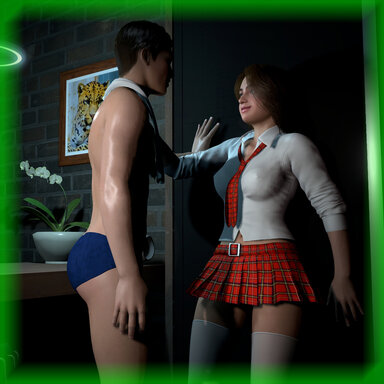
AfterClassNight

Scenes AfterClassNight

Download [14.51 MB]
Instructions for Use:

Keyboard Shortcuts:
V Key: Hide or Show Main UI Icon Button Panel
P Key: Enter or exit the men's view
R Key: Enter or exit camera view
Space Key: Open or close the dialogue interaction button

VR headset shortcut:
VR Left Handle X Key: Open or Close Main UI Icon Button Panel
VR right Handle A key: turn on or off dialogue interaction button


Precautions:

After opening the scene, the button in the middle of the scene start interface can select the mode, which determines the display mode of the UI. If you are in VR mode of VAM, select VR mode, and if you are in desktop mode of VAM, select desktop mode.

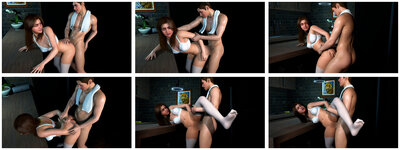
Scene Preview:

——————————FQSA-2001 Preview——————————

info-3.jpg

P1-1-1.jpg


P2-1-1.jpg

P2-1-2.jpg

P2-1-3.jpg


——————————LQSA-2001 Preview——————————

P1-2-1.jpg

P1-3-1.jpg

P1-4-1.jpg

P1-5-1.jpg

P1-5-2.jpg

P1-5-3.jpg

P2-2-1.jpg

P2-2-2.jpg

P2-3-1.jpg

P2-3-2.jpg

P2-3-3.jpg

P2-4-1.jpg

P2-4-2.jpg

P2-4-3.jpg

P2-4-4.jpg
React to this content...

Share this resource

More resources from qkhhcs

Credits

Creator Support Link
50_shades 50_shades
YameteOuji YameteOuji
UserBob UserBob
redeyes redeyes
maru01 maru01
maru01 maru01
vs1 vs1
Acid Bubbles Acid Bubbles
hazmhox hazmhox
MacGruber MacGruber
lfe lfe
Orange*Gumi Orange*Gumi
WeebUVR WeebUVR
Acid Bubbles Acid Bubbles
hazmhox hazmhox
U urukyay
WeebUVR WeebUVR
C Crimeless
maru01 maru01
ICannotDie ICannotDie
hazmhox hazmhox
Romolas Romolas
Acid Bubbles Acid Bubbles
Nial Nial
MacGruber MacGruber
Phawniks Phawniks
TrillWill TrillWill
Molmark Molmark
Back
Top Bottom