

 PoseMeLight: The Smart Director's Chair for Your Story Scenes
The "Pose Me" module from Cheesy Fx's legendary BodyLanguage plugin is based on an absolutely brilliant concept. A single button press, and all person atoms in a scene load their poses perfectly in sync. This 1-click magic blew me away, and I used it as a major inspiration. Credit where credit is due!
But I thought: Why stop at the person atoms? PoseMeLight takes this core idea and massively expands upon it. It's your lightweight tool for building true "Visual Novels", interactive setups, or atmospheric stories in VaM.
What PoseMeLight CANNOT do:
- No Gaze system
- No Idle movements
- No "Slaps" or Levels
- No Dialogs
- Only 1 camera save slot per pose
 Cross-scene magic: Saves in your scene AND on your hard drive!
 Of course, everything is saved directly within your VaM scene – when you load your scene, all your poses are instantly ready to go. But the real kicker is the additional external saving: You can build an awesome setup in Scene A and later load that exact pose into any other scene (even a completely empty one) directly from your hard drive!
- Crash-Proof: If a specific atom is missing in the new scene, VaM won't crash and cry. The plugin just shrugs it off, loads the rest of the pose, and elegantly ignores what isn't there.
- The Workflow Booster ("Auto-Spawn"): Don't feel like manually recreating missing atoms? Just enable "Auto-Spawn"! The script will automatically conjure the required atoms into the scene.
- Important Note on Spawning: We're talking about a pose tool here, not an appearance save! Atoms are always spawned in their absolute default factory state. A Person atom appears as the standard base model (no custom appearance, morph faces, or clothing), a CUA simply appears as an empty CUA atom. Scales and material settings are not saved. PoseMeLight only remembers the on/off state, position, rotation, and of course, the body and hand morphs. You make them pretty, the script puts them in position!
- The Golden Naming Rule: For the pose magic to work smoothly when importing into a completely different scene, there is one crucial detail: The atom running the plugin (your "lead actor", so to speak) must have the exact same name (UID) as it did in the original scene. So if your host atom in Scene A is named "Person", it shouldn't suddenly be named "Hero" in Scene B!
 The Story Module: Images, Text & Videos!
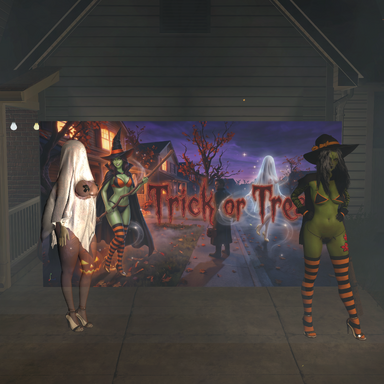
The heart of the plugin. Instead of a harsh cut, you can blend poses into each other smoothly via a "Blackout" fade. But instead of just leaving the player in the dark, you can build them a movie screen:
- Text: Display story text with effects like "Typewriter" or smooth Wipes.
- Media: Load actual .jpg/.png images or complete .mp4 videos (with audio!) directly into the loading screen.
- Smart Timing: No need to guess the seconds on a slider for videos. The script automatically detects the video's length and waits down to the exact millisecond for the clip to finish before revealing the scene.
- VR-Proof: Whether on desktop or a VR headset with an extreme FOV – the story canvas calculates your lens's 3D geometry in real-time. Nothing gets cut off; everything is centered with millimeter precision in your field of view.
 The Master of Timing: Delay Triggers
 In addition to the usual OnEnter and OnExit triggers, you can now set as many Delay Triggers per pose as you want.You control the flow: Pose loads -> wait 2 seconds -> play sound -> wait 4 seconds -> start animation. Everything is easily adjustable via sliders.
 Quality of LifeTo keep you from losing track when you have 20 poses, the script automatically shoots thumbnails, lets you change the pose order anytime with a button click, and makes renaming poses a breeze.
Download it, build your interactive scenes, and let me know how you like it!