Hi everyone—it’s been a few years. I went through a rough patch a couple of years ago that really knocked me down, but things are looking up a bit now. I’ve taken the opportunity to fix some lingering issues and add a few new features.
I recently came across DockedUI while browsing the community; it’s an excellent plugin that includes a visual interface. I’ve gotten into the habit of using both plugins together. Since CanvasButton now supports a "delay" trigger function—making timing and sequencing much easier—I often use it as an implicit relay trigger, pairing icon-based buttons with DockedUI for a very convenient workflow.
Intro:
This is a simple UI plugin can generate a 2D interface button in the screen.
Usage:
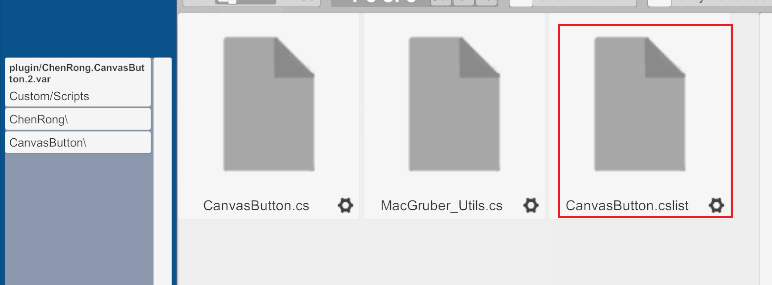
1. Add plugin(CanvasButton.cslist) in Empty Atom
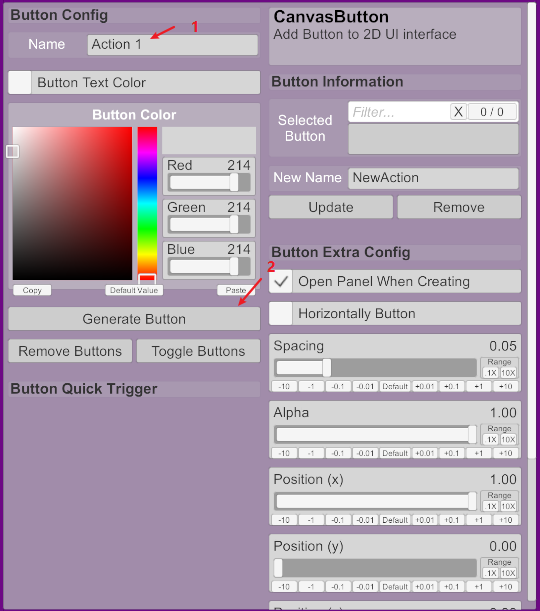
2. Set ButtonAction name and click Generate Button
3. Then there will open trigger panel, and set custom event in
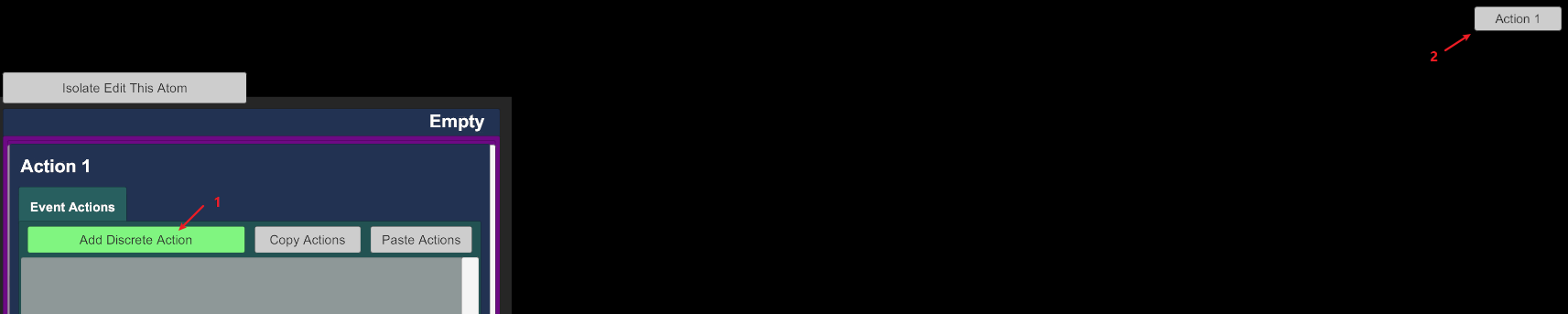
Congratulation! You generate a simple button in you screen
Version 3.2:
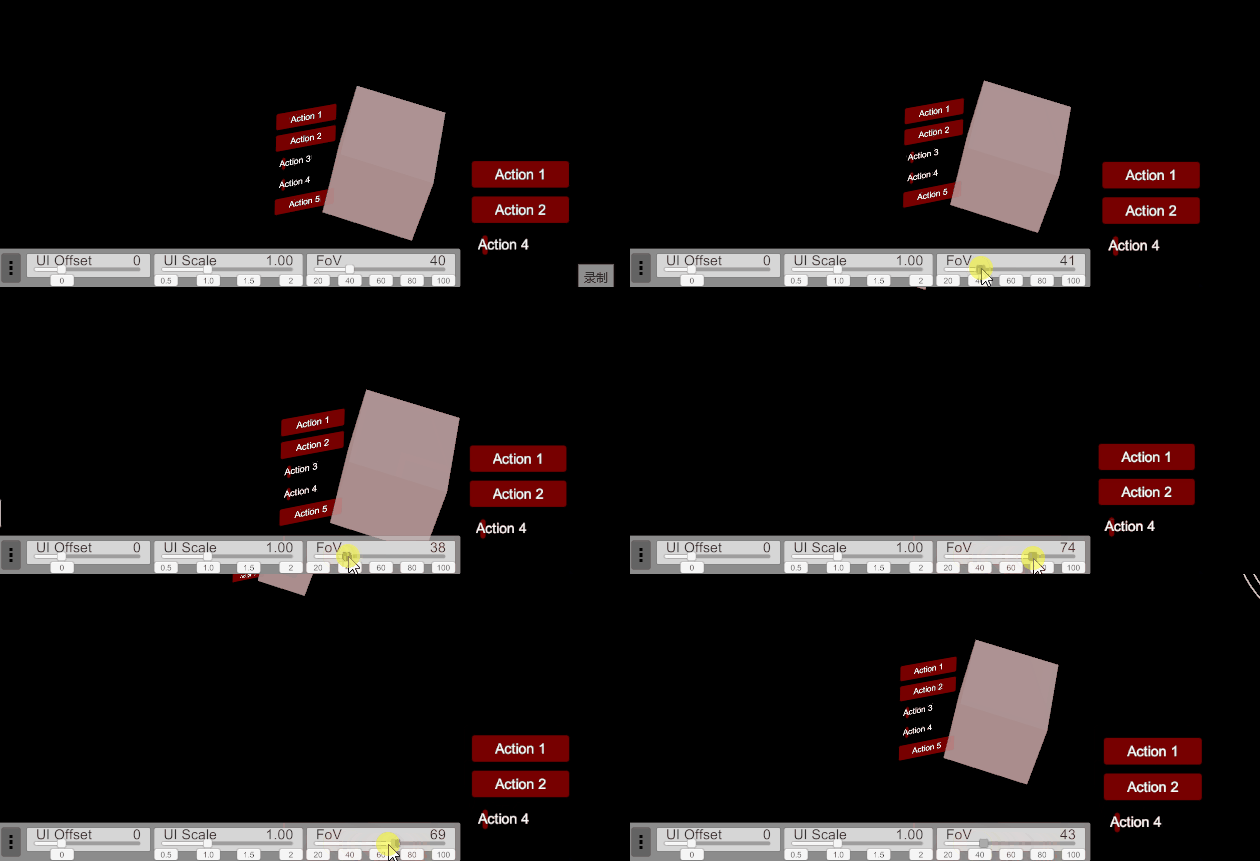
Add FOV following function (not perfect)
Version 3.1:
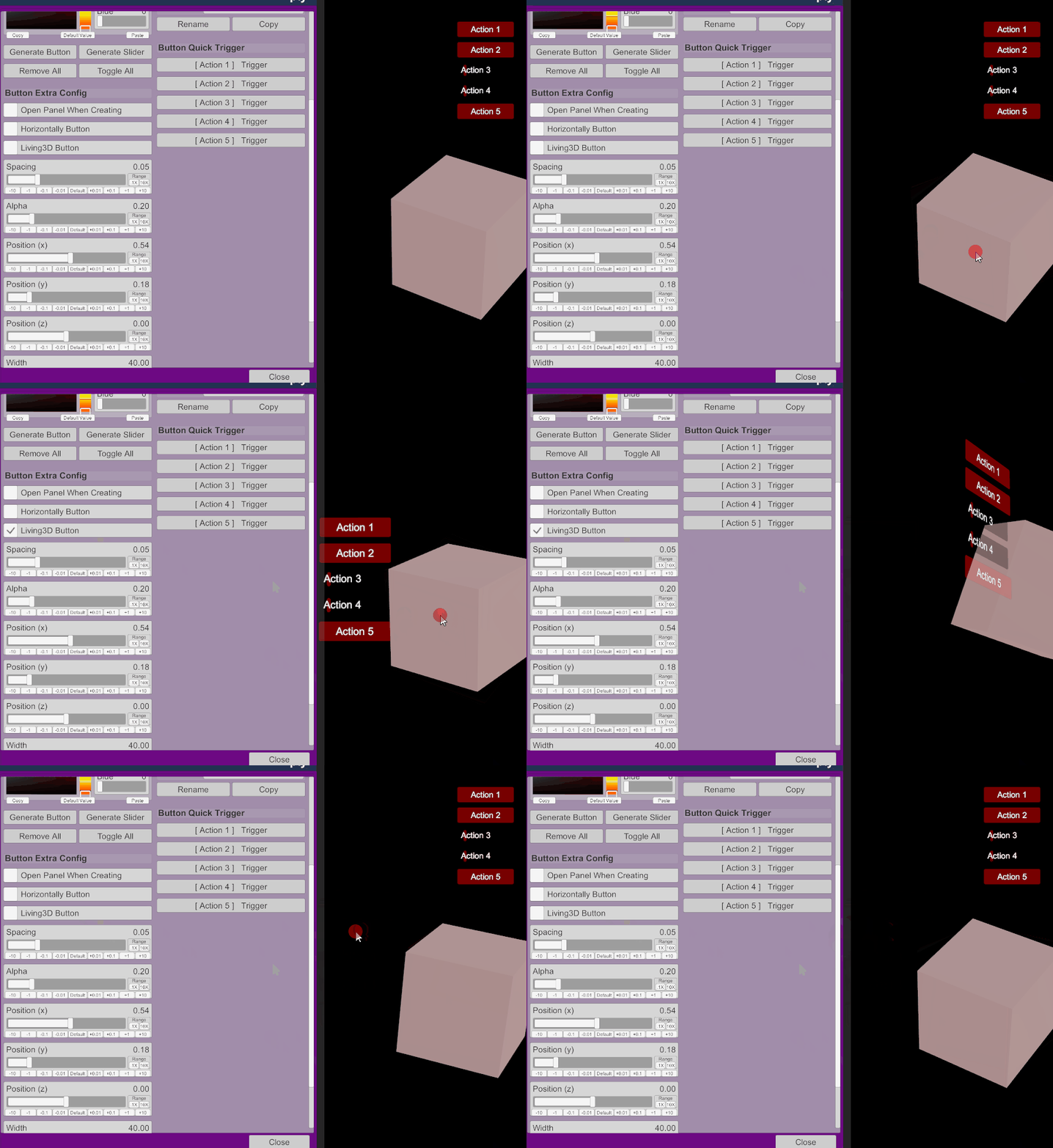
Support button living 3D-word and switched freely
Version 3.0:
Above in this version, the plugin offer more funtion like:
1. Add VR support
2. Add ToggleButton support
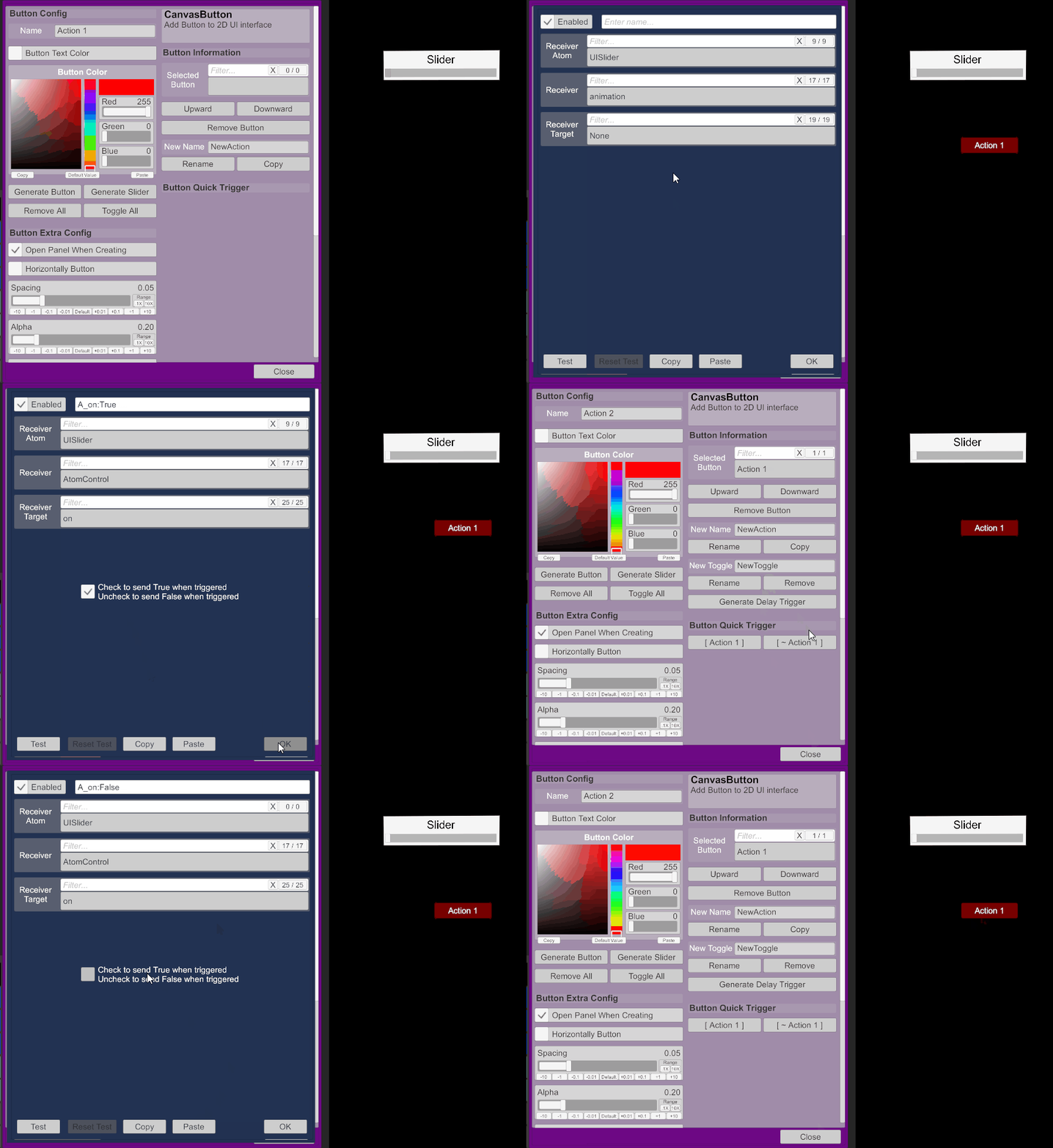
3. Add DelayButton support
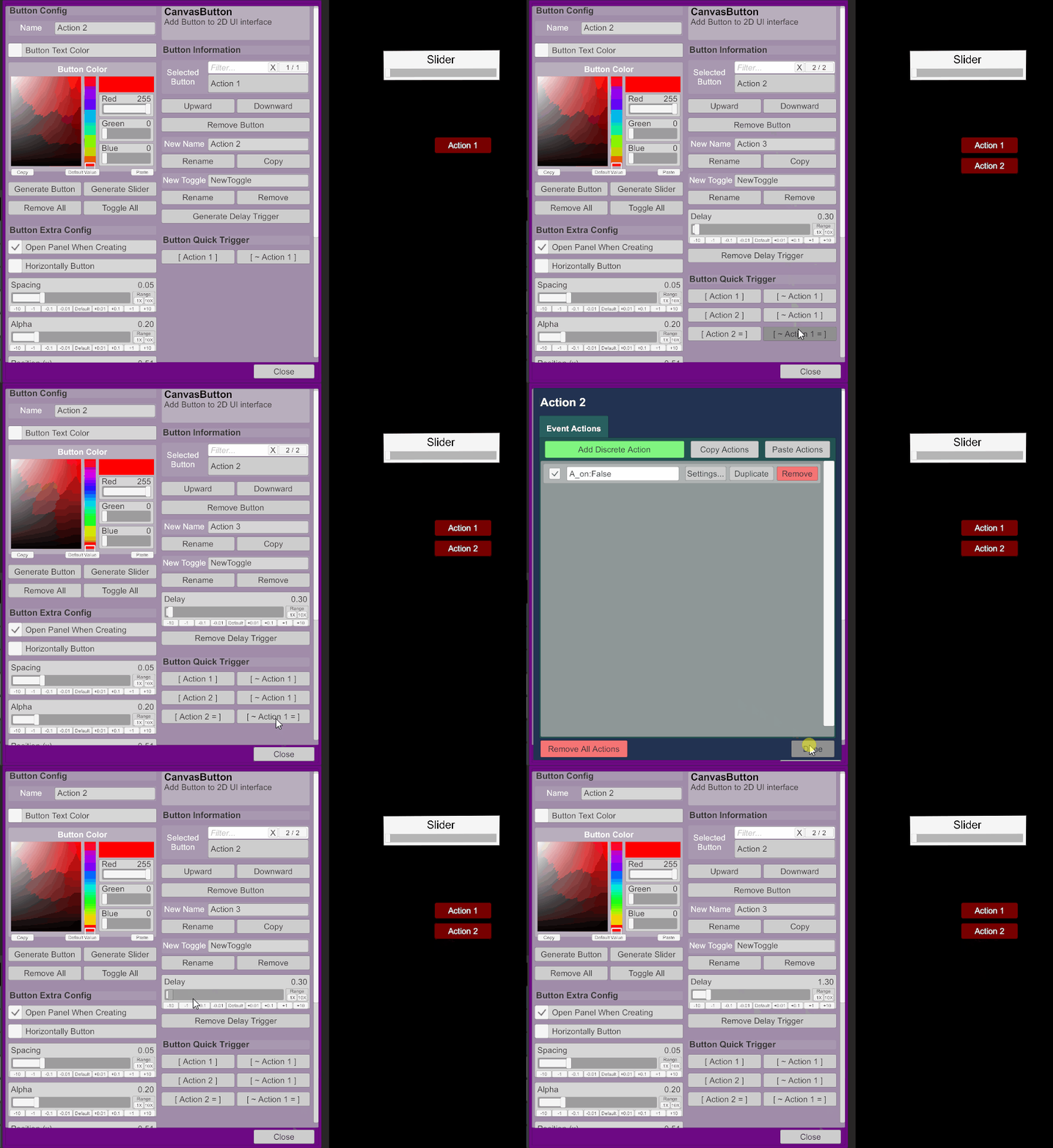
4. Add Slider support
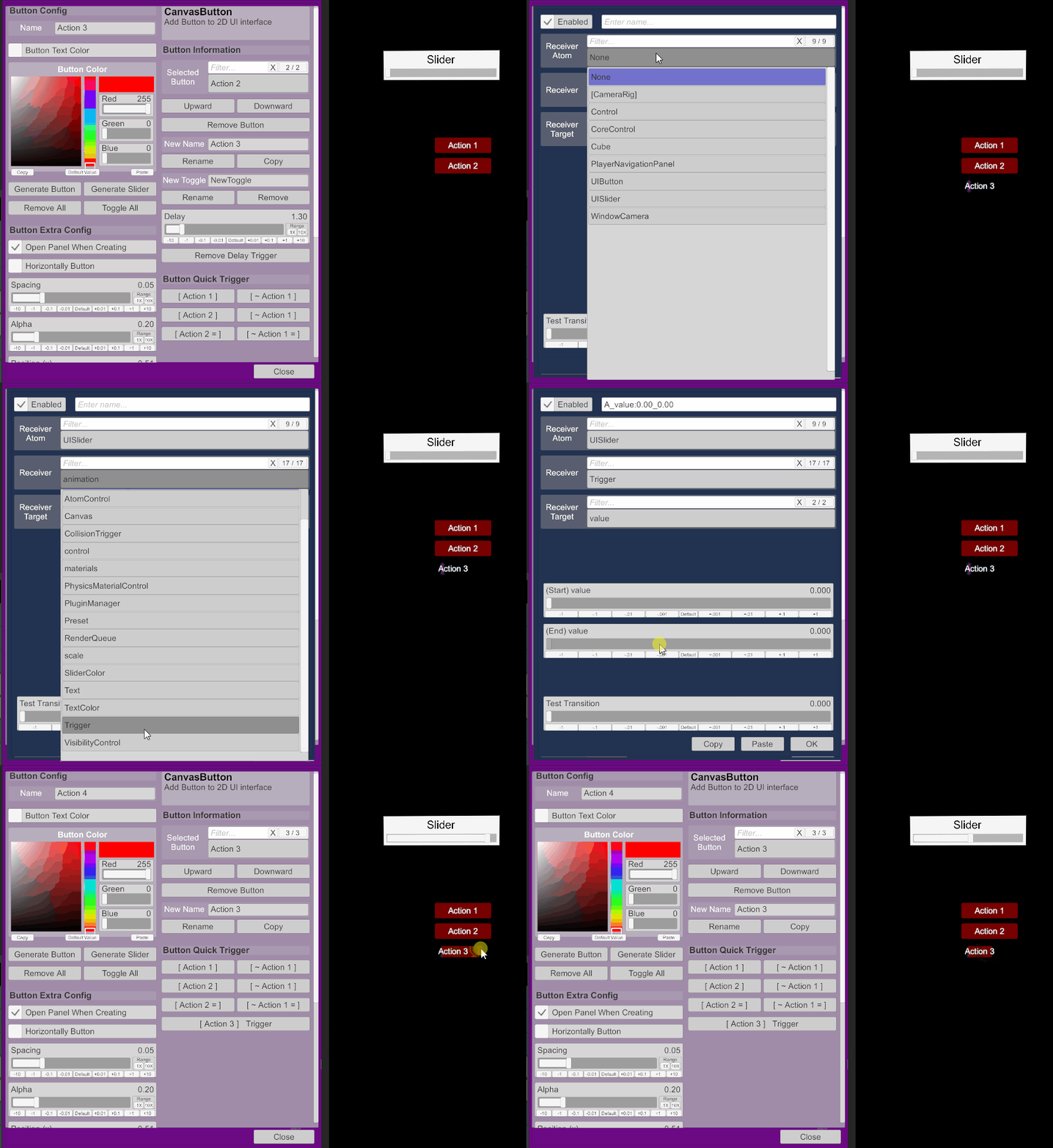
5. Add buttons sorted function
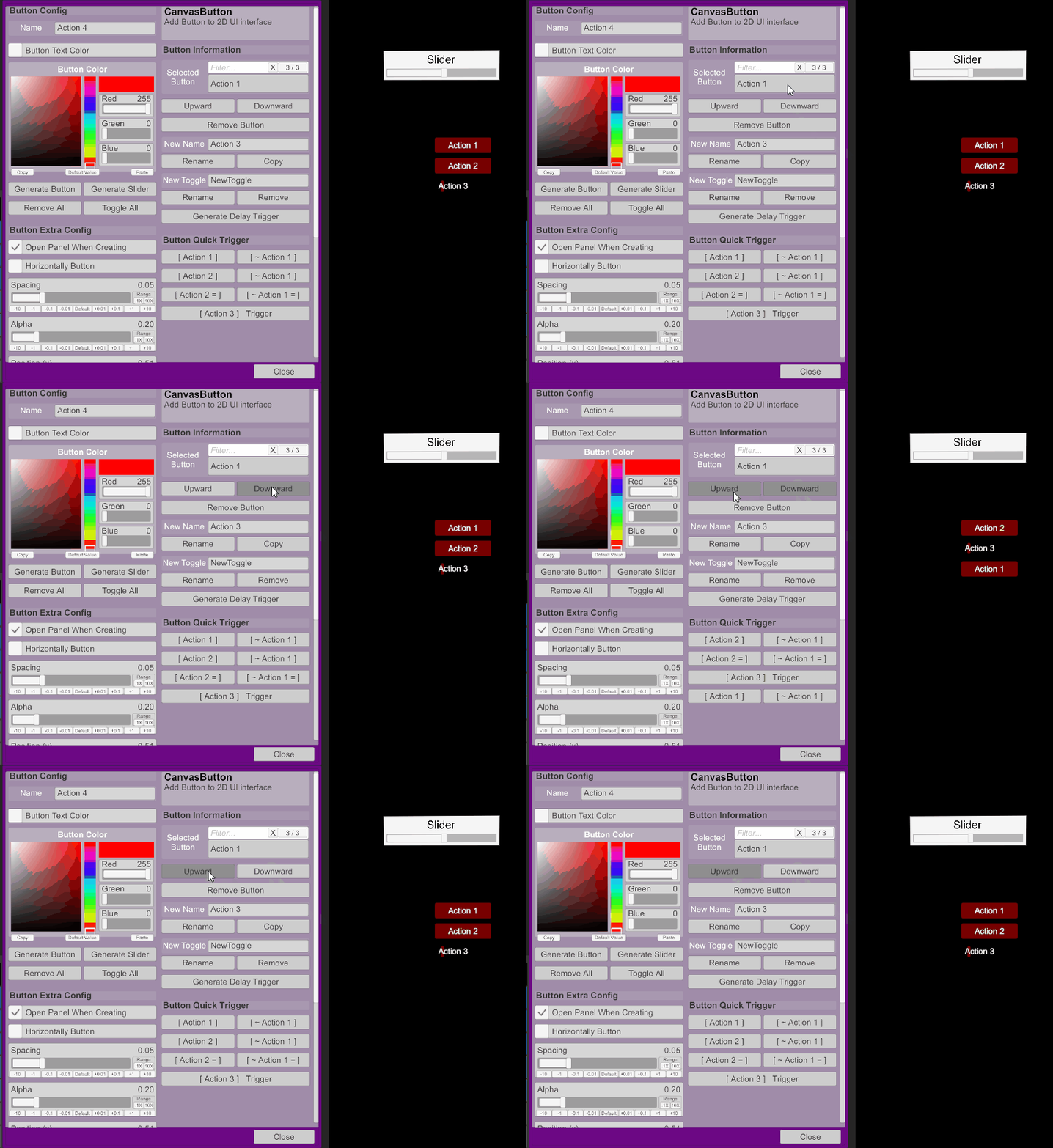
6. Add copy button function (Look at section 3 above)
Version 2.1:
1. Cancel open panel when creating button.
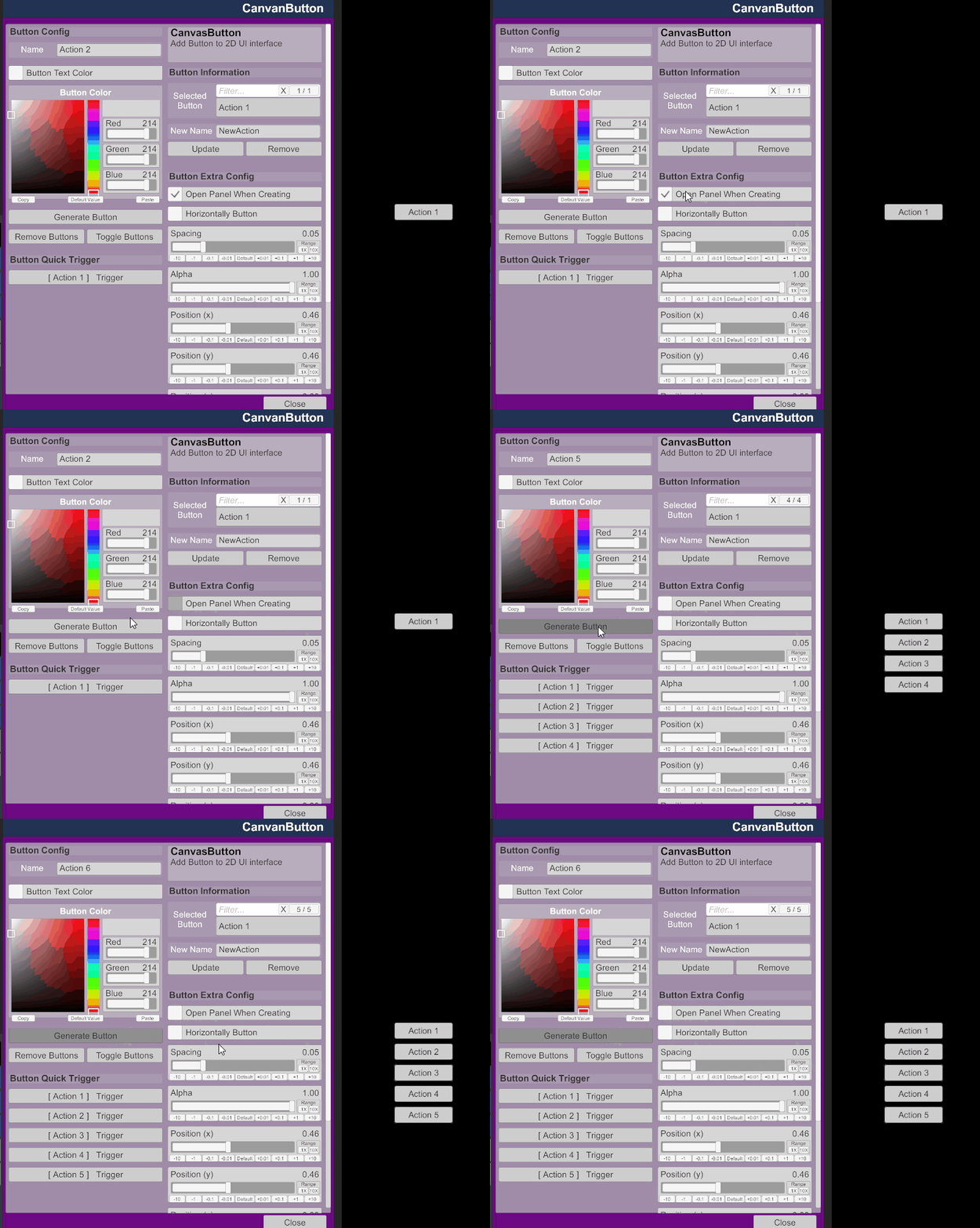
2. Button sort direction horizontally default and reflash.
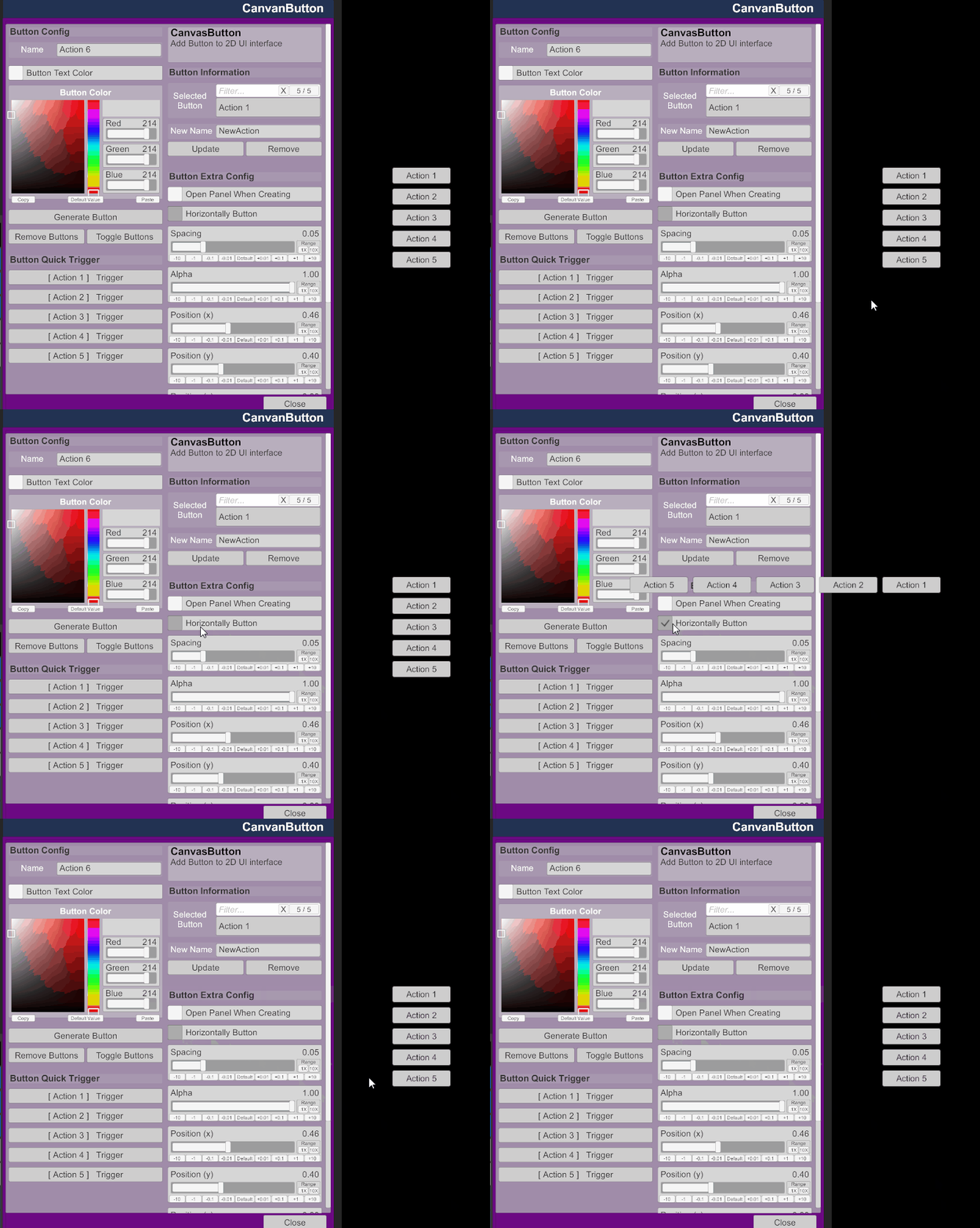
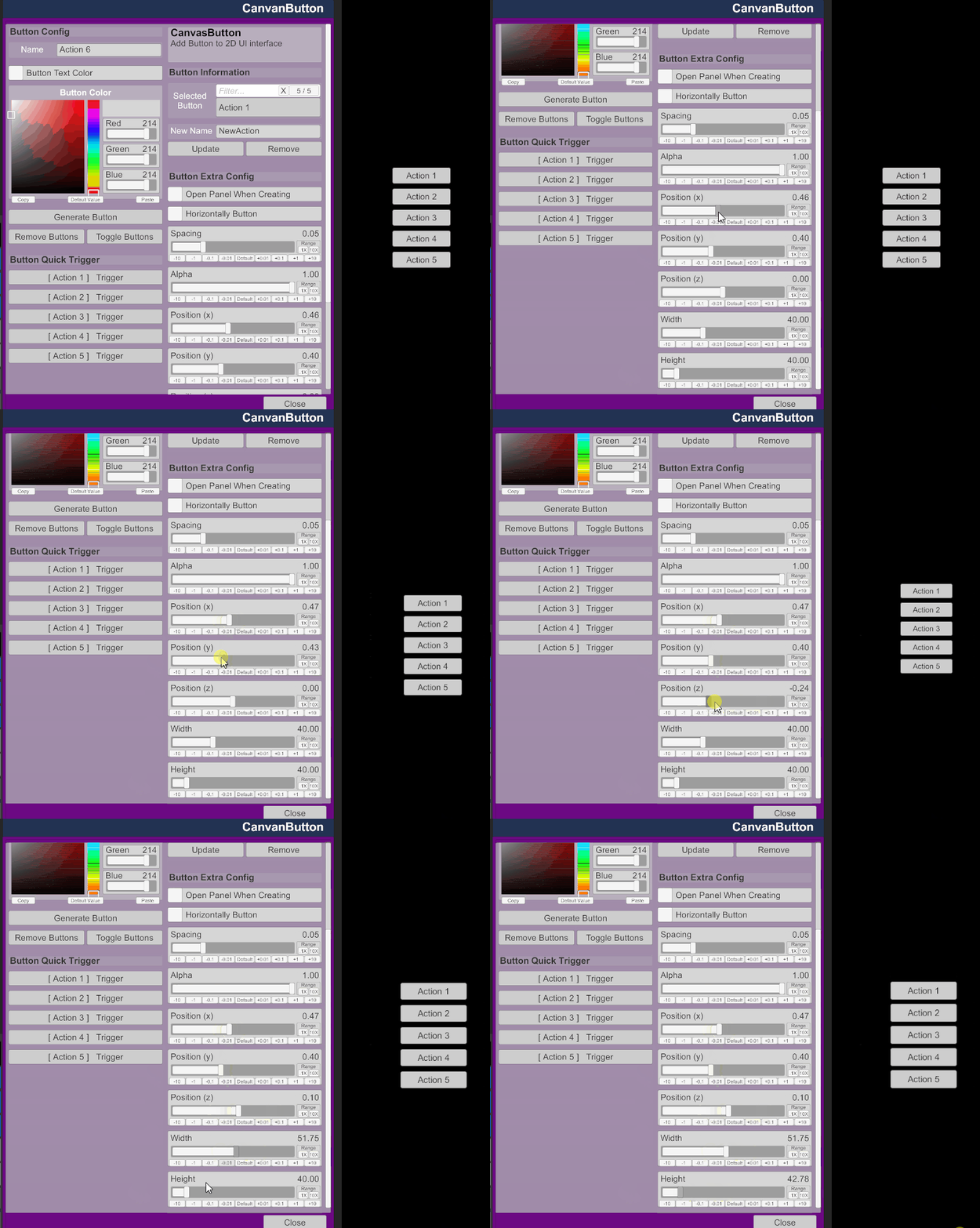
3. Position and Geometry
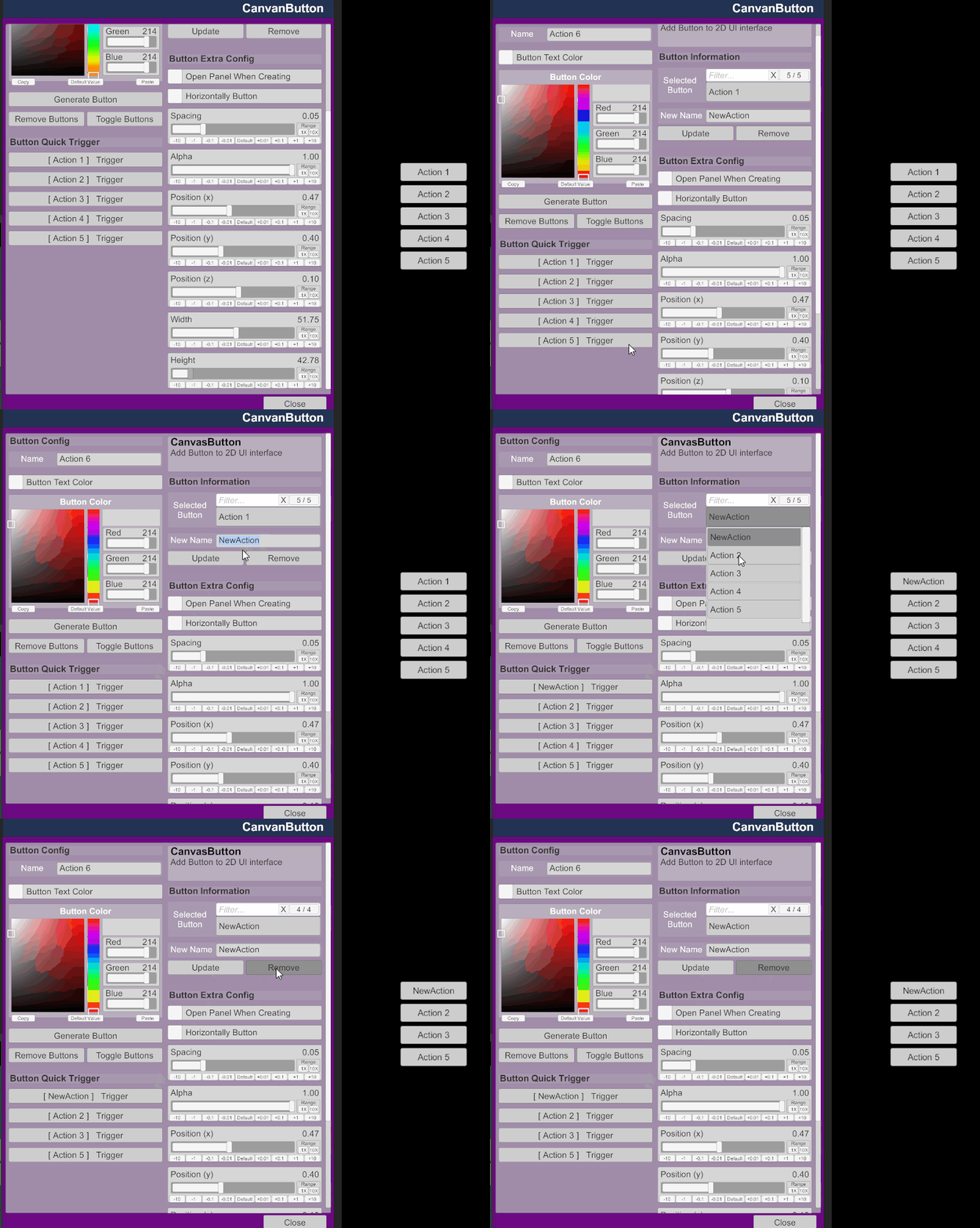
4. Rename and Delete
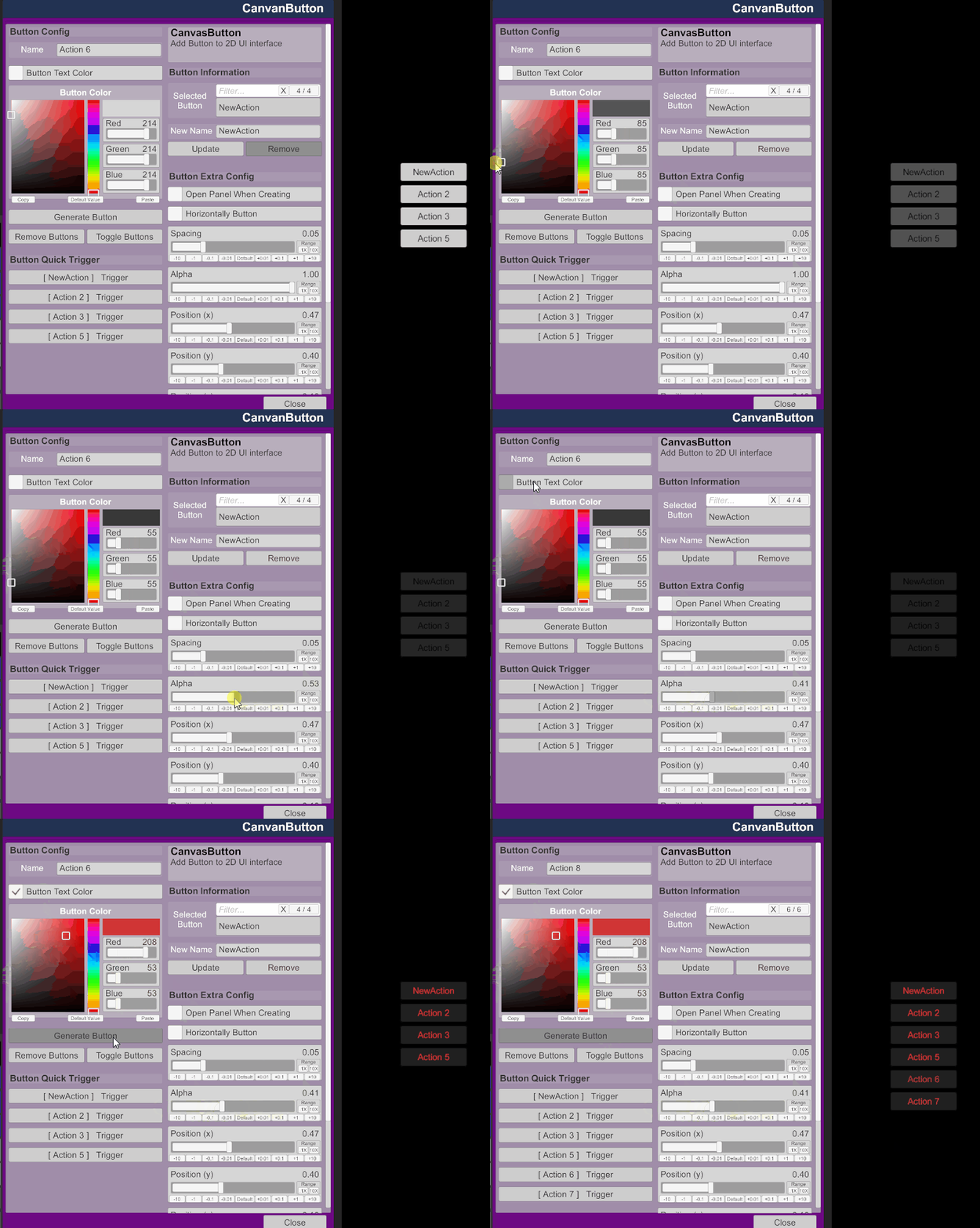
5. Colored
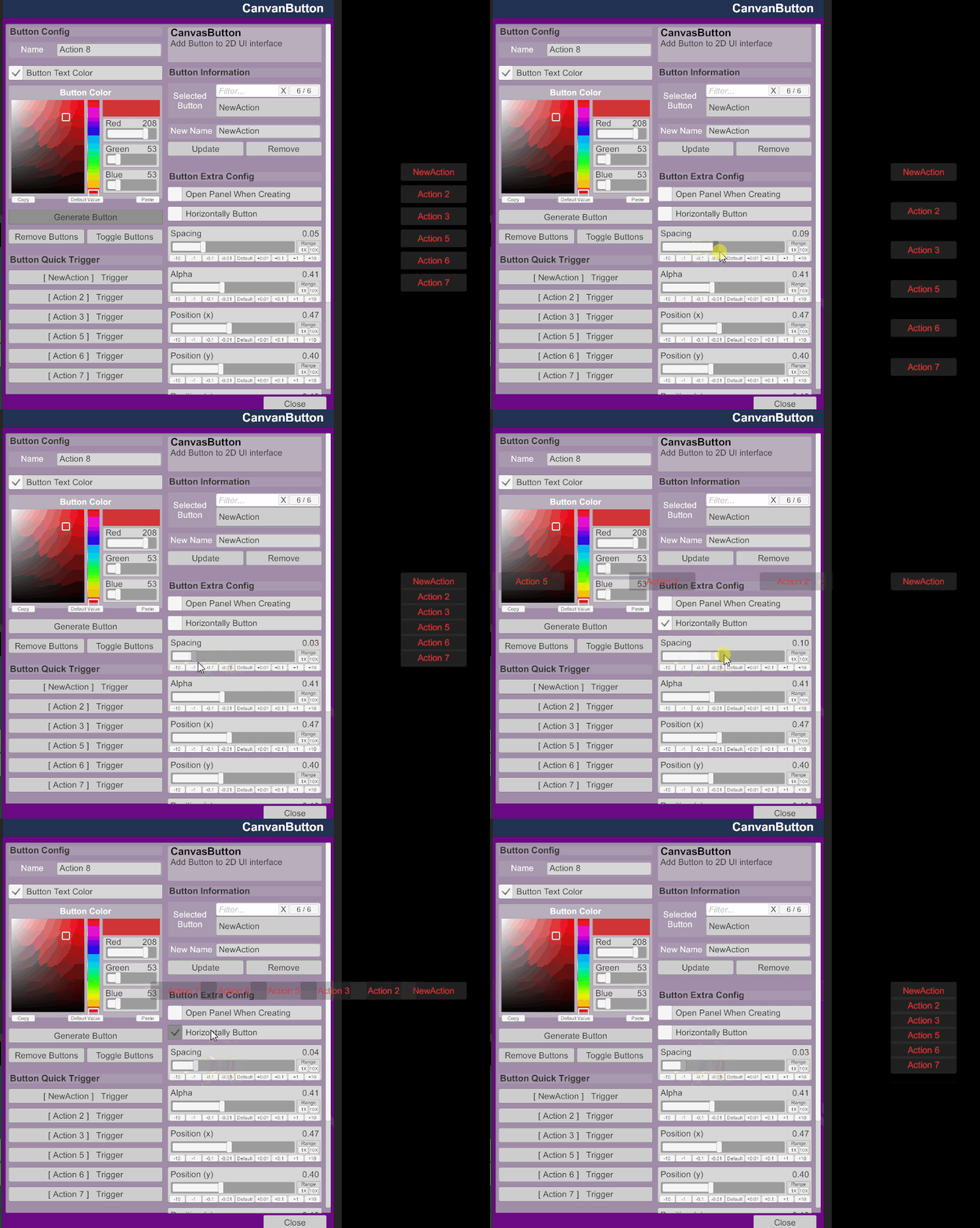
6. Spacing in buttons
7. Event atom name trace
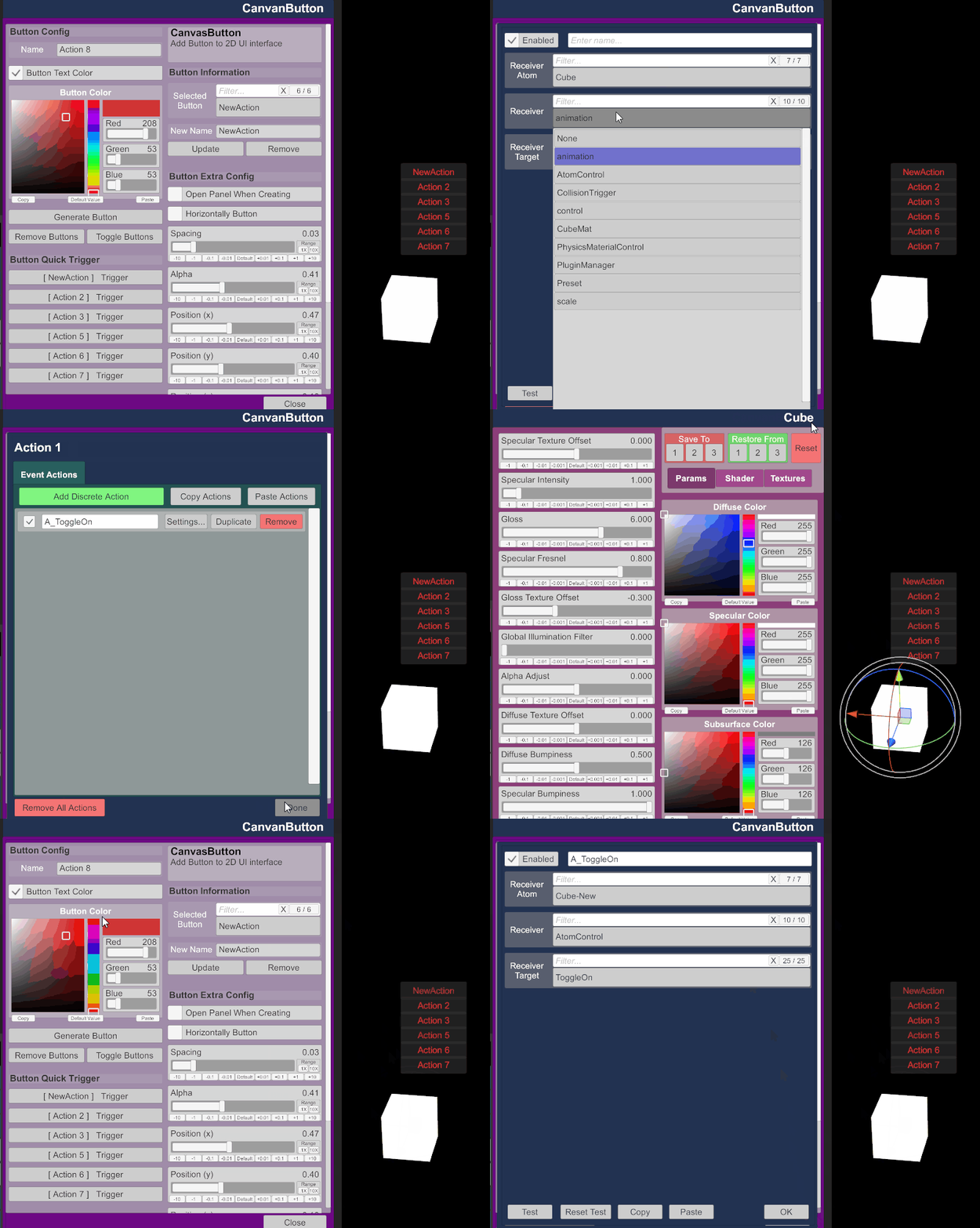
8. Toggle Buttons(can be trigger by other) and Remove all buttons
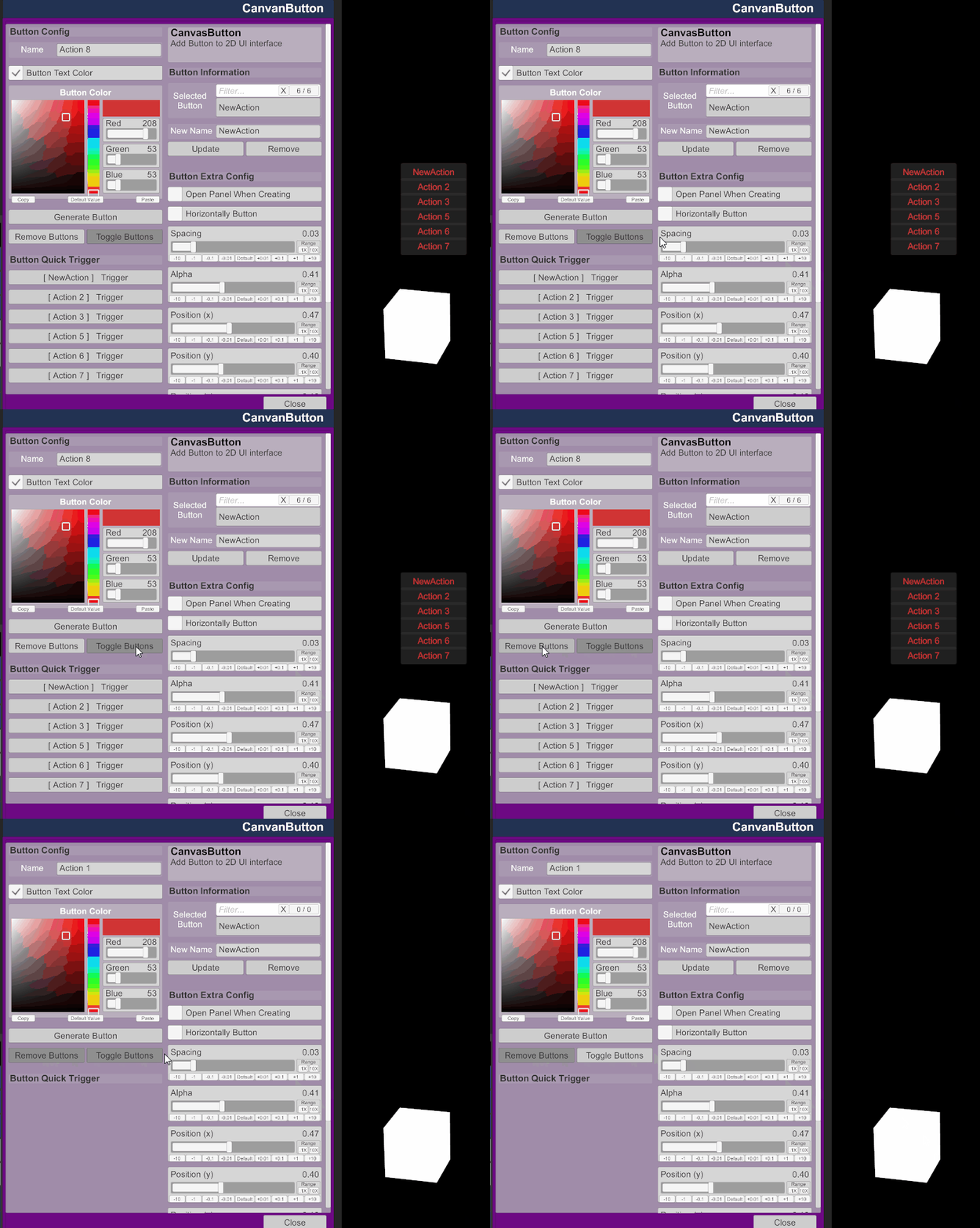
Have enjoy
Recommand:
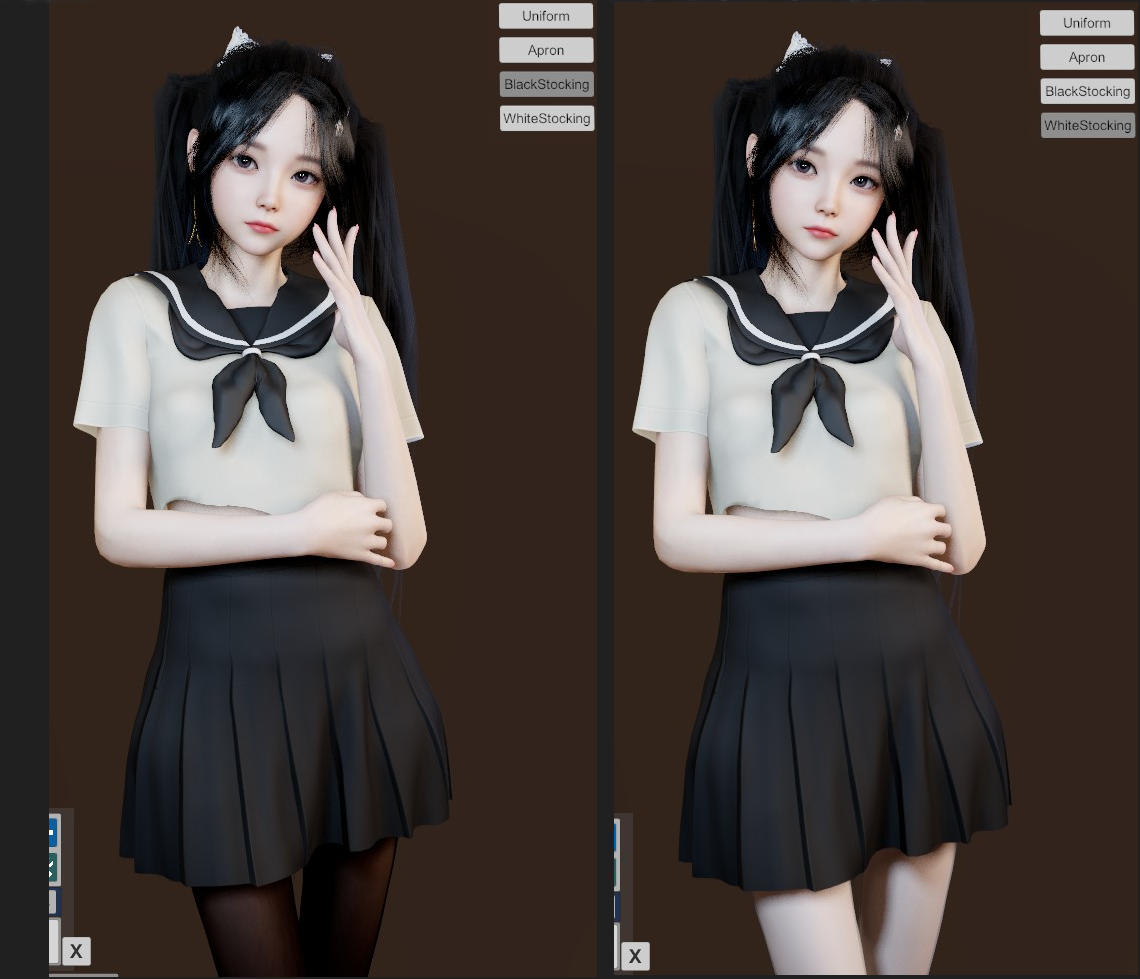
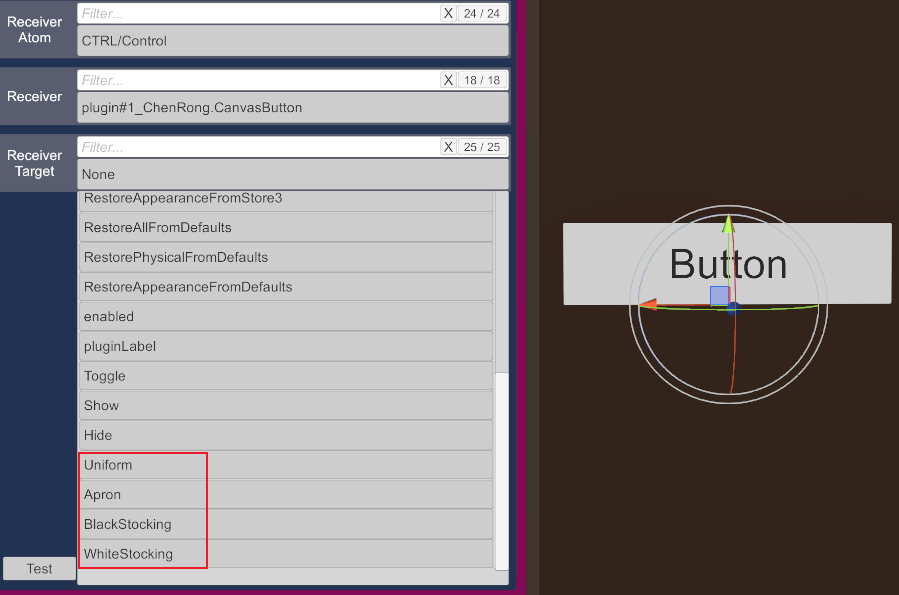
credit: @MacGruber
I recently came across DockedUI while browsing the community; it’s an excellent plugin that includes a visual interface. I’ve gotten into the habit of using both plugins together. Since CanvasButton now supports a "delay" trigger function—making timing and sequencing much easier—I often use it as an implicit relay trigger, pairing icon-based buttons with DockedUI for a very convenient workflow.
Intro:
This is a simple UI plugin can generate a 2D interface button in the screen.
Usage:
1. Add plugin(CanvasButton.cslist) in Empty Atom
2. Set ButtonAction name and click Generate Button
3. Then there will open trigger panel, and set custom event in
Congratulation! You generate a simple button in you screen
Version 3.2:
Add FOV following function (not perfect)
Version 3.1:
Support button living 3D-word and switched freely
Version 3.0:
Above in this version, the plugin offer more funtion like:
1. Add VR support
2. Add ToggleButton support
3. Add DelayButton support
4. Add Slider support
5. Add buttons sorted function
6. Add copy button function (Look at section 3 above)
Version 2.1:
1. Cancel open panel when creating button.
2. Button sort direction horizontally default and reflash.
3. Position and Geometry
4. Rename and Delete
5. Colored
6. Spacing in buttons
7. Event atom name trace
8. Toggle Buttons(can be trigger by other) and Remove all buttons
Have enjoy
Recommand:
- It can trigger other event or script. For example, triggering a timeline or state machine to respond or play.
- It can triggered by other event
- It can show/hide by other plugins(such as SimpleKeybind by JaxZoa)
credit: @MacGruber