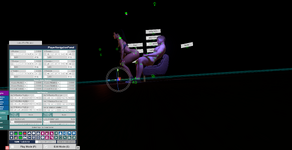
Hello everyone! I've encountered an issue recently after using different embody modes in VR on different atom persons. I was setting up UI buttons to help switch between the two in VR, one for Snug to control and atom, and another to set back to passenger (with freelook) for when I was back on desktop. After using the button that triggered "passenger applied" the world seem tilted in VR. I figured it might just be an issue with my quest 3 synced to vam so I went ahead and saved the scene. Now that I'm back in desktop mode, after loading the scene the camera rig / world is still tilted ever so slightly... I've been trying to find a fix but have been unsuccessful so far.
Also I tried adjusting the player navigation panel and made sure it's set to zero rotation and what not. The camera rig moves with it now which I've never experienced before...
Has anyone else encountered this issue or know if I just selected some weird setting by accident? Any ideas would be greatly appreciated! Thanks!
Also I tried adjusting the player navigation panel and made sure it's set to zero rotation and what not. The camera rig moves with it now which I've never experienced before...
Has anyone else encountered this issue or know if I just selected some weird setting by accident? Any ideas would be greatly appreciated! Thanks!