• Hi Guest!

    We have posted a new VaM2 dev log on Patreon, starting a monthly cadence of written progress updates between Beta releases. Highlights include the new Gizmos System, Selection Carousel, and Modes System with Context-Specific Editing. Beta1.2 is 15 of 21 items complete.

    Read the full post on Patreon, or follow progress on the public Trello roadmap.
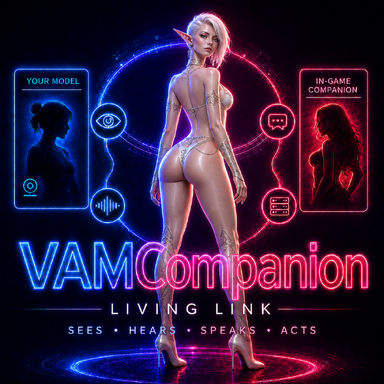
VAMCompanion

Plugins + Scripts VAMCompanion

Download [<1 MB]
In the first version, there were some issues: the triggers were not working. I fixed this in the second version, but I haven’t uploaded it yet.


Also, in the program UI, the cameras stop being displayed if you stop the server and then start it again. The cameras themselves are actually still working, and the AI still sees what is happening in the scene. This is only a frontend display bug, and it does not affect sending screenshots to the model.
 
Last edited:
Interesting, but I'm still not yet running LLMs locally because I have a 3080. Just waiting to upgrade when the mark-up isn't over 100%
 
Interesting, but I'm still not yet running LLMs locally because I have a 3080. Just waiting to upgrade when the mark-up isn't over 100%
That’s really unfortunate. Why don’t you want to try it with the setup you already have?
 
What LLM models would you recommend? (I'm running a 4090 and 128GB of RAM)
1783390543853.png
 
That’s really unfortunate. Why don’t you want to try it with the setup you already have?

I use Voxta and subscribe to their ecosystem, so I'm too spoiled by quick responses and don't want to further degrade my game processing for VAM.
 
I use Voxta and subscribe to their ecosystem, so I'm too spoiled by quick responses and don't want to further degrade my game processing for VAM.
Yeah, I agree, fast responses are awesome! 😄 I hope one day home PCs will be that fast at running local models!)
 
Hi Diesser, It works ….!!! I followed step by step your instructions and mana to add the plugin to 2 different scenes so far successfull.
And by successfully I mean, ( btw I play VAM in VR) that I was talking to the person in the scone through microphone and the person responded. In a bubble by text which as you already mentioned,is weird. Well, is it possible to vocally reply ? And if yes, could you please explain. Thank you very much. I believe what you’ve done is amazing ..!!! ( RTX3090 64GB) Runs decently ..
 
Hi Diesser, It works ….!!! I followed step by step your instructions and mana to add the plugin to 2 different scenes so far successfull.
And by successfully I mean, ( btw I play VAM in VR) that I was talking to the person in the scone through microphone and the person responded. In a bubble by text which as you already mentioned,is weird. Well, is it possible to vocally reply ? And if yes, could you please explain. Thank you very much. I believe what you’ve done is amazing ..!!! ( RTX3090 64GB) Runs decently ..
Ahaha! Thanks, buddy! I’m really glad it works!!!

I also play VaM only in VR. I use the desktop version mostly just for testing and debugging.
Yes, the character can answer with voice too. I can’t post links to external resources for downloading models here, but it’s pretty simple.
You need to download an XTTS voice model. It converts text into speech. After downloading it, you need to select it with the Browse button in VAMCompanion, as I showed in the instructions. Basically, you just specify the path to the folder where the model is located anywhere on your PC.
With the second Browse button, you need to select an audio file that the XTTS neural network will use as a voice reference for speaking the text. You can use any file that has a female voice speaking, or female moans during sex, and specify the path to that file.
But it is better if the file is at least 10 seconds long or more, otherwise XTTS can sometimes behave strangely and start slipping into a male voice or sounding hoarse. It also depends on the specific XTTS model you download.
Ask ChatGPT or any other AI something like: “Give me links where I can download a neural network XTTS for converting text into speech,” and it will most likely send you to the big resource where LM Studio itself downloads its models from)
 
Hi Diesser, It works ….!!! I followed step by step your instructions and mana to add the plugin to 2 different scenes so far successfull.
And by successfully I mean, ( btw I play VAM in VR) that I was talking to the person in the scone through microphone and the person responded. In a bubble by text which as you already mentioned,is weird. Well, is it possible to vocally reply ? And if yes, could you please explain. Thank you very much. I believe what you’ve done is amazing ..!!! ( RTX3090 64GB) Runs decently ..
And yes, I have already added the second version, v2, where triggers work and the AI can use them dynamically in the scene. You can simply add or remove them during the game if needed, and they are automatically sent to the neural network while the game is running. I am currently waiting for the moderators to approve it.
 
Ahaha! Thanks, buddy! I’m really glad it works!!!

I also play VaM only in VR. I use the desktop version mostly just for testing and debugging.
Yes, the character can answer with voice too. I can’t post links to external resources for downloading models here, but it’s pretty simple.
You need to download an XTTS voice model. It converts text into speech. After downloading it, you need to select it with the Browse button in VAMCompanion, as I showed in the instructions. Basically, you just specify the path to the folder where the model is located anywhere on your PC.
With the second Browse button, you need to select an audio file that the XTTS neural network will use as a voice reference for speaking the text. You can use any file that has a female voice speaking, or female moans during sex, and specify the path to that file.
But it is better if the file is at least 10 seconds long or more, otherwise XTTS can sometimes behave strangely and start slipping into a male voice or sounding hoarse. It also depends on the specific XTTS model you download.
Ask ChatGPT or any other AI something like: “Give me links where I can download a neural network XTTS for converting text into speech,” and it will most likely send you to the big resource where LM Studio itself downloads its models from)
Awesome…!!! I think I’ll make it. Will test tomorrow and post the outcome…Thank you …!!!
 
Hey, that's so cool! I'm currently working on a very similar project—a chatbot that can trigger actions in the game and talk with an almost-real voice! I'm using LM Studio for this, along with a server that handles the streaming. What I'm really curious about is, how do you make the AI know what's going on in the game? So far, I've only managed to send screenshots to the AI so it knows what's happening right now, but it “forgets” the image immediately when a new message is sent.
 
Awesome…!!! I think I’ll make it. Will test tomorrow and post the outcome…Thank you …!!!
I’m also thinking: there are already different scenes with their own fucking or blowjob modes set up. You can connect the AI to their buttons and sliders through triggers, and she’ll conduct the whole orchestra for you! 🤣
 
Hey, that's so cool! I'm currently working on a very similar project—a chatbot that can trigger actions in the game and talk with an almost-real voice! I'm using LM Studio for this, along with a server that handles the streaming. What I'm really curious about is, how do you make the AI know what's going on in the game? So far, I've only managed to send screenshots to the AI so it knows what's happening right now, but it “forgets” the image immediately when a new message is sent.
I used a harness, buddy) That’s a whole separate topic. All AI agents work on top of this kind of thing: ChatGPT, Codex, OpenClaw, Claude Code. You need to send an image with every message, and that will increase the load, because every time you send an image, the model has to process it. But you can also make it so you send an image once, the model creates a description of what it saw, and then uses that description for a couple of cycles. The problem is that you don’t know how long those cycles will be, and the model may still think they are fucking, while in reality they are already doing a blowjob)
Download OpenClaw or Hermes and look at how streaming and the harness itself are implemented there. I’m just pretty sure you don’t have streaming yet. You are simply sending a request, getting a response, and that’s it. But in a harness, agents work step by step until they complete their task. ChatGPT can help you study what an AI harness is.
There are hundreds and hundreds of harnesses. You just need their mechanism and wrapper for the things you come up with yourself: seeing images, triggering things in the scene, replying in parallel, and so on. The main foundation is the harness.
If you can, connect Codex or Claude Code, feed it my application or the OpenClaw or Hermes repository, and let it look through it. It will tell you a lot)
 
Hey, that's so cool! I'm currently working on a very similar project—a chatbot that can trigger actions in the game and talk with an almost-real voice! I'm using LM Studio for this, along with a server that handles the streaming. What I'm really curious about is, how do you make the AI know what's going on in the game? So far, I've only managed to send screenshots to the AI so it knows what's happening right now, but it “forgets” the image immediately when a new message is sent.
And the more tools you give the model through the harness, the longer it will think, and the more hardware power you will need if you want the model to respond faster.
Want it to simply control thrust speed? Okay, that is very fast. Want it to also see how it is fucking you? No problem, but sending that with every request is more expensive in terms of resources. Want to give it triggers? You can! But if there are a hundred of them, it has to look through them on every new step, decide what to choose, and send a response/action.
And this is where you come to the idea that you need to leave only the main tools visible and make the extra ones abstract/hidden. The model can see that such a tool exists, but it does not see everything inside it right away. For example, this hidden tool can move a leg. The model calls it, and only then it is shown: “here are the controls you can use,” and then it pulls those controls. Yes, that adds extra cycles, but you are not sending huge JSON walls with every single tool at once, and the model does not get confused because of the massive number of tools.
Alright, I feel like I got carried away) Study it)
 
Awesome…!!! I think I’ll make it. Will test tomorrow and post the outcome…Thank you …!!!
OK, i need your help with "You need to download an XTTS voice model. It converts text into speech." I tried with Hugging Face's logoHugging Face" also Chat GPT asked how to.... I'm so newbie in this mate... When you find time could you step by step explain ? how to dl the XTTS Model - which files -where to put the files etc....? Thank you ..!!
 
Im Lost...hehehe

OK, i need your help with "You need to download an XTTS voice model. It converts text into speech." I tried with Hugging Face's logo's logoHugging Face" also Chat GPT asked how to.... I'm so newbie in this mate... When you find time could you step by step explain ? how to dl the XTTS Model - which files -where to put the files etc....? Thank you ..!!
The fact is that, according to the rules of the resource, posting links to external sources is prohibited here.
 
Back
Top Bottom