• Hi Guest!

    We have posted a new VaM2 dev log on Patreon, starting a monthly cadence of written progress updates between Beta releases. Highlights include the new Gizmos System, Selection Carousel, and Modes System with Context-Specific Editing. Beta1.2 is 15 of 21 items complete.

    Read the full post on Patreon, or follow progress on the public Trello roadmap.
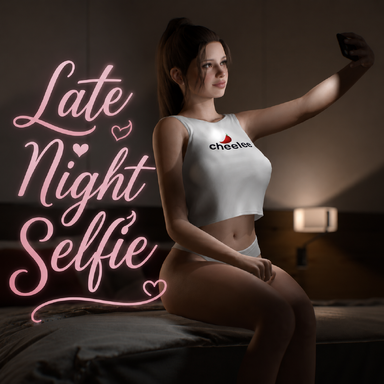
Late Night Selfie

Scenes Late Night Selfie

Download [36.2 MB]

Mxx

Active member
Joined
Apr 9, 2024
Messages
36
Reactions
189
I love this kind of scenes but the TM and skynet plugin ruins it a bit when changing model. maybe next time without those plugins.
 
I love this kind of scenes but the TM and skynet plugin ruins it a bit when changing model. maybe next time without those plugins.

I will add some toggles in this and future scenes to turn those off!

Tip: if you load a new girl, you can "calibrate" Naturalis/TittyMagic and it should calibrate it for your model. I'll also a button for that in the scene
 
Mxx updated Late Night Selfie with a new update entry:

1.1

Quick Update:
  • Added toggles for Naturalis (TittyMagic) and BetterBends in case you want to turn those off. Loading a new appearance preset should automatically calibrate now, but I also added a button if you want to do it manually.
    View attachment 589178

  • Repositioned her right hand and adjusted some colliders in the "Laying" animation, as a user reported the right hand sometimes had some issues with physics and collision.

Read the rest of this update entry...
 
Hey there, just wanted to say that this is a pretty cool scene! Tried it today and it's well done.

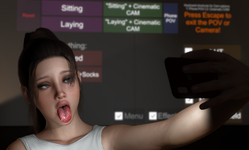
However, I would like to suggest a toggle somewhere to completely turn all GUI, so that nothing appears (from the GUI) when using the Phone POV option. Because right now even if I use the Menu toggle, there's still too much of the GUI left and it shows in the Phone POV. Note that I am using VAM in Desktop mode only (maybe that's why). So yeah, only that would be nice!

Thank you for your work! :)
 
Hey there, just wanted to say that this is a pretty cool scene! Tried it today and it's well done.

However, I would like to suggest a toggle somewhere to completely turn all GUI, so that nothing appears (from the GUI) when using the Phone POV option. Because right now even if I use the Menu toggle, there's still too much of the GUI left and it shows in the Phone POV. Note that I am using VAM in Desktop mode only (maybe that's why). So yeah, only that would be nice!

Thank you for your work! :)
Thanks!

Do you mean turn off all the UI on the wall behind her, or the built-in UI on your screen? The built-in UI can always be hidden with F1 in your keyboard. The UI on the wall can be (mostly) hidden with the menu toggle below all the buttons.

And I've added keyboard shortcuts for the camera, so pressing the number 1 key (not numpad) switches to the phone camera, and 2 switches to the cinematic camera
 
Thanks!

Do you mean turn off all the UI on the wall behind her, or the built-in UI on your screen? The built-in UI can always be hidden with F1 in your keyboard. The UI on the wall can be (mostly) hidden with the menu toggle below all the buttons.

And I've added keyboard shortcuts for the camera, so pressing the number 1 key (not numpad) switches to the phone camera, and 2 switches to the cinematic camera

Sorry yeah I meant to say the UI on the wall. Pressing 1 to go into Phone POV works fine, but from that point of view I can still see part of the UI on the right (right side of the Menu toggle on the wall), like the Effects toggle.

Side note: This is when she's sitting on the bed btw (just sitting, no motion).

So my suggestion is indeed to create a 'full UI' toggle, instead of just a part of it. It would remove the Effects toggle on the wall, as well as the other column of toggles on the right (LUT, Chromatic, etc, those toggles would be removed, too). If you don't mind. I'm doing a lot of posing with VAM, so this is from the point of view of someone who don't want to see UI elements in final screenshots lol. It's just me though. I could manually just go through all toggles in Edit mode and disable them one by one but that's not very effective since I'd have to do that again one by one if I do need them afterward.

Let me know!

Keep up your good work :)
 
Sorry yeah I meant to say the UI on the wall. Pressing 1 to go into Phone POV works fine, but from that point of view I can still see part of the UI on the right (right side of the Menu toggle on the wall), like the Effects toggle.

Side note: This is when she's sitting on the bed btw (just sitting, no motion).

So my suggestion is indeed to create a 'full UI' toggle, instead of just a part of it. It would remove the Effects toggle on the wall, as well as the other column of toggles on the right (LUT, Chromatic, etc, those toggles would be removed, too). If you don't mind. I'm doing a lot of posing with VAM, so this is from the point of view of someone who don't want to see UI elements in final screenshots lol. It's just me though. I could manually just go through all toggles in Edit mode and disable them one by one but that's not very effective since I'd have to do that again one by one if I do need them afterward.

Let me know!

Keep up your good work :)

I can make an update with that at some point yeah.

What you can do yourself right now is first toggle the menu and effects off with the bottom buttons on the wall, then go into edit mode > show hidden and then you can select the menu UI button and effects UI button to disable them.

I'm not sure how familiar you are in VaM, but I hope you know what I mean with that explanation 😅
 
I can make an update with that at some point yeah.

What you can do yourself right now is first toggle the menu and effects off with the bottom buttons on the wall, then go into edit mode > show hidden and then you can select the menu UI button and effects UI button to disable them.

I'm not sure how familiar you are in VaM, but I hope you know what I mean with that explanation 😅

Yep! I know enough to do that hehe.

Thanks for considering an update for this :) I really like this scene.
 
Thanks a lot for New mocap ! The model is excellent, only the breasts are a little strange but that's just my opinion. I replace the model and contemplate this scene very, very often. Perhaps a future motion capture with her sitting against the cushions and revealing a bit more of her assets? Keep it up, it's truly great art.
 
Back
Top Bottom