
• Hi Guest!

    We have posted a new VaM2 dev log on Patreon, starting a monthly cadence of written progress updates between Beta releases. Highlights include the new Gizmos System, Selection Carousel, and Modes System with Context-Specific Editing. Beta1.2 is 15 of 21 items complete.

    Read the full post on Patreon, or follow progress on the public Trello roadmap.
Morph_Manager

Plugins + Scripts Morph_Manager

Download [<1 MB]

VL_13

Invaluable member
Featured Contributor
Joined
Jul 27, 2020
Messages
631
Reactions
14,361
VL_13 submitted a new resource:

Morph_Manager - Morph_Manager

🧬 MorphTagTemplates:​

Welcome to MorphTagTemplates!

This plugin is designed to completely overhaul how you manage, filter, and save morphs.
Instead of scrolling through endless lists, you can now use a modular "LEGO-like" tag system, smart filters, and advanced saving algorithms.​

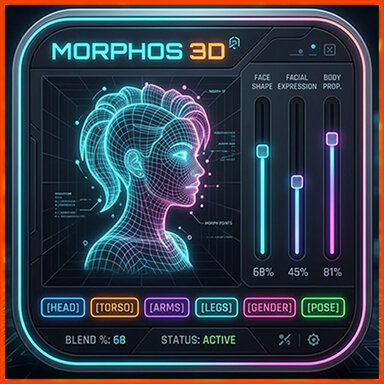
View attachment 588673

Here is everything you need to...

Read more about this resource...
 
Great idea!

Sadly, this version has a packaging booboo:

},
"customOptions" : {
"preloadMorphs" : "false"
},
"hadReferenceIssues" : "true",
"referenceIssues" : [
{
"reference" : "Custom/Scripts/VL_13/MorphTagTemplates/14mhz.Plugin-CustomUI.9:/Custom/Scripts/14mhz/CustomUI/CustomUIInterface.cs",
"issue" : "BROKEN: References local relative file Custom/Scripts/VL_13/MorphTagTemplates/14mhz.Plugin-CustomUI.9:/Custom/Scripts/14mhz/CustomUI/CustomUIInterface.cs not included in package. File is missing"
},
{
"reference" : "Custom/Scripts/VL_13/MorphTagTemplates/14mhz.Plugin-CustomUI.9:/Custom/Scripts/14mhz/CustomUI/CustomUI.cs",
"issue" : "BROKEN: References local relative file Custom/Scripts/VL_13/MorphTagTemplates/14mhz.Plugin-CustomUI.9:/Custom/Scripts/14mhz/CustomUI/CustomUI.cs not included in package. File is missing"
},
{
"reference" : "Custom/Scripts/VL_13/MorphTagTemplates/14mhz.Plugin-CustomLayoutUI.5:/Custom/Scripts/14mhz/CustomLayoutUI/CustomLayoutUI.cs",
"issue" : "BROKEN: References local relative file Custom/Scripts/VL_13/MorphTagTemplates/14mhz.Plugin-CustomLayoutUI.5:/Custom/Scripts/14mhz/CustomLayoutUI/CustomLayoutUI.cs not included in package. File is missing"
}
]
}
 
Does this work in VR? It seems to rely on the keyboard.
 
packaging booboo:
These errors are logged in the "meta" file. Yes, I'm aware of them, but they don't affect performance at all—at least the plugin works fine for me.)
 
Obviously, we can't use Shift and CTRL in VR... *unfortunately (
Yes, but does that mean it's useless in VR? I'd suggest you state up front if it's for desktop use only, or if it is usable in VR with some limitations. That way everyone wont have to figure it out for themselves.
 
Yes, but does that mean it's useless in VR? I'd suggest you state up front if it's for desktop use only, or if it is usable in VR with some limitations. That way everyone wont have to figure it out for themselves.
Why is it "useless"? I think it works exactly the same way as any other plugin.
Okay, it's really inconvenient to work without the option to resize the plugin window - but that's not a problem with the plugin, it's with VaM :rolleyes:
 
These errors are logged in the "meta" file. Yes, I'm aware of them, but they don't affect performance at all—at least the plugin works fine for me.)

The problem is a known error of VaM's packagemanager that occurs when you reference files from other packages in your plugin's .cslist file (as you do). VaM can process such reference since v1.20, but that abomination of packagemanager adds the local path of your .cslist file to the reference of the .cs files in the other package when you create the package, which then leads to that "missing package" BS. See also the convo between Babul, MacGruber and MeshedVR here: https://discord.com/channels/363274293112602636/667403607296966677/775176049105043456

Workarounds (as far as I can determine):
1) Ignore the errormessage from VaM's packagemanager and finish packaging, then unzip the resulting var, open the meta.json in a texteditor, and replace that whole last section following "hadReferenceIssues" : "true", with

"hadReferenceIssues" : "false",
"referenceIssues" : [
]
}

2) If their license allows it, you could simply copy the respective .cs files from 14mhz's plugins into your local source directory and reference those local copies in you .cslist instead (I'd reckon that if those .cs files use explicit filepaths, those may have then to be adapted, but I have no experience with that. Just a headsup)

cf. discussion here: https://discord.com/channels/363274293112602636/505398213675581453/861348384416858164

You're welcome!

P.S.: I'm happy your plugin works for you ;). The issue are spurious error messages and varmanager reporting reference issues that cannot be resolved. In other words: Unnecessary clutter that can be easily avoided. Thanks for your work, and for making it available for free.
 
Why is it "useless"? I think it works exactly the same way as any other plugin.
Okay, it's really inconvenient to work without the option to resize the plugin window - but that's not a problem with the plugin, it's with VaM :rolleyes:
I'm not telling you it's useless, I'm asking you. You understand all the details of how this plugin works, while people like me who are just discovering its existence have no idea.

So I'm asking: I if primarily use Vam in VR, should I download this plugin? Will I find it useful? Or is it really only designed for desktop use?
 
The problem is a known error of VaM's packagemanager that occurs when you reference files from other packages in your plugin's .cslist file (as you do). VaM can process such reference since v1.20, but that abomination of packagemanager adds the local path of your .cslist file to the reference of the .cs files in the other package when you create the package, which then leads to that "missing package" BS. See also the convo between Babul, MacGruber and MeshedVR here: https://discord.com/channels/363274293112602636/667403607296966677/775176049105043456

Workarounds (as far as I can determine):
1) Ignore the errormessage from VaM's packagemanager and finish packaging, then unzip the resulting var, open the meta.json in a texteditor, and replace that whole last section following "hadReferenceIssues" : "true", with


2) If their license allows it, you could simply copy the respective .cs files from 14mhz's plugins into your local source directory and reference those local copies in you .cslist instead (I'd reckon that if those .cs files use explicit filepaths, those may have then to be adapted, but I have no experience with that. Just a headsup)

cf. discussion here: https://discord.com/channels/363274293112602636/505398213675581453/861348384416858164

You're welcome!

P.S.: I'm happy your plugin works for you ;). The issue are spurious error messages and varmanager reporting reference issues that cannot be resolved. In other words: Unnecessary clutter that can be easily avoided. Thanks for your work, and for making it available for free.

I've slapped together a .var edited according to method 1) and gave it a quick whirl in VaM: So far, it seems to work. Doesn't mean that every specific interaction with those UI/UX plugins from 14mhz and qdaro works as you intended to, but I don't quite see why it shouldn't (after all, the only thing we're fooling with that edit is that stupid packagemanager, not the C# runtime compiler).
 
So I'm asking: I if primarily use Vam in VR, should I download this plugin? Will I find it useful? Or is it really only designed for desktop use?
It's hard for me to answer your question. ; I use VR myself, and I'd like to get the full experience and benefits of this plugin - but as I already told you: not all features are available in VR.
This is a specialized tool - it's absolutely irreplaceable, But like anything specialized, it has its own nuances.
Here’s a simple example: a sportscar is useless for driving around town, and my plugin is useless for casual gaming.
It’s designed for those who “never leave” the MORPS tab, mostly ; scene and character creators.
 
Thank you so much, that is a godsend already for the combination with 14mhz's panel resizer. At first i wished for a custom tag system to create your own selection of custom morphs, but this is easily done with the OR combination (i didn't see the forest because of all the trees). I am so grateful, this is such a dream come true :)
 
Last edited:
I have been working for some hours with the plugin and it is GREAT :)

I have a suggestion (i hope i don't overlook something): an "only latest" checkbox/feature would be great like that one in the original morphs tab and/or information about the morph's source/package. It is a little bit difficult to choose the right morph if you have several with the same name (and the list get cluttered). I don't want to delete older/other versions because of not wanting to break dependencies.
 
information about the morph's source/package.
I've been thinking about this—it would be helpful to have some information about the morphs, but that takes up space (morph names can be long), and they don't always fit on the slider as it is; if I add info icons there, the sliders will end up being too small.:confused:
 
I've been thinking about this—it would be helpful to have some information about the morphs, but that takes up space (morph names can be long), and they don't always fit on the slider as it is; if I add info icons there, the sliders will end up being too small.:confused:
The main problem is the clutter for me, because you want to have specific sets and then you have a long list with lots of duplicates of morphs you can't distinguish from each other. I guess that is the reason for the "only latest" option.

I found a way to deal with it, i abuse the fav system and mark only the latest versions. A little bit cumbersome (i never want to use the normal morph tab again now :D), but it does the job. Thanks again for all of your great resources in so many areas, you are an universal genius :)
 
Last edited:
i abuse the fav system
By the way, here’s an idea: I want to create my own favorites system. At the very least, I’ll need several “Favorites” groups: expressions, “pose” morphs, fingers, sculpting morphs, and much more.
 
By the way, here’s an idea: I want to create my own favorites system. At the very least, I’ll need several “Favorites” groups: expressions, “pose” morphs, fingers, sculpting morphs, and much more.
That would be f**** awesome! đź« 
 
Back
Top Bottom