
• Hi Guest!

    We have posted a new VaM2 dev log on Patreon, starting a monthly cadence of written progress updates between Beta releases. Highlights include the new Gizmos System, Selection Carousel, and Modes System with Context-Specific Editing. Beta1.2 is 15 of 21 items complete.

    Read the full post on Patreon, or follow progress on the public Trello roadmap.
Pip Simple Video player

Plugins + Scripts Pip Simple Video player

Download [<1 MB]

bqbq

Well-known member
Joined
Apr 29, 2024
Messages
247
Solutions
1
Reactions
817
bqbq submitted a new resource:

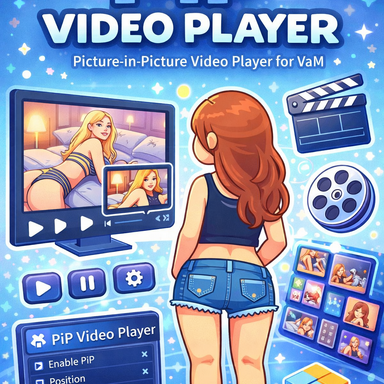
Pip Simple Video player - Pip, hud, Video, player,

View attachment 578525

The usage is simple enough that you can understand it just by watching the posted video.

All features can also be controlled via external triggers, including things like the video URL. If you plan to distribute a scene together with a video, include the video inside the var package, and prepend the video path with ‘var name :/ ’.


The video-related logic was implemented with reference to the RenderVideo by creator ‘VamilaCode.’
[URL...

Read more about this resource...
 
Would this work in VR? I have a scene that this plugin would be perfect for if it supports VR.
 
Would this work in VR? I have a scene that this plugin would be perfect for if it supports VR.
I’ve confirmed that it works very well in VR as well. However, distributing the scene will likely be difficult. The details are described in the original text.
 
bqbq updated Pip Simple Video player with a new update entry:

Add scalability

View attachment 586572
added support for playing video files stored inside asset bundles. Previously, video files packaged in a VAR couldn’t be read via a direct path, which made them unsuitable for scene distribution.

If the asset bundle containing the video is stored locally, its path will automatically appear in the dependency reference list when packaging the scene. The path is handled with self: resolution, so there’s no need to manually edit the save file.

completed...

Read the rest of this update entry...
 
This is awesome. Does it have to be linked to the camera movement, or can it be positioned independently?
 
PiP is essentially a HUD display. You can adjust its position in the Position tab. That position is fixed to the user camera, so even if you move your viewpoint around, it always stays in the same place from your perspective.
World Mode, on the other hand, behaves as if there is an actual physical screen placed within the environment. You can configure its settings in the World tab.
This is awesome. Does it have to be linked to the camera movement, or can it be positioned independently?
 

Similar threads

Replies
3
Views
995
Replies
0
Views
608
Replies
0
Views
551
Replies
0
Views
2K
Back
Top Bottom