• Hi Guest!

    We are extremely excited to announce the release of our first Beta1.1 and the first release of our Public AddonKit!
    To participate in the Beta, a subscription to the Entertainer or Creator Tier is required. For access to the Public AddonKit you must be a Creator tier member. Once subscribed, download instructions can be found here.

    Click here for information and guides regarding the VaM2 beta. Join our Discord server for more announcements and community discussion about VaM2.
  • Hi Guest!

    VaM2 Resource Categories have now been added to the Hub! For information on posting VaM2 resources and details about VaM2 related changes to our Community Forums, please see our official announcement here.
Can't wait to see !
I notice 2 issues in VR for this scene.
1. Anti-Aliasing must not be enabled for VR because we have 2 images displayed on screen
2. the offset camera for embody should be unchecked because Jill body is going throught our eye

And I broke the scene when playing around with Embody on Blistering Love, the scene, or each scene needs to have a Reset button.
 
Can't wait to see !
I notice 2 issues in VR for this scene.
1. Anti-Aliasing must not be enabled for VR because we have 2 images displayed on screen
2. the offset camera for embody should be unchecked because Jill body is going throught our eye

And I broke the scene when playing around with Embody on Blistering Love, the scene, or each scene needs to have a Reset button.
Thanks a lot for letting me know man, this is super helpful. Whatever problems or tips you're facing in VR, please let me know.
 
Hello friend, I noticed a unique bug in your work that I did not encounter when or where.When you replace the Look, the hairstyle remains on the characters, and is superimposed on the new appearance. Can you tell me how you set the hairstyles for the characters?
ps I'm really interested in how you did it.
 

Attachments

  • Screenshot_2.png
    Screenshot_2.png
    1.8 MB · Views: 0
Hey man, thanks for playing my scene.
It's not actually a bug, what happens is that the hairs in this scene (and also in many scenes that use game characters, like my other ones) are actually CUAs, that is, solid objects, and not a real hair in the traditional sense. Creators usually do this kind of strategy when dealing with characters inspired by digital personas (like game characters) such that the hair perfectly matches the game appearance, since modeling actual hair to 100% resemble the game character is often harder to do during development. You can also find creators that use hair as a clothing item, too.
To fix this is quite easy, just search for atoms in the scene (remember to click "Show Hidden") named "CUA_hair..." and then you'll see the hairs for both Carlos and Jill, then just delete them from the scene.
Btw, one additional related thing: If you change the look, then the red butt cheeks will not work properly. This is because the red cheeks are clothing items, and when changing the look, it replaces also the clothing items. To fix it, you'll have to add them again. I'll add a button in the future for people that want to change the looks to make this process easier.
 
Last edited:
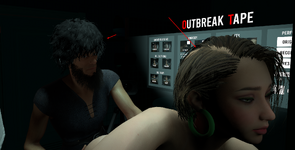
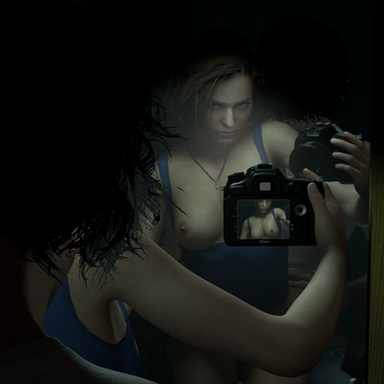
About hair, don't know if it's possible to hide Carlos hair when using Embody but you can still see it on the mirror.
 
About hair, don't know if it's possible to hide Carlos hair when using Embody but you can still see it on the mirror.
Yeah so this a big issue with this scene, I tried to make the hair clipping less worse by placing the Embody empty atom a little bit farther away than it realistically should, like on the nose. But it's still a problem, I don't see a way to fix it without looking very ugly lol. How much worse is it in VR?
 
Yeah so this a big issue with this scene, I tried to make the hair clipping less worse by placing the Embody empty atom a little bit farther away than it realistically should, like on the nose. But it's still a problem, I don't see a way to fix it without looking very ugly lol. How much worse is it in VR?
I simply removed his haircut xD Don't have a better solution for now. It's taking nearly 50 % of the top view.
 
Damn. Alright I'll try to make something less bad than what it is right now.
 
I found it and turned it off. Thanks for the tip. And along the way, he opened up a new world for me in "Show Hidden"!

ps laughed all over the house with that "Hi)"
 

Attachments

  • Screenshot_10.png
    Screenshot_10.png
    1.5 MB · Views: 0
@mdhut could you elaborate on the AA problem? Is it FXAA, MSAA or both that are the culprit? Is it just better to leave AA completely off when in VR?
 
@mdhut could you elaborate on the AA problem? Is it FXAA, MSAA or both that are the culprit? Is it just better to leave AA completely off when in VR?

AA from Plugin should be completely turn off.

AA from VaM setting works fine in VR (MSAA and Super Sampling)
 
Back
Top Bottom