


PhantasyStarfan submitted a new resource:
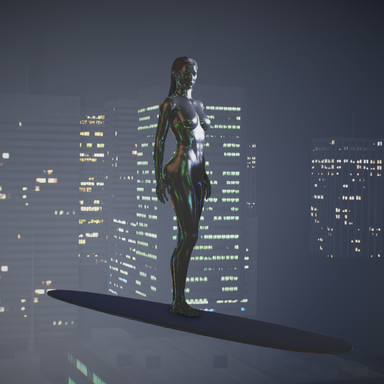
Quick guide - How to get a metallic T-1000 effect (no addons required) - A guide for getting a metallic effect on your models'
Read more about this resource...
Quick guide - How to get a metallic T-1000 effect (no addons required) - A guide for getting a metallic effect on your models'
View attachment 513313
JustFrog-Entertainment was inquiring about this, it's quite simple to do. Technically do not even require a custom texture, though it helps. This is how to get this effect -
In vam open Open Main UI (far left bottom) then apply these settings In "Scene lighting"
> Global Ilum Master Intensity = 0.10/0.20
Global Ilum Spec intens = 1.24
>Camera Exposure - 2.0 +
The Skybox used will effect the reflective...
Read more about this resource...


