

Can you post the link to he new file? the fist link is still the original oneYeah I'm noticing that as well there is definitely a little hitch in there that isn't pleasant with the multi sided video.
I put a new iteration out in the mega link with _LATEST at the end. Here is a release notes on the changes. I had 10 cloned empties running well all loaded from presets and saved in the scene. Below are the changes.
Older presets still load. New presets depend on Saves/PluginData/StaticPersonSharedTextures, so include that folder in backups.
- Lower VRAM use: Loaded presets now compress large textures by default. You can turn this off with Compress loaded textures and reload to compare quality. Fresh captures are unaffected.
- Smaller repeat saves: Presets reuse matching textures from one shared folder instead of copying them into every save.
- Less duplicate memory: Multiple loaded previews using the same preset can share texture objects.
- Trigger support: Load Preset From Path loads the selected preset. Show Loaded Preview and Hide Loaded Preview let triggers reveal it without loading it again.
- Smoother static loads: Removed an automatic material check that caused GPU readbacks.
- When the plugin can identify a texture’s original file path, the preset references it, including textures inside installed .var packages. Textures without a reliable path are saved once in the shared texture folder and referenced from there.
This is about as far as I can take it. I'm out of ideas on more lol. I think this is pretty good now so taking a break. Capture still uses uncompressed, but presets will save and load compressed if the checkbox is checked. Seems to help a lot with little loss.
You are using an out of date browser. It may not display this or other websites correctly.
You should upgrade or use an alternative browser.
You should upgrade or use an alternative browser.
![[Static Person Preview]Create a frozen duplicate of the character.](https://1424104733.rsc.cdn77.org/data/resource_icons/69/69943.jpg?1791005966)
Assets + Accessories [Static Person Preview]Create a frozen duplicate of the character.
- Thread starter ldfec
- Start date

It's good enough, bro. Will you update the improvement into the plugin and distribute it?Yeah I'm noticing that as well there is definitely a little hitch in there that isn't pleasant with the multi sided video.
I put a new iteration out in the mega link with _LATEST at the end. Here is a release notes on the changes. I had 10 cloned empties running well all loaded from presets and saved in the scene. Below are the changes.
Older presets still load. New presets depend on Saves/PluginData/StaticPersonSharedTextures, so include that folder in backups.
- Lower VRAM use: Loaded presets now compress large textures by default. You can turn this off with Compress loaded textures and reload to compare quality. Fresh captures are unaffected.
- Smaller repeat saves: Presets reuse matching textures from one shared folder instead of copying them into every save.
- Less duplicate memory: Multiple loaded previews using the same preset can share texture objects.
- Trigger support: Load Preset From Path loads the selected preset. Show Loaded Preview and Hide Loaded Preview let triggers reveal it without loading it again.
- Smoother static loads: Removed an automatic material check that caused GPU readbacks.
- When the plugin can identify a texture’s original file path, the preset references it, including textures inside installed .var packages. Textures without a reliable path are saved once in the shared texture folder and referenced from there.
This is about as far as I can take it. I'm out of ideas on more lol. I think this is pretty good now so taking a break. Capture still uses uncompressed, but presets will save and load compressed if the checkbox is checked. Seems to help a lot with little loss.

my bad guys. I thought I shared the folder originally. https://mega.nz/folder/F2lTgLJK#o2dSTeMPYaTG5n0XCY2oJQ use this new version marked as _LATEST . I left the last revision there in case of issues.Can you post the link to he new file? the fist link is still the original one
how to use these two file: StaticPersonPreviewPersistent_LATEST.cs and StaticPersonPreviewPersistent.cs?my bad guys. I thought I shared the folder originally. https://mega.nz/folder/F2lTgLJK#o2dSTeMPYaTG5n0XCY2oJQ use this new version marked as _LATEST . I left the last revision there in case of issues.
and why there's a Embody Plug-in in the link? what's it related to this StaticPersonPreview plugin?
Just get the _LATEST file and copy to Custom/Scripts/ somewhere. Then you can load it from there. You can rename it over the original filename if you like to replace it. Don't worry about the embody it's just a share I used from before.how to use these two file: StaticPersonPreviewPersistent_LATEST.cs and StaticPersonPreviewPersistent.cs?
and why there's a Embody Plug-in in the link? what's it related to this StaticPersonPreview plugin?
Holy man, I tried it and I never expected it will be that perfect! What a great job.Just get the _LATEST file and copy to Custom/Scripts/ somewhere. Then you can load it from there. You can rename it over the original filename if you like to replace it. Don't worry about the embody it's just a share I used from before.
But there're 2 problem: 1. The Preview really eats FPS, but of course much lighter than a real character. 2. The Load Preview from Path feature doesn't work from a trigger.
Do you have any idea of fixing them?
Oh, btw, why not distribute this improved plugin directly on Hub?
1. I've done what I can here. Someone else can give it a shot to make it better if they want.Holy man, I tried it and I never expected it will be that perfect! What a great job.
But there're 2 problem: 1. The Preview really eats FPS, but of course much lighter than a real character. 2. The Load Preview from Path feature doesn't work from a trigger.
Do you have any idea of fixing them?
Oh, btw, why not distribute this improved plugin directly on Hub?
2. I just tested the load preview functionality and it worked fine in the trigger as long as the preset path was also set. I did notice though capture appearance was missing from the triggers though so I added that and posted again to the mega under the same _LATEST name.
put it on the hub: I'll let ldfec decide what they want to do with it since it is their plugin. I just took an interest in the plugin and took a crack at setting up the preset functionality.
You've done good enough.1. I've done what I can here. Someone else can give it a shot to make it better if they want.
2. I just tested the load preview functionality and it worked fine in the trigger as long as the preset path was also set. I did notice though capture appearance was missing from the triggers though so I added that and posted again to the mega under the same _LATEST name.
put it on the hub: I'll let ldfec decide what they want to do with it since it is their plugin. I just took an interest in the plugin and took a crack at setting up the preset functionality.

Do you mind I using that _LATEST script in my scene?1. I've done what I can here. Someone else can give it a shot to make it better if they want.
2. I just tested the load preview functionality and it worked fine in the trigger as long as the preset path was also set. I did notice though capture appearance was missing from the triggers though so I added that and posted again to the mega under the same _LATEST name.
put it on the hub: I'll let ldfec decide what they want to do with it since it is their plugin. I just took an interest in the plugin and took a crack at setting up the preset functionality.
No objections here and it's CC-BY so go forth. You can always just replace it with a released version later and reload your presets.Do you mind I using that _LATEST script in my scene?
I achieved the saving functionality using another plugin. If you're interested, you can go check it out there.
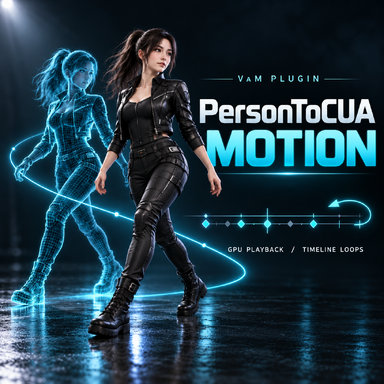
 hub.virtamate.com
[PersonToCUA Motion ]Character Export, Animation Recording & Playback - Plugins + Scripts -
Note: The Motion feature can only run on VAM versions that have Unity 2018.1.9f2 built in. This is another plugin made by Codex. It evolved from the previous plugin. The previous plugin was designed to reduce hardware load in multi-character...
hub.virtamate.com
Awesome job. Looks very cool. Here I am trying to settle down to finally do my taxes and you give me something to play with lol.I achieved the saving functionality using another plugin. If you're interested, you can go check it out there.
[PersonToCUA Motion ]Character Export, Animation Recording & Playback - Plugins + Scripts -
Note: The Motion feature can only run on VAM versions that have Unity 2018.1.9f2 built in. This is another plugin made by Codex. It evolved from the previous plugin. The previous plugin was designed to reduce hardware load in multi-character...
I didn’t notice this reply earlier, but if you want to upload it, go ahead. Your approach is different from mine, so I think it would definitely be better if people have more choices. Thanks for continuing to push this plugin forward.1. I've done what I can here. Someone else can give it a shot to make it better if they want.
2. I just tested the load preview functionality and it worked fine in the trigger as long as the preset path was also set. I did notice though capture appearance was missing from the triggers though so I added that and posted again to the mega under the same _LATEST name.
put it on the hub: I'll let ldfec decide what they want to do with it since it is their plugin. I just took an interest in the plugin and took a crack at setting up the preset functionality.
Similar threads

- Replies
- 0
- Views
- 319


- Replies
- 0
- Views
- 324
