• Hi Guest!

    We are extremely excited to announce the release of our first Beta1.1 and the first release of our Public AddonKit!
    To participate in the Beta, a subscription to the Entertainer or Creator Tier is required. For access to the Public AddonKit you must be a Creator tier member. Once subscribed, download instructions can be found here.

    Click here for information and guides regarding the VaM2 beta. Join our Discord server for more announcements and community discussion about VaM2.
  • Hi Guest!

    VaM2 Resource Categories have now been added to the Hub! For information on posting VaM2 resources and details about VaM2 related changes to our Community Forums, please see our official announcement here.
Posesaver

Plugins + Scripts Posesaver

Download [<1 MB]
Kimowal updated Posesaver with a new update entry:

1.5.5

⭐ PoseSaver — Major Update (Rebuild for Stability, UI, & Transitions)


This is one of the biggest PoseSaver updates ever released.
Almost every system has been rebuilt, optimized, or redesigned for stability, clarity, and ease of use.


Here’s what’s new:


🔧 1. Completely Rebuilt Transition System


Transitions are now smoother, safer, and much more predictable.


  • Full physics-safe lerping for all controllers...

Read the rest of this update entry...
 
Kimowal updated Posesaver with a new update entry:

1.6 Organization, Speed & variants

⭐ PoseSaver 1.6 — Organization, Speed & Variants​


PoseSaver 1.6 is a major quality-of-life update focused on organization, fast navigation, and pose variants — especially for users with large pose libraries or VR workflows.


🎯 1. Categories & Organization​


You can now properly organize your pose library.


New in Pose Data


  • Added Category field
    (Uncategorized, Standing, Sitting, Lying, Kneeling, Custom)...

Read the rest of this update entry...
 
Welcome back, you and Posesaver!

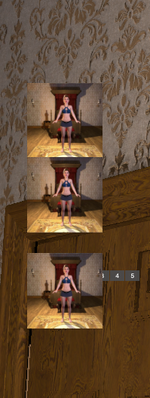
I tried out Ver.1.5.5 right away, but unfortunately, the issue where the camera angle buttons overlap the thumbnails hasn't been resolved.

Also, I have a request: I'd be happy if you could increase the number of thumbnails displayed per page a bit more (about 3-4 more).
 

Attachments

  • 2025-12-13 202118.png
    2025-12-13 202118.png
    197 KB · Views: 0
Welcome back, you and Posesaver!

I tried out Ver.1.5.5 right away, but unfortunately, the issue where the camera angle buttons overlap the thumbnails hasn't been resolved.

Also, I have a request: I'd be happy if you could increase the number of thumbnails displayed per page a bit more (about 3-4 more).
Hey tanks! 🫡 yeah ive got a new update pinning right now but its not released just yet. as for the camera angle button, might be i need to rethink my method couse for me it has worked on all resolutions so il look into it. and yes i can change the number of thumbnails displayed per page. il update it later tonight(its 12.41 here(not 00:41).
1765626131104.png
 
How does this (if at all) integrate with Timeline? One of the issues I routinely deal with is merging animations from different scenes, and the poses and controllers are always a hot mess. Does this help with anything like that?
 
How does this (if at all) integrate with Timeline? One of the issues I routinely deal with is merging animations from different scenes, and the poses and controllers are always a hot mess. Does this help with anything like that?
Hey Ajtrader23, Integration with timeline you can do through eventriggers( see the trigger panel in the menu). thats where you add, for example, animations via the person atom you have timeline installed on(pr you could try Animatis). as for the controllers and poses. are you talking about in the ui in posesaver? it would help if you could provide either a short video or pictures of the problem.
 
Kimowal updated Posesaver with a new update entry:

1.7 - ui overhaul update

⭐ PoseSaver 1.7 — UI Overhaul Update​


This update is focused on one thing: a cleaner, faster, more professional UI.


PoseSaver has grown into a full system (poses, categories, triggers, cameras, hands, dialogs, flow), and the old layout started to feel cluttered. This redesign fixes that without removing any power features.


✅ What’s new​


🔥Better UI design


  • Clean two-column workflow: Actions/Filters on the left + Pose...

Read the rest of this update entry...
 
Kimowal updated Posesaver with a new update entry:

Posesaver 1.8 - Load/Save fix

PoseSaver 1.8- Critical Bug Fix

Issue Fixed

Poses losing data after scene reload - Users reported that after creating poses and saving the scene, poses would appear in the list with thumbnails but wouldn't load when clicked, showing "no data" error.

Root Cause

PoseSaver was saving only metadata (name, category, thumbnail) to the scene file, while saving full pose data (atom positions, morphs, controllers) to external preset files. If preset files were missing, moved, or the scene...

Read the rest of this update entry...
 
hi. ive been trying to use it with timeline but seems cant get to work to trigger the animation. on the trigger window it works normally with test button. but when clicked the generated pose button it just make pose but not triggering the timeline animation.
 
Hello!
For some reason, my bodies are still distorted.
I load the scene, load the skin, add your plugin, press the button (Capture Morph Baseline), create poses, and try to switch... and everything works =)
But when I add plugins from “Skynet” (Orifice Dynamics, Better Bends), for example, the character starts to distort when switching poses. Am I doing something wrong?
I wrote this using Google Translate.
 
Kimowal updated Posesaver with a new update entry:

1.9 -Maintenance & Logging Cleanup Update + save/load fix

PoseSaver v1.9- Maintenance & Logging Cleanup Update + save/load fix.​


This update focuses on code cleanup and better diagnostics, with no behavioral changes to core features.


✅ Fixes & Improvements​


1) Reduced Verbose Debug Logging (PoseSaver.cs)


  • Removed 8 “PoseSaver Flow:” debug spam messages that cluttered the console
  • Kept only essential error output
  • Result: cleaner console output during normal use (less noise while...

Read the rest of this update entry...
 
Everything was working beautifully until the last update. Now nothing works, no error message or anything just... nothing. I've restarted the program but that didn't change anything and I opened other scenes that were working flawlessly and nothing happens. I've tried changing the poses using the thumbnails and inside the plug in itself but nadda. I shouldn't have updated after the version that was working so well. :(
 
Hi @Kimowal , I was testing this plugin today, and so far I like it so much but... as I wrote you some months ago, I thought this plugin works as a state machine, each pose saving the parameters of some other plugins or of the scene itself. I'm testing it with @ClockwiseSilver 's plugins (HJ, BJ, Kiss) and @Vinput Autogens Thruster plugin. As per the last update you made, Autogens_Thruster plugin parameter (if active or not) seems to be saved within each pose, but ClockwiseSilver plugins parameters won't save in each pose, so I'm trying to set some parameters for them in your plugin's pose triggers. What I'd like to know is: what exactly is saved in each pose, and, what did you add the triggers tab for? What's its purpose? Creating actions that are not saved within each pose? I have also a little suggestion for your next update: place the camera numbers below the pose thumbnail, instead of on top of it, or maybe just make the cameras appear as numbers on the thumbnail's corner, like in BodyLanguage, everything will look cleaner. anyways, very nice plugin! Love it! Thank you very much!
 
Everything was working beautifully until the last update. Now nothing works, no error message or anything just... nothing. I've restarted the program but that didn't change anything and I opened other scenes that were working flawlessly and nothing happens. I've tried changing the poses using the thumbnails and inside the plug in itself but nadda. I shouldn't have updated after the version that was working so well. :(
Hey Islomania, can you maybe create a video or images showing this? , i dont have the same problems so i need more spesiffics if i am to adress the problem. Update : i think i found the issue...🙄(this is why one should stay with one project at a time😂😂). new update is up and running as soon as the devs release it.
 
Last edited:
Hi @Kimowal , I was testing this plugin today, and so far I like it so much but... as I wrote you some months ago, I thought this plugin works as a state machine, each pose saving the parameters of some other plugins or of the scene itself. I'm testing it with @ClockwiseSilver 's plugins (HJ, BJ, Kiss) and @Vinput Autogens Thruster plugin. As per the last update you made, Autogens_Thruster plugin parameter (if active or not) seems to be saved within each pose, but ClockwiseSilver plugins parameters won't save in each pose, so I'm trying to set some parameters for them in your plugin's pose triggers. What I'd like to know is: what exactly is saved in each pose, and, what did you add the triggers tab for? What's its purpose? Creating actions that are not saved within each pose? I have also a little suggestion for your next update: place the camera numbers below the pose thumbnail, instead of on top of it, or maybe just make the cameras appear as numbers on the thumbnail's corner, like in BodyLanguage, everything will look cleaner. anyways, very nice plugin! Love it! Thank you very much!
Hey @Virtamales ,

-As for the triggers they are for executing VaM actions when entering/exiting poses - it's for dynamic control (start/stop
animations, fire triggers) not for saving state.

-as for the camera numbers : your word is my command and it is now so.. 😁 .

A new update is pending which should have this fixed.

1768907314192.png
 
Kimowal updated Posesaver with a new update entry:

2.0 - bugfixes

Bug Fixes

Critical: Fixed "Nothing Works" Bug
- Fixed silent failures when applying poses - the plugin now properly reports errors instead of doing nothing
- Added null checks for PoseSaver.singleton throughout PoseData.cs to prevent silent failures in:
- ApplyPose() - pose loading
- ApplyCamera() - camera application
- Trigger save/load operations

Fixed UI Crashes (NullReferenceExceptions)
- Fixed syntax error (duplicate closing brace) in CreateFilterUI
- Added...

Read the rest of this update entry...
 
Hey @Virtamales ,

-As for the triggers they are for executing VaM actions when entering/exiting poses - it's for dynamic control (start/stop
animations, fire triggers) not for saving state.

-as for the camera numbers : your word is my command and it is now so.. 😁 .

A new update is pending which should have this fixed.

View attachment 559496
You're great! You just made an update so fast!!! Thank you for your explanations and your amazing work, @Kimowal !!!
 
Hey @Virtamales ,

-As for the triggers they are for executing VaM actions when entering/exiting poses - it's for dynamic control (start/stop
animations, fire triggers) not for saving state.

-as for the camera numbers : your word is my command and it is now so.. 😁 .

A new update is pending which should have this fixed.

View attachment 559496
Hi again, @Kimowal... The update you mentioned with the camera UI fix (the one in your picture above) has not been implemented yet, am I right? I just reloaded your last update of this plugin in my testing scene, and the camera numbers now look like this... Another question: in the last update info, you mention stuff like @ClockwiseSilver HJ, BJ and Kiss states should be saved per pose if we enable them in "pose edit", but I cannot find in which area of the menu we can enable other plugins' paremeters or things like that... Could yoy please advise where we can enable other plugins states in edit mode? BTW, I have a steamy, perfectly working kissing pose, and that is something you just cannot do with Bodylanguage, but with your plugin, you can!!! Bravo!!!
 

Attachments

  • Captura de pantalla 2026-01-20 160837.png
    Captura de pantalla 2026-01-20 160837.png
    1,008.2 KB · Views: 0
Hi again, @Kimowal... The update you mentioned with the camera UI fix (the one in your picture above) has not been implemented yet, am I right? I just reloaded your last update of this plugin in my testing scene, and the camera numbers now look like this... Another question: in the last update info, you mention stuff like @ClockwiseSilver HJ, BJ and Kiss states should be saved per pose if we enable them in "pose edit", but I cannot find in which area of the menu we can enable other plugins' paremeters or things like that... Could yoy please advise where we can enable other plugins states in edit mode? BTW, I have a steamy, perfectly working kissing pose, and that is something you just cannot do with Bodylanguage, but with your plugin, you can!!! Bravo!!!
ok that i thought was fixed for sure. ok i need to do some more checking, i do want to learn more how Bodylanguage does this but im not so keen on just copying, however might be there is no other way around. Virtamales : this will be fixed in next update either today or tomorrow! 🫡🫡🍺🍺

As for your steamy , perfectly working kissing...❤️‍🔥❤️‍🔥🥳🥳🥳 thank you!🤗im so glad that works! would be cool to see it😊

Now to explain the triggers : After creating a pose and youve entered the edit mode - go tho second tab called "triggers" (see 1st pic) , Here you either choose "on enter trigger" or "on exit trigger" . Next menu you will get is picture 2. Click "Add Discrete Action" then in the small tab that gets created here you click "settings" and you will have come to picture 3(Reciever atom, receiever, receiever target)
here you choose the person holding the plugin, in this case i chose "person" in "Reciever atom", then "clockwiseSilver.BJ" in "receiver". "receiver target" will have the option for that plugin.(for bj or hj etc you always pre-set every editing inside each plugin, then make them ready for that pose and active- then use here too toggle wether bj is active or not by choosing "Toggle BJ" . - Several plugins can be different so this is one way of doing it.

(this is also how one originally set the speechbubble, or edit any pose, animation, undressing of clothes etc) .

1768925658360.png
1768925856189.png
1768926016510.png


As for states of the plugin im not sure if clockwise included this option couse it means that you would have to presave states you want( but easily fixed with some coding i think- but thats clockwise job)
Instead of autothruster, autobj and plugins like these(All great plugins btwy) i dont use them anymore so much couse i instead use Animatis(or Acidbubbles timeline if you prefer) along with either "Realistic foreskin" or "autocock" for making animations on my own, way easier and more options to tweak and the endresult is almost everytime more satisfying i think 😊 )
 
ok that i thought was fixed for sure. ok i need to do some more checking, i do want to learn more how Bodylanguage does this but im not so keen on just copying, however might be there is no other way around. Virtamales : this will be fixed in next update either today or tomorrow! 🫡🫡🍺🍺

As for your steamy , perfectly working kissing...❤️‍🔥❤️‍🔥🥳🥳🥳 thank you!🤗im so glad that works! would be cool to see it😊

Now to explain the triggers : After creating a pose and youve entered the edit mode - go tho second tab called "triggers" (see 1st pic) , Here you either choose "on enter trigger" or "on exit trigger" . Next menu you will get is picture 2. Click "Add Discrete Action" then in the small tab that gets created here you click "settings" and you will have come to picture 3(Reciever atom, receiever, receiever target)
here you choose the person holding the plugin, in this case i chose "person" in "Reciever atom", then "clockwiseSilver.BJ" in "receiver". "receiver target" will have the option for that plugin.(for bj or hj etc you always pre-set every editing inside each plugin, then make them ready for that pose and active- then use here too toggle wether bj is active or not by choosing "Toggle BJ" . - Several plugins can be different so this is one way of doing it.

(this is also how one originally set the speechbubble, or edit any pose, animation, undressing of clothes etc) .

View attachment 559542View attachment 559543View attachment 559544

As for states of the plugin im not sure if clockwise included this option couse it means that you would have to presave states you want( but easily fixed with some coding i think- but thats clockwise job)
Instead of autothruster, autobj and plugins like these(All great plugins btwy) i dont use them anymore so much couse i instead use Animatis(or Acidbubbles timeline if you prefer) along with either "Realistic foreskin" or "autocock" for making animations on my own, way easier and more options to tweak and the endresult is almost everytime more satisfying i think 😊 )
Hey, @Kimowal! Thanks again for your reply, it's so detailed! That's the way I'm building my testing scene with @ClockwiseSilver plugins, and yes, I think it's better to set a bunch of triggers with those BJ, HJ, Kissing plugins (or @Dragontales amazing RealGaze, otherwise poses get all messed up. I think it's because @ClockwiseSilver plugins havent been updated in years, so they don't work properly anymore, specially HJ, which is so annoying. I'm gonna try other ways to trigger them (Vamstory maybe), and definitely gotta try your Animatis plugin as well! You're awesome! Regarding my kissing pose, it's a gay male-on-male one, so it migh not be everybody's cup of tea... ;)
 
Hey, @Kimowal! Thanks again for your reply, it's so detailed! That's the way I'm building my testing scene with @ClockwiseSilver plugins, and yes, I think it's better to set a bunch of triggers with those BJ, HJ, Kissing plugins (or @Dragontales amazing RealGaze, otherwise poses get all messed up. I think it's because @ClockwiseSilver plugins havent been updated in years, so they don't work properly anymore, specially HJ, which is so annoying. I'm gonna try other ways to trigger them (Vamstory maybe), and definitely gotta try your Animatis plugin as well! You're awesome! Regarding my kissing pose, it's a gay male-on-male one, so it migh not be everybody's cup of tea... ;)
dont worry 😁 i dont mind, open spirit here. if it fuels you then its right for you , correct?
 
Everything was working beautifully until the last update. Now nothing works, no error message or anything just... nothing. I've restarted the program but that didn't change anything and I opened other scenes that were working flawlessly and nothing happens. I've tried changing the poses using the thumbnails and inside the plug in itself but nadda. I shouldn't have updated after the version that was working so well. :(
Thanks for getting back on this @Kimowal. Since I posted that post I've discovered that anything I build after that last update works fine so I'm just going back and rebuilding the poses (of which there are many). I would do a video but it would just be me clicking on the thumbnails and nothing happening. I'm going to ere on the side of safety and forgo any further updates so I don't have to go back and rebuild again. I'm really happy with the plugin and it's working perfectly for me now so I'll take an "if it ain't broke" stance for now. Thank you again for all you do.
 
Thanks for getting back on this @Kimowal. Since I posted that post I've discovered that anything I build after that last update works fine so I'm just going back and rebuilding the poses (of which there are many). I would do a video but it would just be me clicking on the thumbnails and nothing happening. I'm going to ere on the side of safety and forgo any further updates so I don't have to go back and rebuild again. I'm really happy with the plugin and it's working perfectly for me now so I'll take an "if it ain't broke" stance for now. Thank you again for all you do.
well then i can happily assure you that in the next update, that will be released later today, there will be some changes.
I`m almost done with it but has some small changes i want to implement first to make it both easier to use but also more vr-friendly ui`s .

So what ive done is removing those ugly numbers for different camera angles, that was sitting behind the thumbnails :(, those are history as of now and are implemented in the thumbnail itself (look at the pics 😁), there is also a new menu for the cameras which gives us much more flexibility for each pose.

-So with each camera angle you can now set a new pose or add dialog or add triggers. purpose is that you can then easier make a storyline for each pose, kinda like a sequence or a chapter.
1768979885911.png
1768980174669.png
1768980354042.png


-So what remains? well im gonna change the pose to autocapture the first camera angle and pose, then i see a small bug in saving new files so i gotta fix that too before a new update is ready. but i hoe you all like this, for me i think this turned out perfectly, just a few more hiccups and i think we have reached our goal with posesaver 😊

UPDATE : ok so new update is released but are awaitng aproval, I`ve also added a "play/stop" to the camera checkpoints so now, with the correct settings, you can play through them automaticcly :) , To do this you have to select each cam in the dropdown that you want to "loop" or just play through, and press "add checkpoint. remember to set speed for each camera also.
 
Last edited:
Kimowal updated Posesaver with a new update entry:

2.1- camera overhaul

PoseSaver Update - Camera System Overhaul

New Features

1. Camera-Specific Dialogs (Like BodyLanguage)
- Each camera angle can now have its own speech bubbles/dialogs
- Dialogs play automatically when switching to that camera
- Supports "Play on Enter" vs "Play on Exit" timing
- Full dialog editor: text, person, delay, lifetime, thinking vs speaking

2. Camera-Specific Poses
- Each camera can store its own character pose
- "Capture Pose" button saves current character...

Read the rest of this update entry...
 

Similar threads

Replies
25
Views
1K
Back
Top Bottom