
• Hi Guest!

    We have posted a new VaM2 dev log on Patreon, starting a monthly cadence of written progress updates between Beta releases. Highlights include the new Gizmos System, Selection Carousel, and Modes System with Context-Specific Editing. Beta1.2 is 15 of 21 items complete.

    Read the full post on Patreon, or follow progress on the public Trello roadmap.
Photostudio

Scenes Photostudio

Download [4.65 MB]

DeadMaroz

Member
Joined
Jul 2, 2022
Messages
19
Reactions
42
DeadMaroz submitted a new resource:

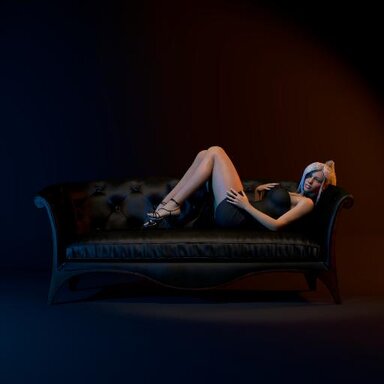
Photostudio - A scene created for taking screenshots, avatars, etc.

View attachment 534190

A virtual photo studio for creating screenshots of your looks, clothing etc.


Initially, I started making a scene with two characters that would begin with a photo shoot and then gradually transition into what you'd expect to see in VaM. The photo shoot itself was supposed to be slightly interactive, combined with dialogue. But I got a little carried away with the photo studio's interactive...

Read more about this resource...
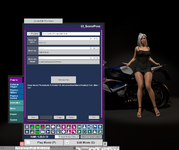
 
Very nice scene! However I don't know how to change the background setting. How do I get the motorcycle to show? When I click the bike button on the pose tab, the model poses but the motorcycle doesn't show.
 
Very nice scene! However I don't know how to change the background setting. How do I get the motorcycle to show? When I click the bike button on the pose tab, the model poses but the motorcycle doesn't show.

Thanks for the feedback!

There is no actual background settings for now. Only cyclorama color and ambient light (slider from black to white for both). I am working on adding different environments with proper customisation.

Regarding the motorcycle, it's quite big asset pack and it appears with 3-4 seconds delay. I retested it just now on clean VaM build from SSD. If it doesn't appear even after 30 seconds, check if CosmicFTW.Asset_motorcycle_bundle.1 is downloaded and appears in package manager with no errors.
Sometimes weird bug occurs and VaM gives error "<some asset> is invalid" on does not load it. Usually restart (close and open again, not "hard reset" from the menu) helps.
 
Last edited:
Thanks for the feedback!

There is no actual background settings for now. Only cyclorama color and ambient light (slider from black to white for both). I am working on adding different environments with proper customisation.

Regarding the motorcycle, it's quite big asset pack and it appears with 3-4 seconds delay. I retested it just now on clean VaM build from SSD. If it doesn't appear even after 30 seconds, check if CosmicFTW.Asset_motorcycle_bundle.1 is downloaded and appears in package manager with no errors.
Sometimes weird bug occurs and VaM gives error "<some asset> is invalid" on does not load it. Usually restart (close and open again, not "hard reset" from the menu) helps.
Thanks for the reply! I have all the dependencies.
I just cannot make the motorcycle or the sofa to appear. And there is no error. The model just sit on air.
Do I simply click the "Bike" button? Or the motorcycle spawns in other ways?
 
Thanks for the reply! I have all the dependencies.
I just cannot make the motorcycle or the sofa to appear. And there is no error. The model just sit on air.
Do I simply click the "Bike" button? Or the motorcycle spawns in other ways?

Weird. It should appear after you simply click motorcycle or the sofa. Looks like for some reason CUA from Subscene doesn't appear. Stool works, right (it's not CUA)?

Can you add this asset (motorcycle or the sofa) in different scene?
 
I am experiencing the same issue - clicking sofa/bike/stool does not make those assets appear, It seems that you did not set the path of subscenes correctly
1761113300703.png
 
I am experiencing the same issue - clicking sofa/bike/stool does not make those assets appear, It seems that you did not set the path of subscenes correctly
View attachment 535108

Is it how it looks in your scene? Mine looks like this.
I did clean reinstall on different PC. Works with no issues. Even tried to downgrade to older version of VaM.
 

Attachments

  • image_2025-10-22_10-16-02.png
    image_2025-10-22_10-16-02.png
    863.9 KB · Views: 0
Hi, I am getting an error saying super controller does not have a definition for alert vam and none of the UI buttons are showing…any ideas?
 
Hi, I am getting an error saying super controller does not have a definition for alert vam and none of the UI buttons are showing…any ideas?
Can you show a screenshot of an error? Also, are you using the last version of VaM?
 
I really like this scene! Thank you in advance for sharing it!

I just regret that it depends on such a large file as ‘TacoCat.Show_room.1.var’ with 470 Mb. 😭
 
I really like this scene! Thank you in advance for sharing it!

I just regret that it depends on such a large file as ‘TacoCat.Show_room.1.var’ with 470 Mb. 😭
Thanks! I planned to remove that room in the next update and replace it with something smaller.
 
Unless I play the tutorial, the sofa will load in but still the bike and stool won't. If I don't do the tutorial, nothing loads in.

Screenshot 2025-11-24 194129.png
Screenshot 2025-11-24 203222.png
1763987615086.png
 
My temporary fix:

Main UI: Select >> Atom; UI_ScenePose >> Plugins >> Open Custom UI >>Active ID; 2 >> On click trigger >> A_LoadSubSceneWithPath: Settings >> Choose File >> Furn_Bike >> OK

repeat for stool, treadmill, bike, and sofa

The bike takes a while to load tho
 
Last edited:
My temporary fix:

Main UI: Select >> Atom; UI_ScenePose >> Plugins >> Open Custom UI >>Active ID; 2 >> On click trigger >> A_LoadSubSceneWithPath: Settings >> Choose File >> Furn_Bike >> OK

repeat for stool, treadmill, bike, and sofa

The bike takes a while to load tho
What is your PC specs? I still can't replicate this bug on my PC to find the cause of the error and fix it.

While testing, I tried slowing down my PC by limiting CPU power consumption to 10 watts, which significantly slowed it down and extended scene loading times by several minutes. This sometimes caused an error when loading the motorcycle asset. So, it may be related to loading speed.
 
What is your PC specs? I still can't replicate this bug on my PC to find the cause of the error and fix it.

While testing, I tried slowing down my PC by limiting CPU power consumption to 10 watts, which significantly slowed it down and extended scene loading times by several minutes. This sometimes caused an error when loading the motorcycle asset. So, it may be related to loading speed.
RTX 3050
Ryzen 5 5600H (I think this one)
16GB RAM

If these helps,
Im using Ryzen Controller to limit CPU TDP to 20W and Temp limit to 70C so im not overclocked when I play the scene
 

Similar threads

Toolkits + Templates PhotoStudio
Replies
3
Views
1K
Back
Top Bottom