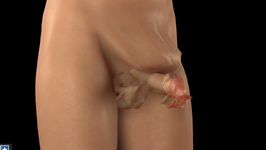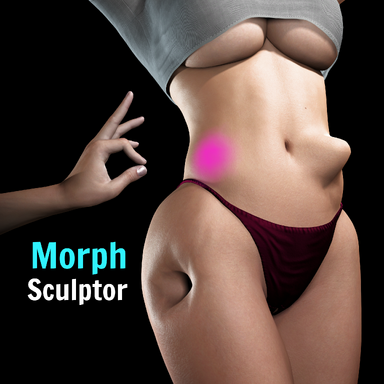
MorphSculptor

Plugins + Scripts MorphSculptor

Download [<1 MB]
Mxx updated MorphSculptor with a new update entry:

v7 - Bone Morphs, Mesh Parts editing, gender switching sculpt transfer, customizable shortcuts ...

This release is once again built on a version sent to me by @Ghostwalden , who has put a huge amount of work into it. Many thanks to them for growing this plugin!

Some changed shortcuts, please read
Shortcuts are now fully customizable in Advanced Settings, and a few defaults have changed:
  • Sculpt out = Shift...

Read the rest of this update entry...
 
Mxx updated MorphSculptor with a new update entry:

v8 - Relax tool, sculptable genital edge (optional), and wireframe overlay fixes

New: Relax tool
Smooths vertices along the surface to even out stretched or bunched-up vertices without changing the shape itself (known in sculpting programs as a tangential or slide relax). The already existing smooth tool irons out bumps in your sculpt, and this new relax tool fixes the mesh distribution while leaving the silhouette alone.

New: sculpting the genital edge (optional)
The outer edge of the genital mesh is stuck to the body mesh by...

Read the rest of this update entry...
 
Idea and fix on the Reference image area

In the Future can you have it so we can use more then one image maybe 3 images instead to cover Front, Side and Back view.
Also I notice when trying to click next for a different image it doesn't work unless the images are in the Vam Image folder Dir. but if images are from a desktop folder or onedrive the Next and Previous buttons seem to not work. I really enjoy this plugin and find the Reference image area to be a very important aspect as well.
 
how to go back to the old brush the purple one?
i really don't like those dots and lines the old one was easier to use, please tell me there is way to change brushes?
 
how to go back to the old brush the purple one?
i really don't like those dots and lines the old one was easier to use, please tell me there is way to change brushes?
There's an option in the advanced settings for the normal brush
 
Firstly, thank you for this amazing plugin.

Would it be possible for morphs saved with an open mouth to include it's own duplicate of the "mouth open wide" morph instead of driving the original?

When animating with multiple open mouth morphs, they are all competing to use the original "mouth open wide".
 
Hi there, I have run into a bit of an issue, I tried the plugin out and succesfully made my first morph. and it works great. I have a problem with the second and third morph I made though.
After following the same procedure as I did making the first morph. when I either load a different appearance preset or another scene. the morph doesnt work anymore, it is still in the morphs tab but it just doesnt react to the slider.
also in the plugin itsef it doesnt react when I click to "load the existing morph for editing".
again my first morph still works. anything I create after that just breaks.

anyone know what I'm missing or whats going wrong?

10/10 pluging btw 🔥
 
My dumbass finally figured out what I was doing wrong. Thanks for this absolutely badass tool!
 
Currently plugin is broken. After saving genital morph , Morph become this
 

Attachments

  • Bad Morph.PNG
    Bad Morph.PNG
    842.2 KB · Views: 0
The mesh parts adjust is a golden feature for me. But there's a hard limit on the values despite having multipliers. Is this an actual hard limit or could it be unlocked? I'm trying to hide the gums and teeth with a morph so some stylistic teeth can take their place.
 
The mesh parts adjust is a golden feature for me. But there's a hard limit on the values despite having multipliers. Is this an actual hard limit or could it be unlocked? I'm trying to hide the gums and teeth with a morph so some stylistic teeth can take their place.
You can go to the Teeth Materials, etc. tab, go to Shader and select Hide Material. All the special teeth and tongue models need that. For gums, you may have to hide the Mouth Materials, which means you need to replace all of that. You don't need a morph to hide these things.
 
You can go to the Teeth Materials, etc. tab, go to Shader and select Hide Material. All the special teeth and tongue models need that. For gums, you may have to hide the Mouth Materials, which means you need to replace all of that. You don't need a morph to hide these things.
That honestly sounds like way more work than scaling and moving the gums out of the way. Then I'd have to wrap a clothing item and try and make it seamless. This plugin makes creating such a morph a 5 minute job.
 
Back
Top Bottom