
• Hi Guest!

    We have posted a new VaM2 dev log on Patreon, starting a monthly cadence of written progress updates between Beta releases. Highlights include the new Gizmos System, Selection Carousel, and Modes System with Context-Specific Editing. Beta1.2 is 15 of 21 items complete.

    Read the full post on Patreon, or follow progress on the public Trello roadmap.
Midnight Pulse

Scenes Midnight Pulse

Download [92.08 MB]

iamjoi

Member
Joined
May 23, 2025
Messages
15
Reactions
55
iamjoi submitted a new resource:

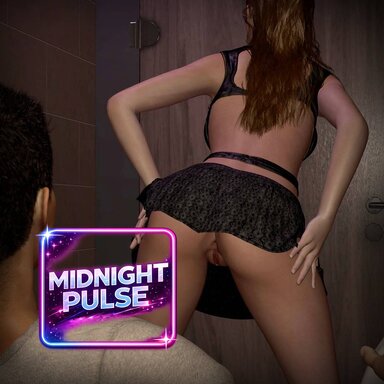
Midnight Pulse - Scene: you get lucky at a rave (7 sex positions)

You get lucky at a random rave with a wild woman.

This scene features 7 sex positions and 4 dancing ones.

Special thanks to the awesome deep ambien techno track called "Citadel" by lowkey ambient, which can be found here:

In regards to the animations used, I want to particularly thank the following creators:

- VamTimbo: I edited the "Lapdance mocap" and added it as a dance anim in the restroom stall, find the full...

Read more about this resource...
 
A fun scene. The only problem I see is that it has Tittymagic morphs baked into the Timeline poses for those parts of the scene. If you're not going to use TM in the scene, you shouldn't bake the morphs into the Timeline.
 
Awesome scene. Question: whenever I change the look of the female, the option to switch positions disappears. Any way to get it to reappear?
 
A fun scene. The only problem I see is that it has Tittymagic morphs baked into the Timeline poses for those parts of the scene. If you're not going to use TM in the scene, you shouldn't bake the morphs into the Timeline.
Ill fix this, you are totally right.
 
Awesome scene. Question: whenever I change the look of the female, the option to switch positions disappears. Any way to get it to reappear?
Hmm Im not sure exactly what you mean. I guess you are referring to the screen HUD that allows you to click different poses. That should always show up as long as you have the VaM UI open. You toggle the VaM UI with F1. Alternatively, if you are using the VR mode, you can also go to the Person atom, Plugins tab, head to CheesyFX.poseMe, click Open Custom UI, go to the Input tab and click "Keep HUD Canvas Open".
 
Back
Top Bottom