


perfectbloo submitted a new resource:
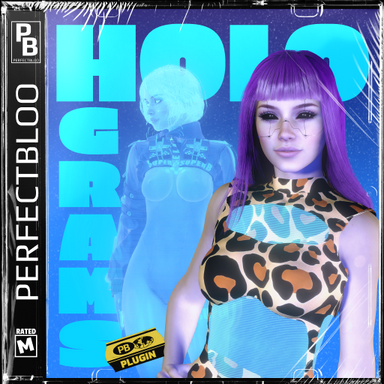
Holograms - Hologram VFX for person atoms
Read more about this resource...
Holograms - Hologram VFX for person atoms
Read more about this resource...
Last edited:
Fixes
- Fix material controls not working after adding hologram item
Thanks!This is really cool!
Do you think this could support CUAs or is that beyond the scope/capabilities?
Thanks, glad you like it!This is really neat! I didn't even know something like it was possible!
One question: is it possible to use this or possibly some adaptation of it in the future to get a kind of glowing outline/nimbus effect on or around a person? I messed around with the fresnel and that didn't quite do it. It'd be cool to use this kind of shader or something like it to show sci-fi/magical effects on a person.
Thank you!Wow, everything you do looks very high quality, from page design to the actual plugins!

Huh, that's weird. I tested it on a fresh install and didn't have issues with the shader switching back or the lashes not restoring.The problem is, though, that I can't get your stuff to work at all (skin paint simply does nothin for me). For this one, the shader is switched back shortly after I "Add" it to the person. Clothing works fine.
This is a fresh vam session and an empty scene with no other plugins on the person. There are no error messages.
At the end you can see another bug: The lashes are not restored when removing the effect or the entire plugin. One has to select something in F Eyelash Materials>Textures>dropdown upper left
Yeah, good call. I actually have the subsurface session plugin running. I could have thought of that myself... Removing it resolves the issue with this plugin as well.Thank you!
Huh, that's weird. I tested it on a fresh install and didn't have issues with the shader switching back or the lashes not restoring.
However, I did get a few reports for my Skin Paint plugin that it's incompatible with Hunting-Succubus' Subsurface Scattering Skin plugin. I should probably add that to the known issues. I've never used that plugin myself, but could it be that you have it installed as a session plugin?
Or do you maybe have any other session plugins that could be interfering?

I don't have that plugin, so at the moment I can't say whether there's anything I could do on my end to make them compatible. At least for Skin Paint it should be possible, since my plugin only replaces textures on the skin materials.Sad that we can't have both. It's either one shader or the other I guess.
You're right, I should fix that!The lashes are now restoring but they're still wrong for me when the effeect is enabled.
Features
- Add separate hologram settings for eyelashes
Fixes
View attachment 574256
- Fix eyelashes not rendering correctly by default
Do you have the dependency installed? Because the error basically says it can't find that package.Looks nice but for me it doesn´t even load... tried with a new scene without any plugins and it always says:
Compile of perfectbloo.Holograms.3:/Custom/Scripts/perfectbloo/Holograms/Holograms.cslist failed. Exception: System.Exception: Path perfectbloo.Core.1:\Custom\Scripts\perfectbloo\Core\Source\Core\Atoms\AtomType.cs not found
at MVR.FileManagement.FileManager.ReadAllText (System.String path, Boolean restrictPath) [0x00000] in <filename unknown>:0
at MVRPluginManager.SyncPluginUrlInternal (.MVRPlugin mvrp, Boolean isFromConfirmDenyResponse) [0x00000] in <filename unknown>:0
Maybe it helps, maybe its just me.
I'm not entirely sure I understand the exact effect you're looking for. Do you mean something like a halo/aura around the person? Or more of a rim light effect? Or maybe some animated overlay on top of the skin? If you happen to have a reference image for example from a game, that might help.
In general though, magical-style effects should definitely be possible. I'm just not sure yet whether that would fit within the scope of this plugin.
Shit, must have been that, didn´t know it had a dependecy sorry teheeDo you have the dependency installed? Because the error basically says it can't find that package.
Features
- Turn CUAs into holograms
- Add support for person decal textures
- Rename params for better readability and search in triggers
- EXPERIMENTAL Turn any built-in atom into holograms
Breaking Changes
- Hologram param names have changed. Older save files can still be loaded and will be updated to the new param names when saved. References to params in triggers...

