
• Hi Guest!

    We have posted a new VaM2 dev log on Patreon, starting a monthly cadence of written progress updates between Beta releases. Highlights include the new Gizmos System, Selection Carousel, and Modes System with Context-Specific Editing. Beta1.2 is 15 of 21 items complete.

    Read the full post on Patreon, or follow progress on the public Trello roadmap.
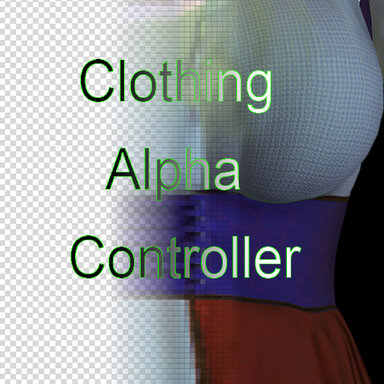
Clothing Alpha Controller

Plugins + Scripts Clothing Alpha Controller

Download [<1 MB]

Molmark

Invaluable member
Featured Contributor
Joined
Jun 1, 2020
Messages
341
Reactions
4,048
Molmark submitted a new resource:

Clothing Alpha Controller - Plugin for clothing transparency managment

A simple plugin to control the transparency of all the clothes worn on the character. It also allows you to create a "wave effect" of the appearance and disappearance of clothes.

View attachment 541184
View attachment 541185
  1. Add clothing to person.
  2. Add plugin ClothingAlphaController to person.
  3. Select clothing for grouping.
  4. Press "Create Group" Button. You have received a group on the right side of the interface.
  5. Now you can set min and max...

Read more about this resource...
 
First of all, I really like this plugin. it's going to make certain tasks SO much easier to animate.

That said, there's a few things that would make it even more useful for my purposes:
- It would be really handy to have a way to animate between zero and each individual group member's default alpha value, essentially using the plugin to fade in and out an entire set of clothes at the same time.
- Similarly, a version of the dynamic transparency that did the same thing but doesn't zero out the alpha on each item, just raises it from zero to the default and then moves on.

The first would be the most useful for me, but the second would be pretty handy too.

Thanks for the plugin!
 
Thanks for the feedback!
The fact is that each piece of clothing can have a different default transparency level. Thus, there is a conflict with the set minimum and maximum values of the plugin.
The plugin was created by me for a special task - liquid simulation, and I did not want to overload its functionality in order to avoid issues, but I'll think about how to complement it by adding additional functionality.
However, everything that you described is possible now, just by choosing the members of the group individually. In my opinion, it's still more convenient than searching for each piece of clothing separately.
Thanks again, I'll keep thinking.
 
Thanks for the feedback!
The fact is that each piece of clothing can have a different default transparency level. Thus, there is a conflict with the set minimum and maximum values of the plugin.
The plugin was created by me for a special task - liquid simulation, and I did not want to overload its functionality in order to avoid issues, but I'll think about how to complement it by adding additional functionality.
However, everything that you described is possible now, just by choosing the members of the group individually. In my opinion, it's still more convenient than searching for each piece of clothing separately.
Thanks again, I'll keep thinking.

Thanks - I understand on not wanting feature bloat, so if you don't end up adding those things, I understand. You've got a good point on the groups being more convenient! I currently have to animate each material in timeline individually, which is a pain!
 
Hey Molmark... another awesome contribution to our community. Thanks. As already mentioned, a save feature (for each scene) would be much welcomed - a little qol thing, though I know how difficult coding can be. I've 'attempted' it myself, only to get overwhelmed by bugs. :rolleyes:
 
Is this an issue caused by my incorrect settings, or is this the default behavior of the plugin itself? Why does the plugin delete all groups every time I reload the scene after saving it? I have to re-group all items again upon each reload.

[The groups must persist at all times for them to work with the Timeline feature properly.]
 
Back
Top Bottom