• Hi Guest!

    We have posted a new VaM2 dev log on Patreon, starting a monthly cadence of written progress updates between Beta releases. Highlights include the new Gizmos System, Selection Carousel, and Modes System with Context-Specific Editing. Beta1.2 is 15 of 21 items complete.

    Read the full post on Patreon, or follow progress on the public Trello roadmap.
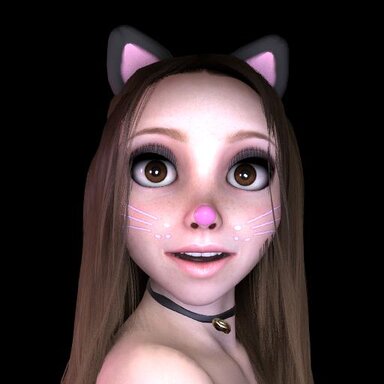
Big Kitty

Looks Big Kitty

Download [<1 MB]
so I download this and usually it turns blue and i can click it and go right into whatever it was I downloaded, but with this one, it does not do this, how to access her after the downloading ?
 
so I download this and usually it turns blue and i can click it and go right into whatever it was I downloaded, but with this one, it does not do this, how to access her after the downloading ?

Hi guts...

My look is an appearance preset, so you have to load it in the appearance presets Tab of the person.
Here's a Guide I made once for another user.

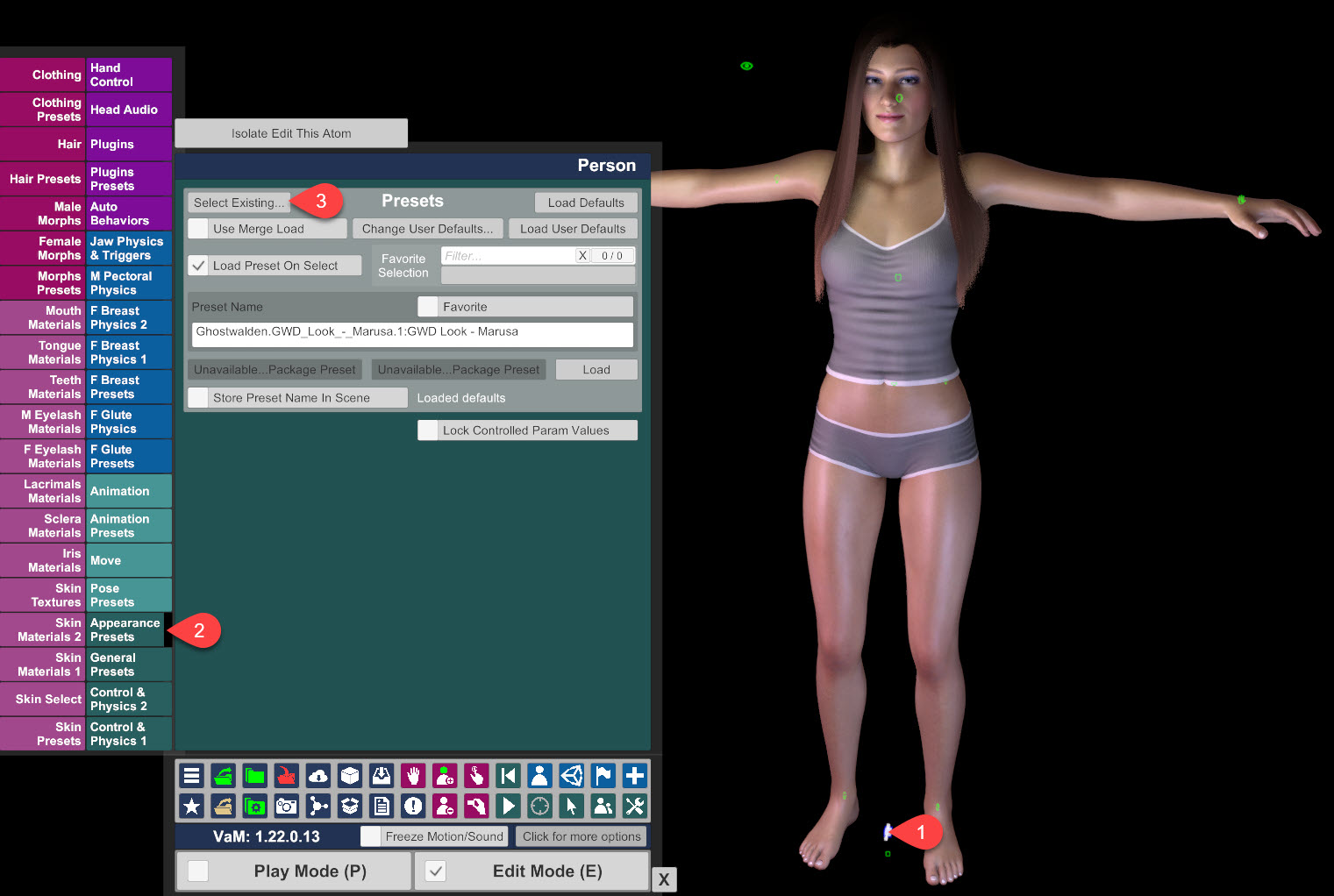
Add a person to your scene or select an already existing person and go to Appearance Presets and then click Select Existing...

1) Select your Person
2) Go to Appearance Presets
3) Click Select Existing...

zk2nwq.jpg


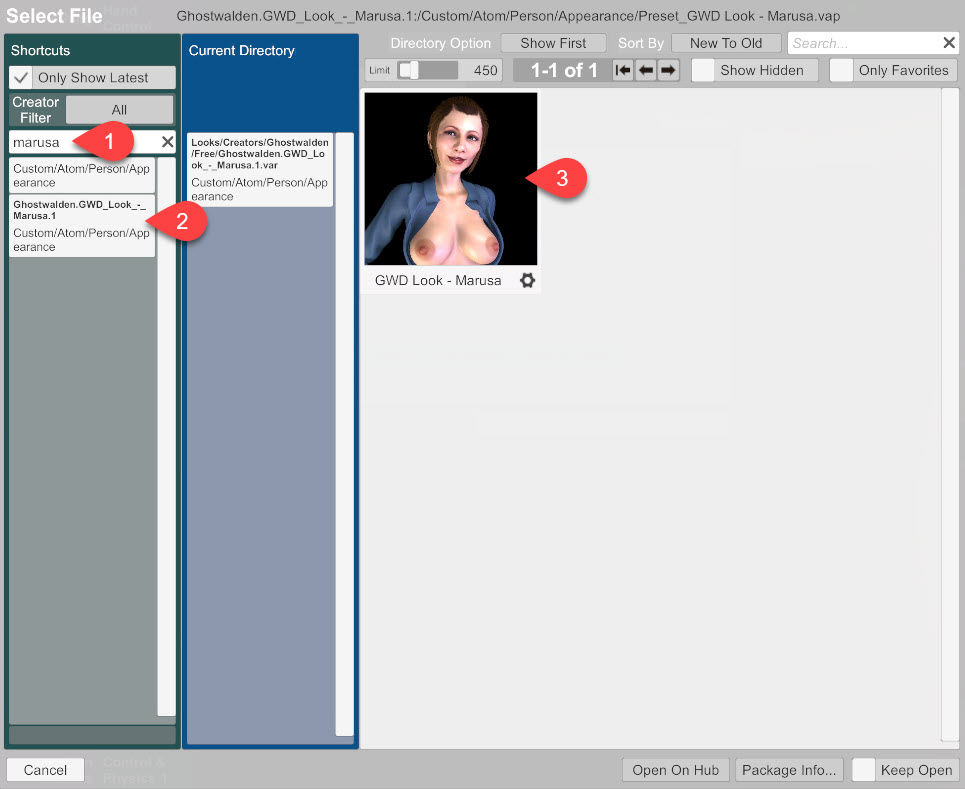
1) Browse for the File (Big_Kitty)
2) Click the File
3) Click the Look to load

wxitmh.jpg


I hope, this helps.
 
Last edited:
Back
Top Bottom