


I want to add actions when a internal script event happens, and I thought using the already existing VAM trigger GUI will be the easiest way to do it.
In particular I need this part of the CollisionTrigger/LookAtTrigger (add actions & edit them):
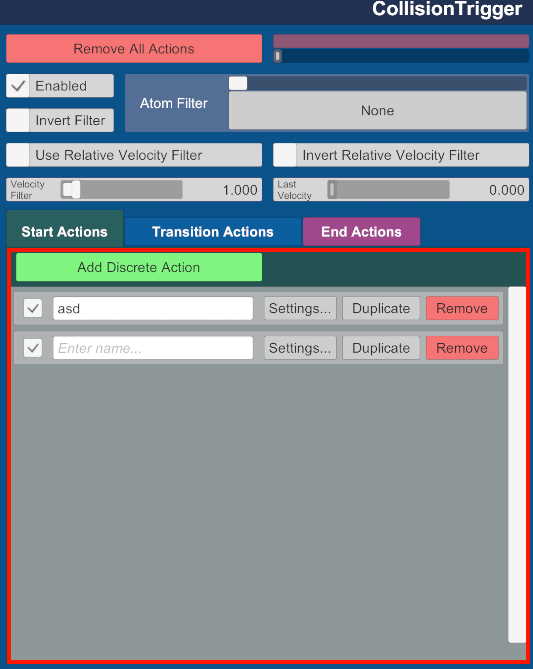
I've been searching for almost a week now, and still nothing. I think that what I need is to save a Trigger variable inside the script, but in order to call
* In LookAtTrigger, inside
In particular I need this part of the CollisionTrigger/LookAtTrigger (add actions & edit them):
I've been searching for almost a week now, and still nothing. I think that what I need is to save a Trigger variable inside the script, but in order to call
InitTriggerUI()* the UITransform needs a TriggerUI (and with GameObject#AddComponent<TriggerUI>() it stills shows as null).* In LookAtTrigger, inside
InitUI, it performs this initialization:
C#:
LookAtTriggerUI componentInChildren = this.UITransform.GetComponentInChildren<LookAtTriggerUI>();
...
this.trigger.triggerActionsParent = componentInChildren.transform;
this.trigger.triggerPanel = componentInChildren.transform;
this.trigger.triggerActionsPanel = componentInChildren.transform;
this.trigger.InitTriggerUI();
this.trigger.InitTriggerActionsUI();


