

-

Assets + Accessories Vibrator Dildo
Feel submitted a new resource: Vibrator Dildo - Vibrator Dildo Assets Read more about this resource... -
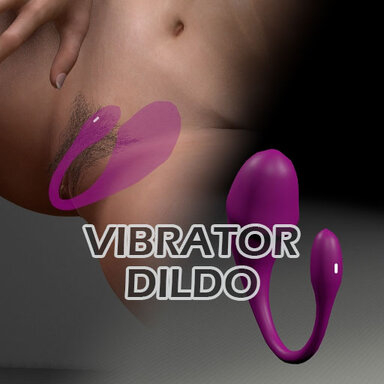
Assets + Accessories Vibrator Dildo 2026-10-20
Hub-Hosted VAR CC BY-NC-NDThis is a wearable vibrator dildo. When worn, it creates a transparent effect. It is an accessory designed for staging or visual presentation. The following plugin is strictly required. https://hub.virtamate.com/resources/objectpositionsaver.28767/- Feel
- Resource
- dildo vibrator
- Category: Assets + Accessories
-
Assets + Accessories GlassDildo
Feel updated GlassDildo with a new update entry: Feature changes. Read the rest of this update entry... -
Assets + Accessories GlassDildo - Feature changes.
The feature for defining cinematic sequences and objectives has been removed. You can create a wider variety of cinematic effects by using the ObjectPositionSaver plugin. Piston-based cinematic effects are included. An X-ray feature has been added, and it can now be configured.- Feel
- Resource update
- Category: Assets + Accessories
-
Assets + Accessories Custom Bicycle
First of all, thank you. Animations created within Unity have limitations when it comes to control. However, by controlling the object's shape physically, it becomes possible to create a wider variety of effects in VaM. That is why the scripts I create for my assets are designed to group child... -
Assets + Accessories Custom Bicycle
Thank you very much. Thank you for your help. -
Assets + Accessories Custom Bicycle
Feel updated Custom Bicycle with a new update entry: Add a preset in CustomUnityAsset. Read the rest of this update entry... -
Assets + Accessories Custom Bicycle - Add a preset in CustomUnityAsset.
Add a preset in CustomUnityAsset.- Feel
- Resource update
- Category: Assets + Accessories
-
Paid Scenes Witch's GlassBody
Feel submitted a new resource: Witch's GlassBody - glassbody sex. Read more about this resource... -
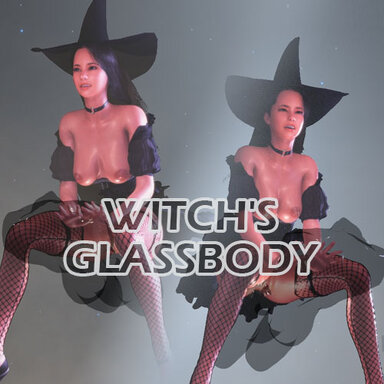
Paid Scenes Witch's GlassBody 2026-10-04
Witches don't use only broomsticks to get around. Broomsticks are simply the mode of transport they use when they don't have one available. That's just how it is. -
Plugins + Scripts All Material Control
It may look similar. However, this is limited to materials. It is specifically tailored for the Bloom option. I created this because there was no plugin available to control this aspect. -
Assets + Accessories LiquidGlassPack
I understand the purpose. That’s why I’ve added an option this time. Please give this option a try. -
Assets + Accessories LiquidGlassPack
Feel updated LiquidGlassPack with a new update entry: This feature has been added. Read the rest of this update entry... -
Assets + Accessories LiquidGlassPack - This feature has been added.
Adjusts the render queue and glossiness of the liquid and the container.- Feel
- Resource update
- Category: Assets + Accessories
-
Assets + Accessories GlassBody
Feel updated GlassBody with a new update entry: Bug fixes. Read the rest of this update entry... -
Assets + Accessories GlassBody - Bug fixes.
Event bug fixes.- Feel
- Resource update
- Category: Assets + Accessories
-
Assets + Accessories GlassBody
Feel updated GlassBody with a new update entry: Feature added. Read the rest of this update entry... -
Assets + Accessories GlassBody - Feature added.
Added Body Render Queue feature.- Feel
- Resource update
- Category: Assets + Accessories
-
Paid Scenes Graduation Ceremony
Feel updated Graduation Ceremony with a new update entry: UI bug fixes. Read the rest of this update entry... -
Paid Scenes Graduation Ceremony - UI bug fixes.
UI bug fixes. Fixed a bug where the voice selection button did not disappear.