


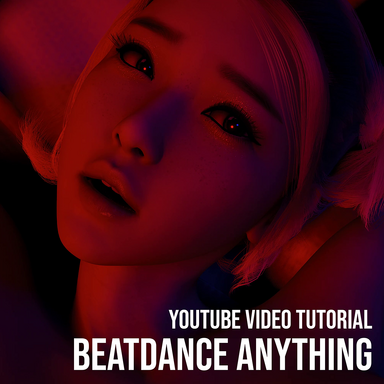



C&G-STUDIO Audio Visualizer Suite is a flexible and powerful plugin suite.
 hub.virtamate.com
Although it was originally developed to bring DMX-style stage lighting control into VaM, its capabilities go far beyond lighting alone. You can build upon it—or use it as a companion—to enhance many different aspects of your scene creation process.
Even if you’re not a scene creator, you can still use it in a very simple way to turn any scene into a rhythm-driven BeatDance experience. You can create an entire lapdance scene or any other music-driven scene using just this one plugin suite, exactly like in the video, from lighting to character movement. Or you can combine it with other powerful plugins to build even richer scenes.
In this tutorial video, we’ll use @AfterImage ’s “Missionary 2” scene as an example to demonstrate how it works step-by-step.
In this tutorial, we’ll be using only the BPMIntervalTrigger from the suite.
This is a very basic setup — it’s only meant to show you how it works. You can further explore using BPMIntervalTrigger to control other parameters of the AutoThruster plugin, such as maximum/minimum amplitude or rotation, and make them react to the rhythm as well.
You can also experiment with longer intervals, like 20-beat or 24-beat cycles, to dynamically adjust other beat channel settings within BPMIntervalTrigger itself, creating deeper and more gradual variations. With some curve adjustments and timing tweaks, combining it with AutoThruster can produce rich, natural, and expressive lap dance motion effects.
Have Fun!
Credit: Special thanks to @AfterImage for the beautifully crafted scene Missionary 2.
 hub.virtamate.com
C&G-STUDIO Audio Visualizer Suite - Plugins + Scripts -
Having trouble or want to share your stage design ideas? Join our Discord channel! 🎧✨ https://discord.gg/MvkhsYRHVw 🌟 Release Note — C&G-STUDIO Audio Visualizer Suite The C&G-Studio Audio Visualizer Suite is a complete modular system designed to...
hub.virtamate.com
Although it was originally developed to bring DMX-style stage lighting control into VaM, its capabilities go far beyond lighting alone. You can build upon it—or use it as a companion—to enhance many different aspects of your scene creation process.
Even if you’re not a scene creator, you can still use it in a very simple way to turn any scene into a rhythm-driven BeatDance experience. You can create an entire lapdance scene or any other music-driven scene using just this one plugin suite, exactly like in the video, from lighting to character movement. Or you can combine it with other powerful plugins to build even richer scenes.
In this tutorial video, we’ll use @AfterImage ’s “Missionary 2” scene as an example to demonstrate how it works step-by-step.
In this tutorial, we’ll be using only the BPMIntervalTrigger from the suite.
This is a very basic setup — it’s only meant to show you how it works. You can further explore using BPMIntervalTrigger to control other parameters of the AutoThruster plugin, such as maximum/minimum amplitude or rotation, and make them react to the rhythm as well.
You can also experiment with longer intervals, like 20-beat or 24-beat cycles, to dynamically adjust other beat channel settings within BPMIntervalTrigger itself, creating deeper and more gradual variations. With some curve adjustments and timing tweaks, combining it with AutoThruster can produce rich, natural, and expressive lap dance motion effects.
Have Fun!
Credit: Special thanks to @AfterImage for the beautifully crafted scene Missionary 2.
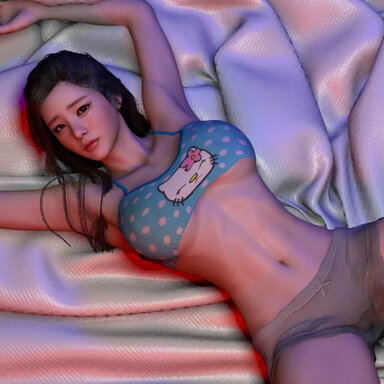
Missionary 2 - Scenes -
Another missionary scene designed for VR. No male character is included. Using a look that's been one of my favorites for a long time GyuA (https://hub.virtamate.com/resources/gyua.40157/). This scene starts subtly and ramps up over time. No...
hub.virtamate.com


![[ForgeLab] SeaForge: Now with More Realistic Ocean Surfaces and Underwater Worlds](https://1424104733.rsc.cdn77.org/data/resource_icons/69/69052.jpg?1787787062)
![[ForgeLab] Lumen Forge, Now with the All-New SkyRay Atmospheric Volumetric Lighting](https://1424104733.rsc.cdn77.org/data/resource_icons/68/68538.jpg?1785906791)
![[ForgeLab] Steam Forge](https://1424104733.rsc.cdn77.org/data/resource_icons/68/68680.jpg?1786442911)
![[ForgeLab] Glass Forge](https://1424104733.rsc.cdn77.org/data/resource_icons/68/68742.jpg?1786667222)
![[ForgeLab] Tail Forge](https://1424104733.rsc.cdn77.org/data/resource_icons/68/68311.jpg?1785112307)
![[Environments] Living Shore](https://1424104733.rsc.cdn77.org/data/resource_icons/69/69072.jpg?1787849707)
![[Project CRAFT] ASSET CUA STUDIO: Now supports BlendShape animation conversion](https://1424104733.rsc.cdn77.org/data/resource_icons/67/67353.jpg?1781153072)
![[Project CRAFT] AUDIO CUA STUDIO](https://1424104733.rsc.cdn77.org/data/resource_icons/67/67256.jpg?1781146550)

