
What it does:
Caveats:
Released via CC-By-SA

If you like this or other work of mine and wish to support me: https://www.patreon.com/cw/Dragontales13
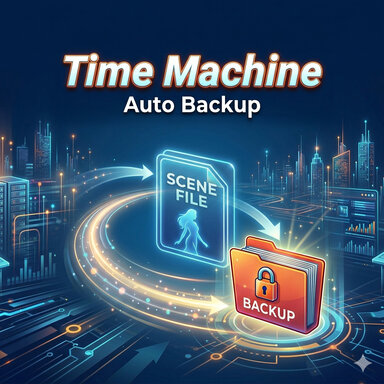
- Automatically saves a timestamped backup copy of your scene at a set interval (1–60 minutes)
- Each backup is a fully restorable scene file — includes all atom positions, appearance data, and plugin states
- Backup filenames are stamped with the date, time, and scene name so they sort chronologically and are easy to identify
- Lets you choose any folder as the backup destination via a directory picker
- NOTE: VAM doesn't allow saving of files outside it's install folder.
- There's a method outside VAM that you can tunnel a folder to another drive called a junction point (or directory junction)
- NOTE: VAM doesn't allow saving of files outside it's install folder.
- Caps the total number of backups kept — when the limit is reached, the oldest files are automatically deleted to make room
- Optional: triggers an extra backup immediately whenever you manually save the scene
- Suspend toggle pauses all saving for the rest of the session without disabling the plugin — resets to off on next launch
- Manual prune button lets you immediately delete the oldest files in one click with a settable amount slider
Caveats:
- This plugin does not replace saving your files manually and does not overwrite your main scene file. This saves a backup file at a specified location.
- This plugin saves the entire scene — large scenes with many atoms and high-res textures will produce large files, so keep an eye on disk space
- Backups are scene files only — they do not include clothing presets, morph saves, or any assets stored outside the scene JSON
- When the backup folder reaches its file limit, VaM itself will pop up a confirmation dialog asking permission to delete the oldest file before saving — this is a VaM system behavior we cannot suppress. To avoid that dialog interrupting you mid-session, use the Delete Oldest N Files button inside the plugin to bring the count down again, or manually delete them at the windows level.
Released via CC-By-SA
If you like this or other work of mine and wish to support me: https://www.patreon.com/cw/Dragontales13