
This is a utility plugin for saving and reusing relative character positions and full pose snapshots for paired interactions. It is meant for scenes where two actors need to return to a specific relative position to each other without being locked to a fixed place in the room. Instead of saving a world-space location, it saves the interaction as a named preset built from one actor as the reference and the other actor relative to that reference. VaM plugins are built on MVRScript, and plugin settings and UI values are commonly exposed and saved through JSONStorable parameters, which is the same general pattern this tool follows.
The main idea is simple: capture once, reuse anywhere. You pose two actors the way you want them, save that setup as a named interaction, and later load that interaction and apply it again. The plugin stores the relative offset, relative rotation, and saved pose data so the actors can be placed back into the same relationship even if the scene itself has changed. Because VaM storables can be registered to save and reload with plugin or scene data, this kind of workflow fits naturally into normal VaM scene building.
What it does
- Saves a named interaction preset
- Captures Actor A and Actor B
- Stores the second actor relative to the first actor
- Saves the pose information needed to restore that setup later
- Loads a saved interaction from the library and reapplies it with one click
- Keeps save/capture controls separate from load/apply controls for easier use
How it works
In the Save / Capture section, you choose the two actors and their Timeline sources, type an interaction name, and capture the current setup. The plugin records the relative transform between the two actors and stores the pose data needed to reconstruct that setup later.In the Load / Apply section, you select a saved interaction, choose whether the current actor is Actor A or Actor B, choose the partner when needed, and apply the saved interaction pose. The plugin then restores the saved relative relationship and pose instead of sending the actors to a fixed map position.
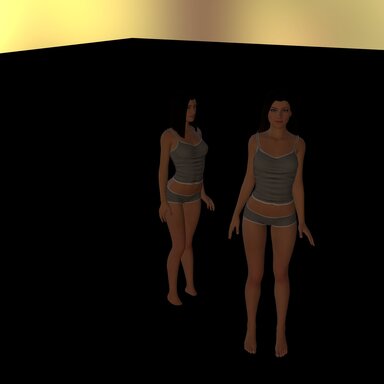
Actor 2's position is based on Actor 1.
What this is useful for
This is useful when you want:- reusable paired starting positions
- consistent alignment between two actors
- named interaction presets you can save, update, and reuse
- scene setups that work from the actors’ current location instead of one fixed room position
- Use with the Companion Motion plugin
Basic workflow
- Put/find both actors in the pose and relative position you want.
- In Save / Capture, choose Actor A and Actor B.
- Type a name for the interaction.
- Capture and save it to the library.
- Later, in Load / Apply, choose that saved interaction.
- Set the role and partner correctly.
- Apply the interaction pose.