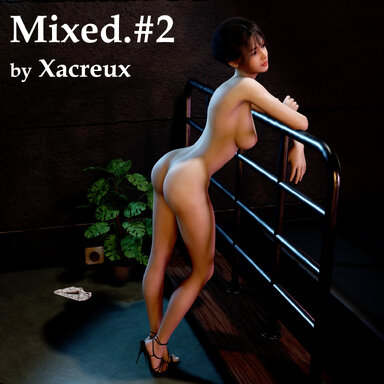
Mixed Scene No.2 : MV "Don't Wake Up!"
"She shows off the dance challenge she’s been practicing — in a private space!"
Releasing another trial of "Music-video Styled" scene animation with synchronized audio track.
All the morph animations are optimized for the Model AYv2.
Tested on the VaM version 1.22.0.12, VR-mode has not been tested.
How to Play :
After entering the main menu, you can find the following buttons.
During the first play after downloading, the high heels and video clips may not function properly. If this occurs, please reload the scene once more.
Note #2 :
The following set is my global preferences setting on which I composed this scene. Check to experience most similar condition.
"Soft Body Physics = OFF" and "Physics Update Cap = 2", you may adjust all other settings as desired based on your computer’s performance.
And.. enjoy it, and see you at my next work.
*** DISCLAIMER : All video clips appearing in this scene are AI-generated and do not depict real situations. ***
SOME OF THE INCLUDED PARTS ARE UNDER NON-COMMERCIAL LICENSE
DO NOT USE THE LOOK OR ANY PARTS FOR COMMERCIAL PURPOSES
Sample Screen Shots :
"She shows off the dance challenge she’s been practicing — in a private space!"
Releasing another trial of "Music-video Styled" scene animation with synchronized audio track.
All the morph animations are optimized for the Model AYv2.
Tested on the VaM version 1.22.0.12, VR-mode has not been tested.
How to Play :
After entering the main menu, you can find the following buttons.
- Stop and Reset : Stop animation and return to the initial state.
- Play (Full Music Video Mode) : Play the Music Video Mode, which includes all details.
- Play (Static Camera) : Enjoy the dance only, without additional details or camera movements.
- Set Clothing : Equip the character with the default high heels suited for the dance animation.
- Back to Title : Back to Title Screen.
During the first play after downloading, the high heels and video clips may not function properly. If this occurs, please reload the scene once more.
Note #2 :
The following set is my global preferences setting on which I composed this scene. Check to experience most similar condition.
"Soft Body Physics = OFF" and "Physics Update Cap = 2", you may adjust all other settings as desired based on your computer’s performance.
And.. enjoy it, and see you at my next work.
*** DISCLAIMER : All video clips appearing in this scene are AI-generated and do not depict real situations. ***
SOME OF THE INCLUDED PARTS ARE UNDER NON-COMMERCIAL LICENSE
DO NOT USE THE LOOK OR ANY PARTS FOR COMMERCIAL PURPOSES
Sample Screen Shots :