


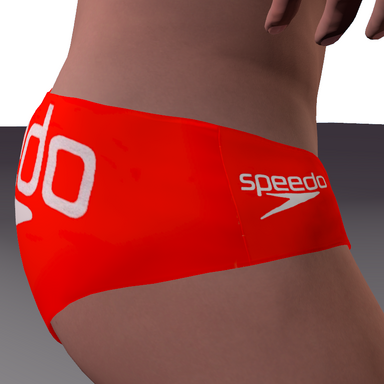


Mens Speedos & Briefs Underwear pack
This is a texture pack for Maru01's Men's Briefs pack , so you will need to get that if you dont have it
Download link for them is in the Needed Files section & also at bottom of this page.
The Using them in Vam section explains how to equip them and fix the colors.

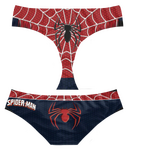
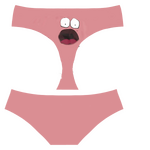
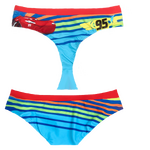
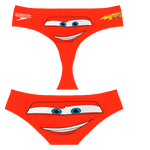
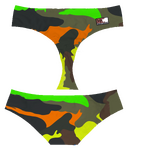
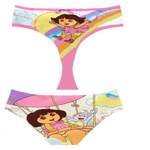
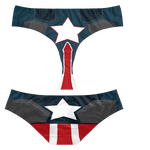
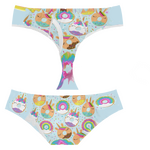
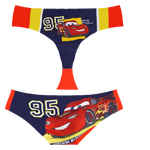
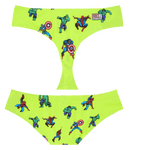
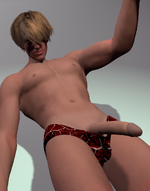
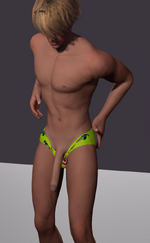
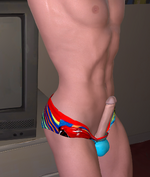
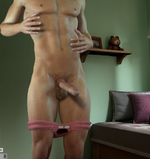
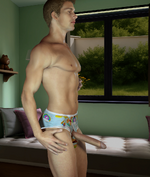
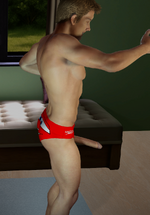
This is a texture pack for Maru01's Men's Briefs pack , so you will need to get that if you dont have it
Download link for them is in the Needed Files section & also at bottom of this page.
The Using them in Vam section explains how to equip them and fix the colors.
Click Here to Download Maru01 Mens Briefs.var
and download Clint.Mbriefs01_Retextures.1.var from the top of this page.
Put both in your Virt-a_mate/AddonPackages folder
and download Clint.Mbriefs01_Retextures.1.var from the top of this page.
Put both in your Virt-a_mate/AddonPackages folder
1. Equip a Male atom/Person with a pair of Maru01's Briefs from the root/clothing tab. Click Customize
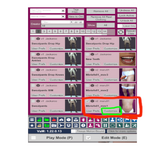
2. On the purple b tab slide the alpha adjust slider all the way down to -1.000
keep it at +1.000 if you want the waist band "briefs" Look.
Color Adjustments here focuses on this area only.
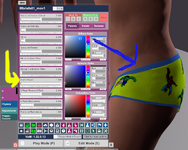
3. Now in he p tab click Textures click Reset Click Select
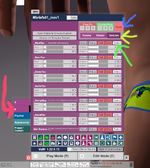
4. In the Vam explorer Click Root from the left green menu , and navigate to
Virt-a-mate\AddonPackages\Clint.Mbriefs01_Retextures.1.var\Custom
select one of the textures to apply it.
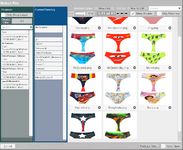
5. Now we just need to fix the faded looking colors . Go back to the p tab from before and change these settings.
Click the Params tab Set the Specular Color to Black by dragging the little box to the bottom.
Adjust the Diffuse Texture Offset slider downwards untill the colors look good.
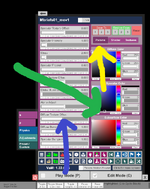
Go ahead and save it as a custom clothing preset
2. On the purple b tab slide the alpha adjust slider all the way down to -1.000
keep it at +1.000 if you want the waist band "briefs" Look.
Color Adjustments here focuses on this area only.
3. Now in he p tab click Textures click Reset Click Select
4. In the Vam explorer Click Root from the left green menu , and navigate to
Virt-a-mate\AddonPackages\Clint.Mbriefs01_Retextures.1.var\Custom
select one of the textures to apply it.
5. Now we just need to fix the faded looking colors . Go back to the p tab from before and change these settings.
Click the Params tab Set the Specular Color to Black by dragging the little box to the bottom.
Adjust the Diffuse Texture Offset slider downwards untill the colors look good.
Go ahead and save it as a custom clothing preset

