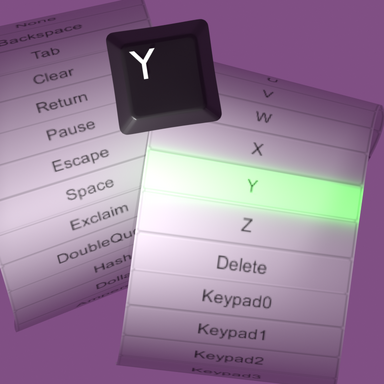


Quite small session plugin for working with popup widgets in desktop mode, primarily for assigning hotkeys to other plugins. This is because searching for the right key in a small part of huge list of keys with strange names is difficult and slow. (key names like: Alpha1 is 1, BackQuote is ~, etc.)
The plugin automatically monitoring opened drop-down string chooser (UIPopup) and listening any key pressing, and if the pressed key is in the drop-down menu item list, it will be assigned.
Ignoring MouseLeft, MouseRight, MouseMiddle. If you need them, you can press an additional mouse button, for example Mouse4, and select nearby key.
+ Closing the drop-down menu when user clicks another UI element. Because I often needed to close it by clicking something else, like similiar widgets in many programs.
As always, I think this things should be the default.
I'm not sure about VR mode, it might not be very comfortable.

The plugin automatically monitoring opened drop-down string chooser (UIPopup) and listening any key pressing, and if the pressed key is in the drop-down menu item list, it will be assigned.
Ignoring MouseLeft, MouseRight, MouseMiddle. If you need them, you can press an additional mouse button, for example Mouse4, and select nearby key.
+ Closing the drop-down menu when user clicks another UI element. Because I often needed to close it by clicking something else, like similiar widgets in many programs.
As always, I think this things should be the default.
I'm not sure about VR mode, it might not be very comfortable.