About
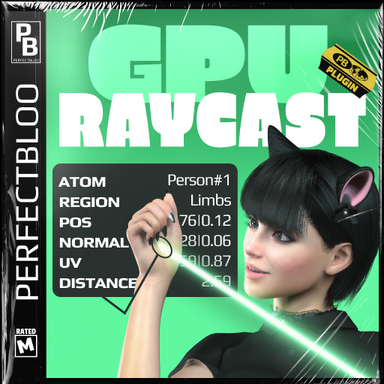
GPU Raycast for person atoms gives you advanced hit info like texture coordinates, person texture regions, and normals. It exposes an API to get the information either as a HitInfo struct like Unity's physics raycast, or raycast an area to a texture (e.g. for use in a compute shader).How To
The easiest way to raycast is through the GpuRaycastApi class. Add these lines to your cslist to use it in your plugin (replace the version accordingly):
Code:
perfectbloo.GpuRaycast.<version>:/Custom/Scripts/perfectbloo/GpuRaycast/Source/GpuRaycast/GpuRaycastApi.g.cs
perfectbloo.GpuRaycast.<version>:/Custom/Scripts/perfectbloo/GpuRaycast/Source/GpuRaycast/GpuRaycastHit.cs
To raycast and get a hit info struct simply use the Raycast function. For advanced usage checkout the "Painter" class from my Skin Paint plugin, which raycasts using RaycastToTexture, asynchronously reads the data on the CPU, and uses the raycast result in a compute shader.
Setting up the plugin for the user
It's best to add the GPU Raycast scene plugin programmatically, so users of your plugin don't need to worry about it. Either implement your own solution, or use the ScenePlugin class from my Core code library like so:
C#:
private ScenePlugin<GpuRaycastApi> GpuRaycast = new ScenePlugin<GpuRaycastApi>(
GpuRaycastApi.Author,
GpuRaycastApi.PackageName,
GpuRaycastApi.PluginName,
GpuRaycastApi.ScriptName
);
[...]
if (GpuRaycast.Api?.Raycast(...) == true) { [...] }
API
C#:
bool Raycast(
Vector3 origin,
Vector3 direction,
out GpuRaycastHit hit,
float maxDistance = 1000f,
int layerMask = 29);
bool RaycastToTexture(
Vector3 origin,
Vector3 direction,
RenderTexture rtNormalDepth, // rgb: Normal | a: Depth (1: origin, 0: maxDistance)
RenderTexture rtTextureCoordId, // rg: TextureCoords | b: Material ID | a: unused
float orthographicSize = 0.01f,
float maxDistance = 1000f,
int layerMask = 29);
RenderTexture CreateNormalDepthTexture(int size = 1); // Use as input for RaycastToTexture
RenderTexture CreateTextureCoordIdTexture(int size = 1); // Use as input for RaycastToTexture
Texture2D CreateReadBackTexture(int size = 1); // Use to read RaycastToTexture results
// Use to get atom and region from RaycastToTexture results
bool TryGetAtomAndRegion(
int materialId,
out Atom atom,
out DAZCharacterTextureControl.Region region);
float EncodeMaterialId(int id);
int DecodeMaterialId(float id);
struct GpuRaycastHit
{
Vector3 Point { get; set; }
Vector3 Normal { get; set; }
Vector2 TextureCoord { get; set; }
float Distance { get; set; }
Atom Atom { get; set; }
DAZCharacterTextureControl.Region Region { get; set; }
}
Limitations
GPU Raycast only works with person atoms, and only on skin. Clothing and hair will block raycasts.- Slut show - Your personal Exhibition Hall by supperGR (CC BY-NC-SA)
- Sabrina by willmason (CC BY)
- Skin 6 by Riddler (CC BY)
- [Hairstyle] Ear hook bob by VaM_LO (CC BY)
- Enhanced Eyes by Hunting-Succubus (CC BY-NC)
- Pet Furry Kitty Accessory Set #neko-girl by VRDollz (CC BY-NC-ND)
- Blouse & Skirt Set004P by YameteOuji (CC BY)
- Blouse & Skirt Set006 by YameteOuji (CC BY)
- BootsA by YameteOuji (CC BY)
- Shimapan Technology by YameteOuji (CC BY)
- asco's Facial Expression Morph Pack by ascorad (CC BY)
- VAM Lightsabers by hazmhox (CC BY-SA)