

Is this useful for you? I'd love to know!
Leave a like, and tell me in your review how this is helpful or could be improved!
About
Attach atom controls to any part of your CUA using VaM's native linking UI without creating any additional empty atoms.Is this the right plugin for you?
If you only need to attach controls to CUAs (not the other way around), and are looking for a minimalistic plugin that does not create additional empty atoms for linking controls, this is for you. In all other cases you are probably better off using Skynet's Puppeteer which takes a more holistic approach.
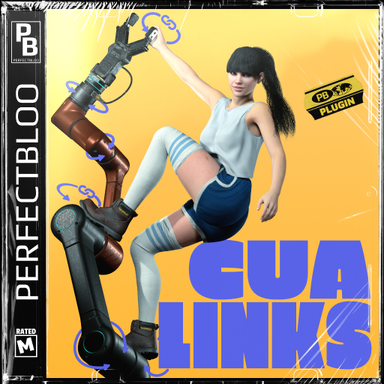
Demonstration of linking cameras and person controls to an animated robotic arm CUA. The cameras are linked using "Parent Links" for instant responsiveness. The person's feet and left hand are linked using "Physics Links" to avoid stretching artifacts. To also improve accuracy for the person controls, very high hold spring values and Skynet's Smooth Physics plugin were used.
How To
Simply add the plugin as a scene plugin. In any atom control setting, choose a CUA atom in the "Link To Atom" dropdown. The "Link To" dropdown will show all control targets inside your CUA. Choose your target, and use either "Parent Link" or "Physics Link" in the position and rotation settings below.| Mode | Description |
|---|---|
| Parent Link | Position and/or rotation are updated every frame manually, disregarding physics. Works well to fix static objects accurately, but might lead to artifacts when linking e.g. person controls. |
| Physics Link | Position and/or rotation are updated through physics. Might show a less instant response with visible delays, but works better e.g. to link person controls without artifacts. |
- Slut show - Your personal Exhibition Hall by supperGR (CC BY-NC-SA)
- Sabrina by willmason (CC BY)
- Skin 6 by Riddler (CC BY)
- ponytail hair2 by ddaamm (CC BY)
- 8k Blue shorts by AnythingFashionVR (CC BY-NC-ND)
- CMA_IRIS_REFLEX_EYESSHADOW by CMA (CC BY-SA)
- Enhanced Eyes by Hunting-Succubus (CC BY-NC)
- Overknees by Strelok (CC BY-SA)
- Emissive Eyes reflection/shadows by SupaRioAmateur (CC BY-NC-SA)
- Summer_Outfit01 by maru01 (CC BY)
- Overalls Set by xxxa (CC BY-ND)
- E-Motion by VRAdultFun (CC BY)
- "Black Honey - Robotic Arm" by re1monsen (CC-BY-4.0, https://skfb.ly/opntO)